Loss Analysis
Open and filter
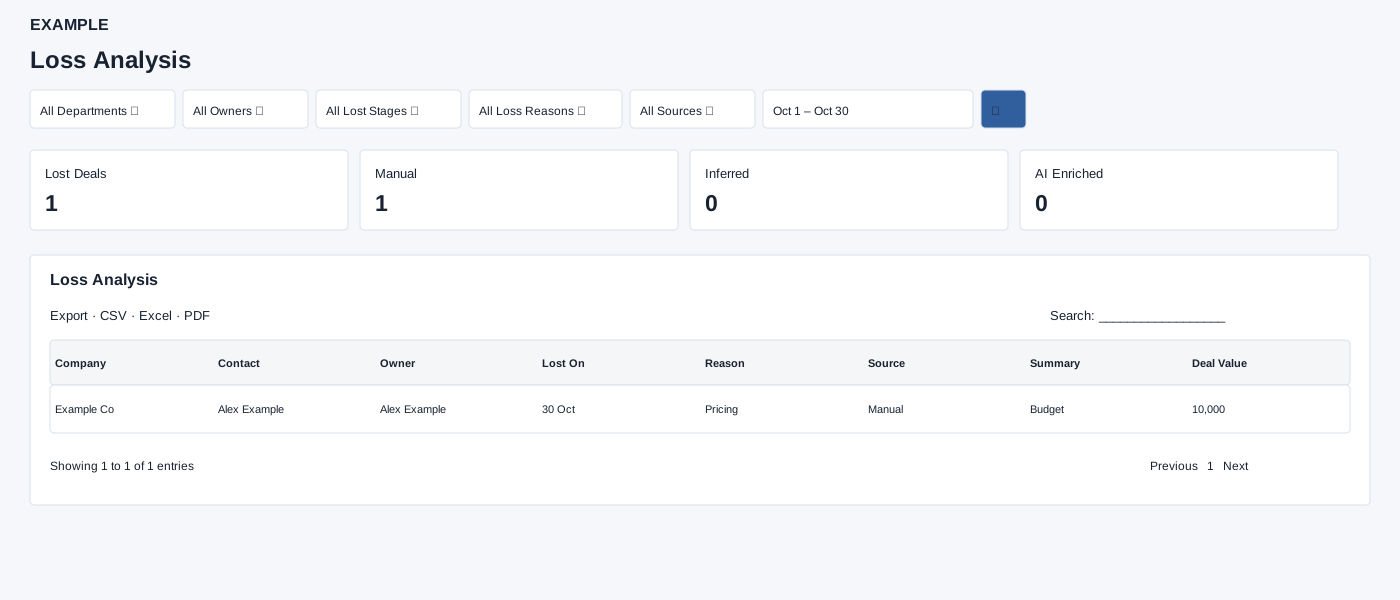
Open Reports → Loss Analysis. Deal Analytics access is required. Select filters and dates, then search. Treat inferred and AI-enriched reasons as analysis to review, rather than confirmed customer statements.
Controls: All Departments, All Owners, All Lost Stages, All Loss Reasons, All Sources, Date range.
Read the results
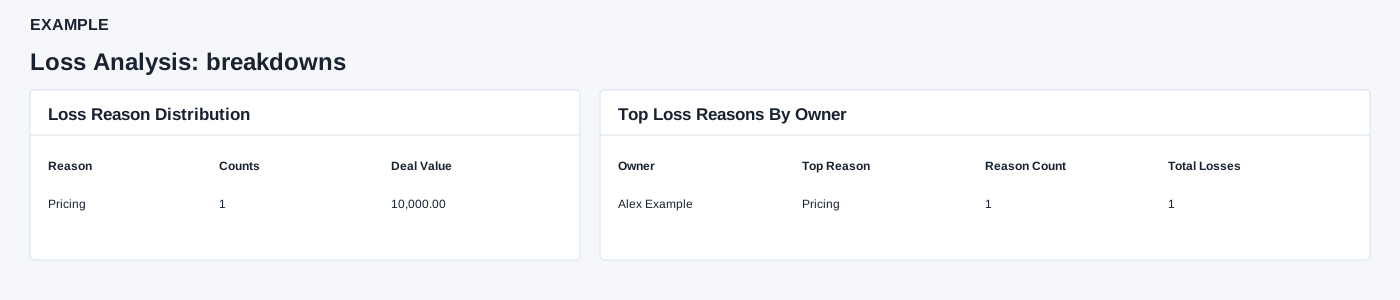
Columns: Company, Contact, Owner, Lost On, Reason, Source, Summary, Deal Value. Cards show Lost Deals, Manual, Inferred and AI Enriched. Reason distribution shows Reason, Counts and Deal Value; owner breakdown shows Owner, Top Reason, Reason Count and Total Losses. Sources are Manual, Inferred or AI Enriched.
Filter and export details
The default dates run from 90 days ago through today. The picker offers Last 30 Days, Last 90 Days and This Quarter as well as a custom range. Stage and reason choices are account-specific; source choices are Manual, Inferred and AI Enriched. Select the search icon to apply. The report requests up to 300 records; the detail table offers CSV, Excel and PDF exports.
Read the breakdowns
Loss Reason Distribution shows each reason’s number of retained deals and summed Deal Value. Top Loss Reasons By Owner shows the most frequent reason, its count and all retained losses for that owner; use the detailed rows to inspect the individual summaries. Detailed Lost Deal List displays AI for AI-enriched rows even when the underlying reason source is also counted as manual or inferred. Rows are text, with no contact drill-down; open the contact separately.
Interpretation and limits
The date range filters closure date. The 300 newest qualifying lost deals are fetched before reason and source filtering; summaries may therefore be partial. Manual counts manual reason sources; Inferred counts non-manual sources; AI Enriched counts enriched analysis and can overlap either source count. Reason distribution totals values by reason; owner breakdown shows each owner’s most frequent reason and count.
When the shared enhancement loads, exports cover loaded rows matching the table search across pages. If enhancement fails, the original table controls may differ.
Example and verification
Choose the last 30 days and the owner Alex Example. If the Reason table shows three losses under Pricing, review the individual rows and their source before changing the sales approach. A reason labelled Inferred or AI Enriched needs review; if no rows appear, clear reason and source filters and check the lost-date range.
See charts for this report and shared table and export controls.