Submitted Forms
Open and filter
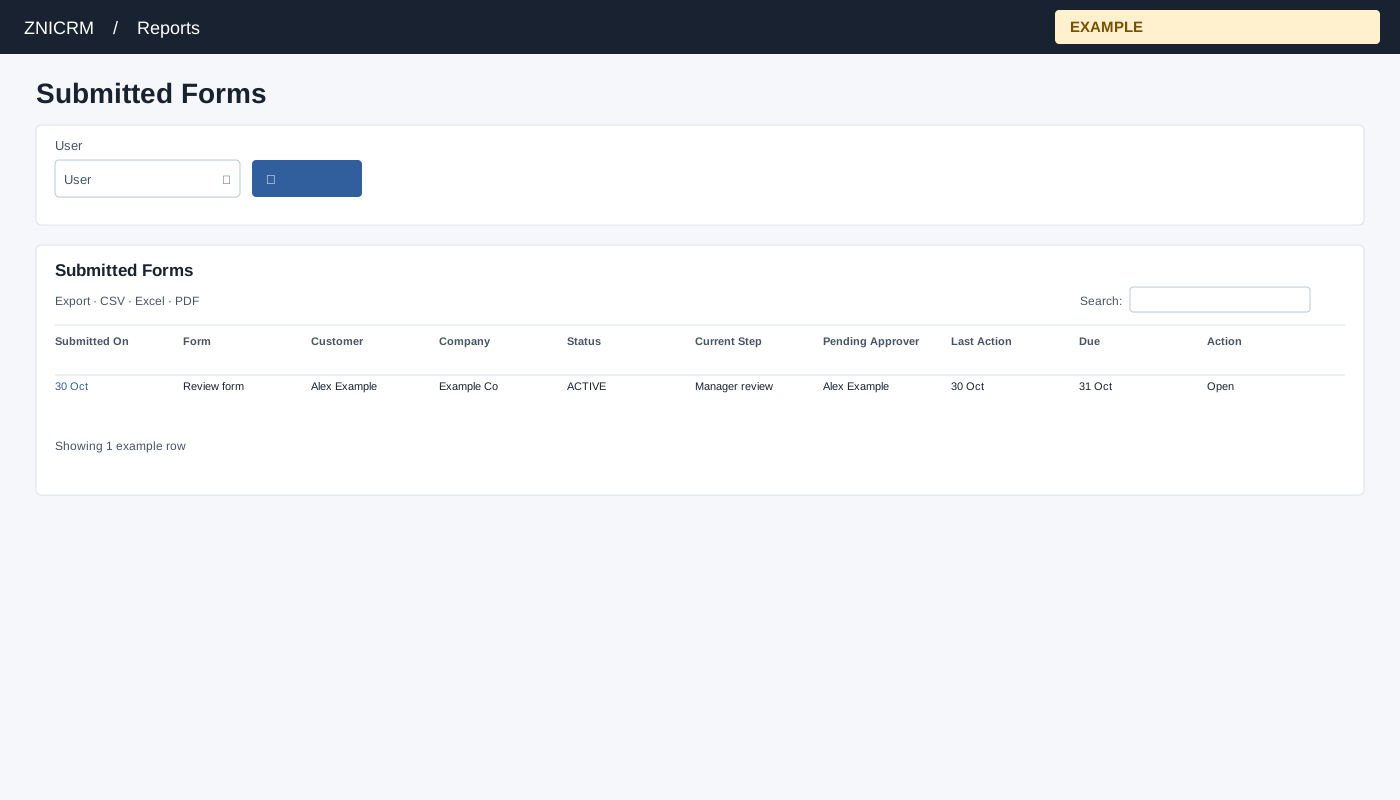
Open Reports → Submitted Forms. Choose an available user and search. Open opens the response or escalation subject in a new tab; inspect its current step, assignee and due date.
Controls: User. User and department options reflect available scope.
Read the results
Columns: Submitted On, Form, Customer, Company, Status, Current Step, Pending Approver, Last Action, Due, Action. The page requests up to 300 submitted responses for the selected user. CRM access and permitted user scope apply.
Record details
The default user is the signed-in user; an unavailable requested user falls back to that user. No date filter is shown. Open is available only when a subject or response URL exists; otherwise the Action column shows NA. A missing escalation status displays No Escalation, and a pending item without an assignee displays Pending assignment.
Interpretation and limits
This list includes only responses whose form has a legacy escalation configured or which have a shared escalation instance; it is not every submitted form. The selected user is the submitter, not necessarily the pending approver. The report chooses an active or waiting instance ahead of closed instances and then the newest ID; pending assignees can include multiple names. Results are ordered by response ID descending before the 300-row cap. When the shared enhancement loads, table search and sorting operate on loaded rows and CSV, Excel and PDF export matching loaded rows across pages. Original controls may differ if enhancement fails.
Example and verification
Select Alex Example and open a form whose Current Step is manager review. Confirm its Pending Approver and Due on the linked response. If it is absent, check the selected submitter and the 300-response limit.
See charts for this report and shared table and export controls.