Invoice Sales
Open and filter
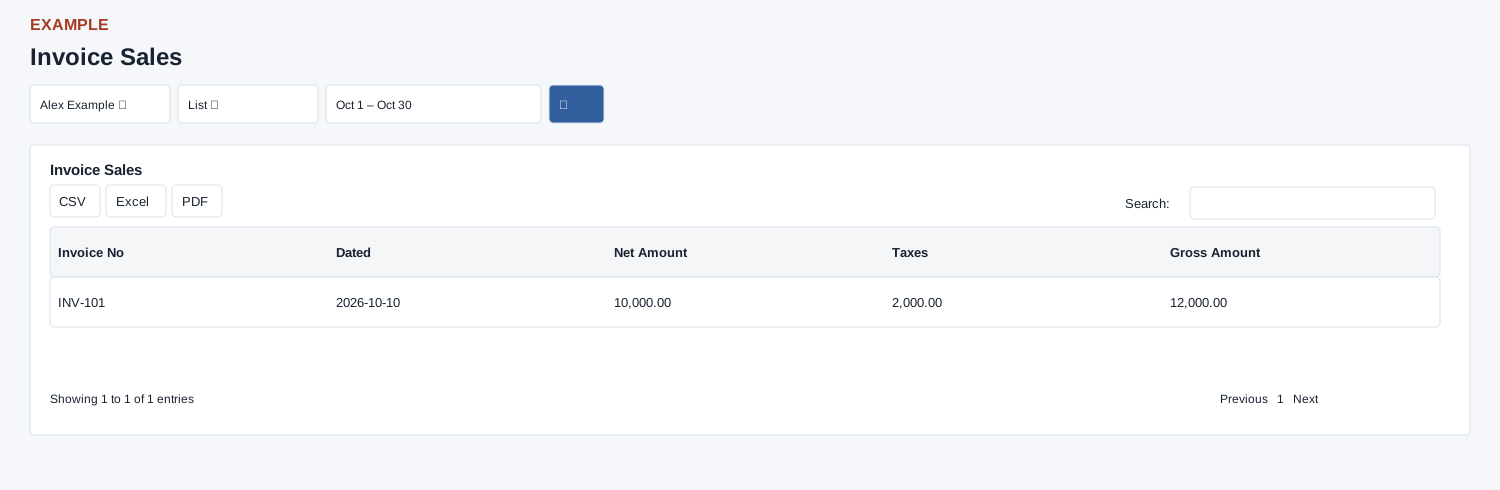
Open Reports → Invoice Sales. Choose user, view and dates and search. Compare net, tax and gross totals; changing view changes aggregation.
Controls: User, List / Consolidated, Date range. User and department options reflect available scope.
Read the results
Columns: Invoice No, Dated, Net Amount, Taxes, Gross Amount. List shows invoices; Consolidated shows User Name, Net Amount, Taxes and Gross Amount. Initial dates are today.
Calculation and scope
The list is limited to 5,000 invoices and uses the contact’s current owner. Consolidated results are available when the selected user has an administrator role and are capped at 5,000 grouped rows.
Date picker and table controls
The date picker offers Today, Yesterday, Last 7 Days, Last 30 Days, This Month and Last Month, plus a custom range. Apply the range and select the search control to reload the report. The table initially shows 100 rows per page and provides Excel, CSV and PDF export controls.
Interpretation and limits
The date filter uses invoice date, but the Dated column displays the record creation timestamp. Neither list nor consolidated view filters inactive or void invoices. List net is gross less the sum of stored tax rows; missing tax rows can leave net unavailable, so check the source invoice rather than assuming displayed zero means no tax. Consolidated checks the selected user’s role: selecting an administrator allows grouped company results; selecting a non-admin returns none. The page resets an out-of-scope selection to the viewer. Table footer totals cover loaded rows before search; invoice numbers are plain text, not links. Raw end-date bounds may omit time-bearing invoice dates later on the last day.
When the enhanced report loads, CSV, Excel and PDF export all loaded rows matching the table search, not just the current page. If enhancement fails, the original table controls can differ; check the visible controls.
Example and verification
Choose Alex Example and List for a day; compare an invoice’s net and taxes with gross, then select an administrator in Consolidated to review company user totals; choosing a non-admin for that view returns no rows on this report. Check the date and owner when an invoice is missing.
See charts for this report and shared table and export controls.