Revenue
Open and filter
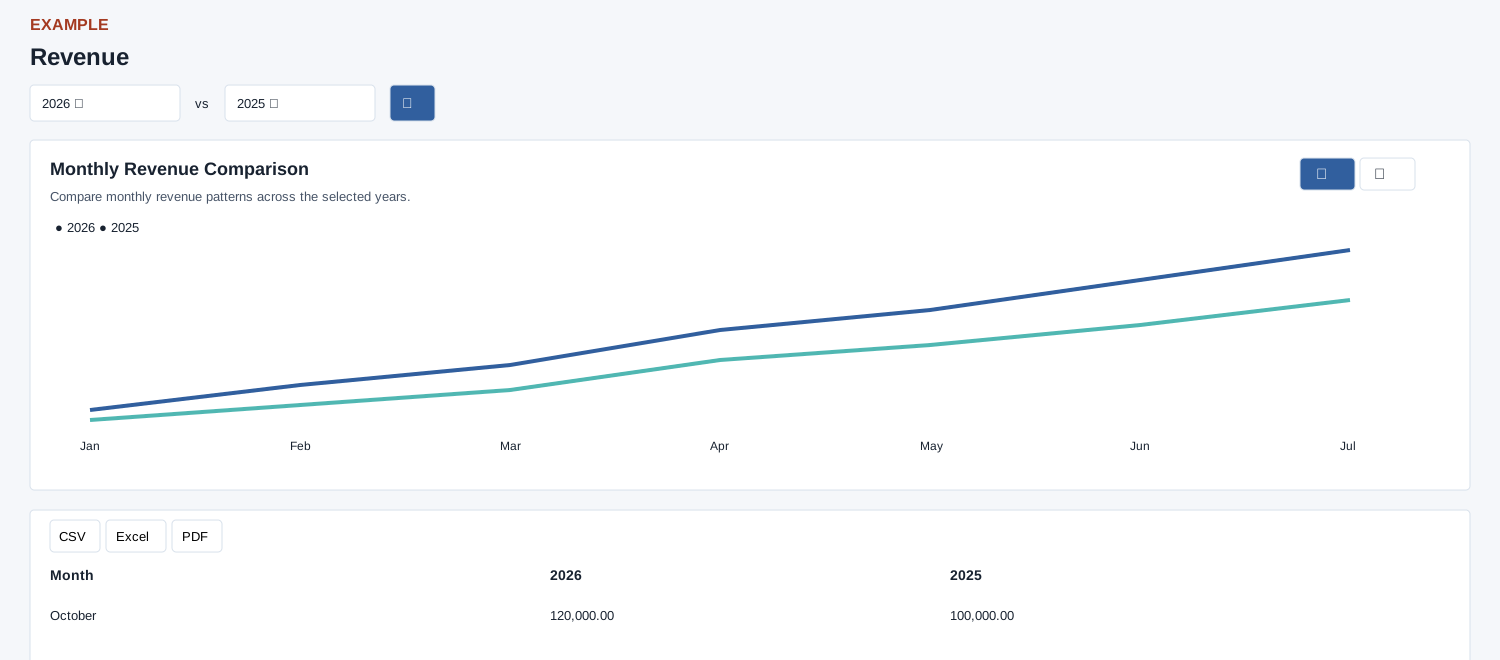
Administrator role is required. Open Reports → Revenue. Choose the two years and search, then toggle Line chart or Bar chart to compare months.
Controls: First year, Second year.
Read the results
Columns: Month, First year, Second year. The monthly table and chart compare revenue for two selected years; when the same year is selected, the second displayed series is zero.
Measure and export
Revenue here is the sum of gross amounts on invoices by invoice date for the company, not a cash-receipts total. Select the year fields and search to refresh; the chart has Line and Bar controls. Both default to the current year. The table provides export controls.
Interpretation and limits
The report groups gross invoices by invoice date and company user who created them; it includes inactive or void invoices. It is not comparable directly to reports that exclude them. Chart data loads separately; a chart error does not establish the table is empty. The enhanced table has Excel, CSV and PDF controls, search, sorting and pagination. A zero for the second series when both years match is a display behavior, not zero revenue.
When the enhanced report loads, CSV, Excel and PDF export all loaded rows matching the table search, not just the current page. If enhancement fails, the original table controls can differ; check the visible controls.
Example and verification
Select 2026 and 2025. If October shows 120,000 versus 100,000, inspect what drove the 20,000 difference using invoice records for those months. If the comparison series is zero, verify both years are different and that invoices have dates in the selected years.
See charts for this report and shared table and export controls.