Contact Method
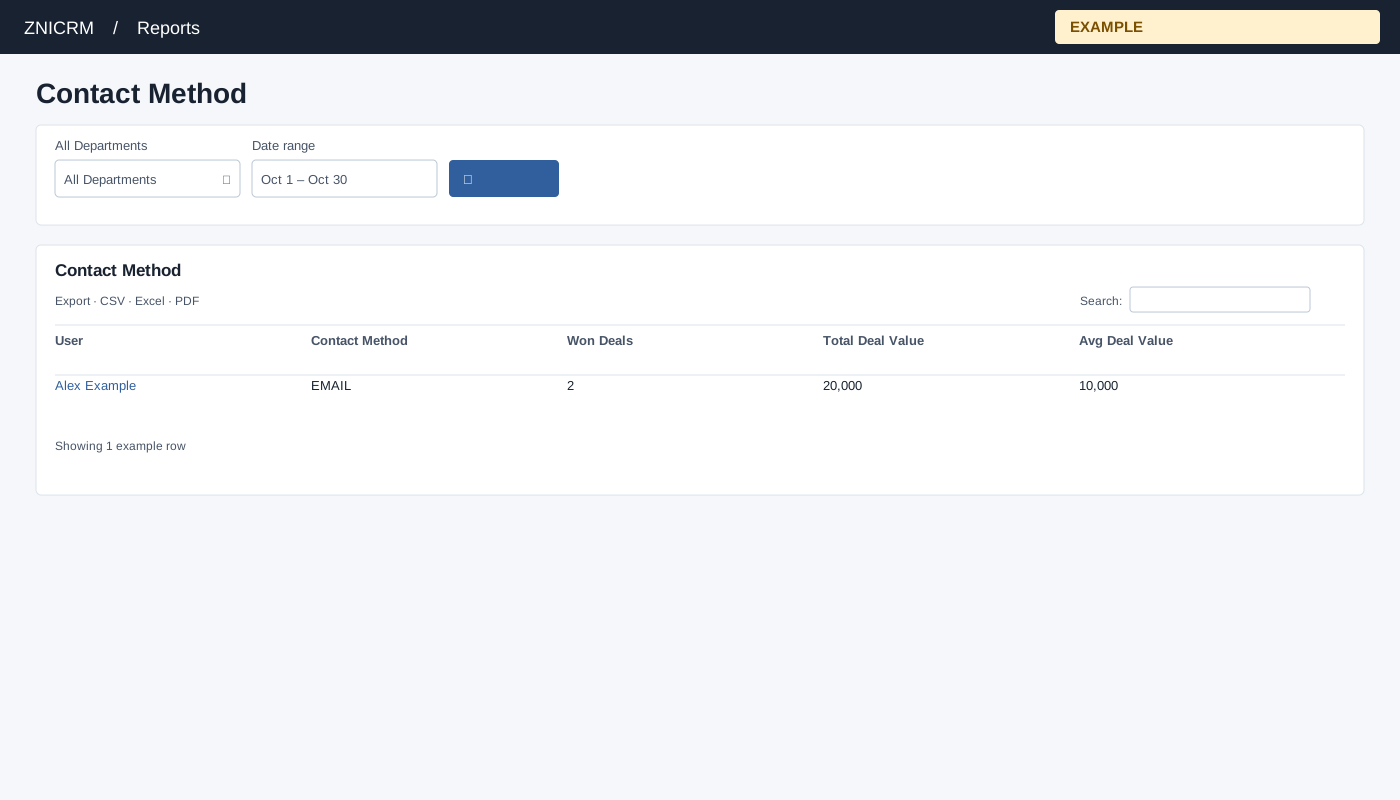
Open and filter
Open Reports → Contact Method. Choose a department and dates, search, and compare deal counts as well as values.
Controls: All Departments, Date range. User and department options reflect available scope.
Read the results
Columns: User, Contact Method, Won Deals, Total Deal Value, Avg Deal Value. Groups won deals by user and contact method. The date range and available department scope determine the comparison.
Calculation and scope
The method is the deal owner’s most recent outbound conversation at or before the won deal’s closure; if none exists it is NO_ACTIVITY. Deals are selected by closure date.
Date picker and table controls
The date picker offers Today, Yesterday, Last 7 Days, Last 30 Days, This Month and Last Month, plus a custom range. Apply the range and select the search control to reload the report. The table initially shows 100 rows per page and provides Excel, CSV and PDF export controls.
Interpretation and limits
The latest qualifying outbound conversation can precede the reporting period; this is an association, not proof that the method caused the win. The deal owner is the user on the deal; full-day closure bounds apply. Avg Deal Value is total divided by won deal count. Users without qualifying won deals do not produce a row. When the shared enhancement loads, table search and sorting operate on loaded rows and CSV, Excel and PDF export matching loaded rows across pages. Original controls may differ if enhancement fails.
Example and verification
Select a department and month. If Alex Example has two won deals totaling 20,000 associated with EMAIL, the average is 10,000; review those conversations before allocating outreach effort. If a method is missing, check deal closure dates and the recorded contact method.
See charts for this report and shared table and export controls.