Average Deal Value
Open and filter
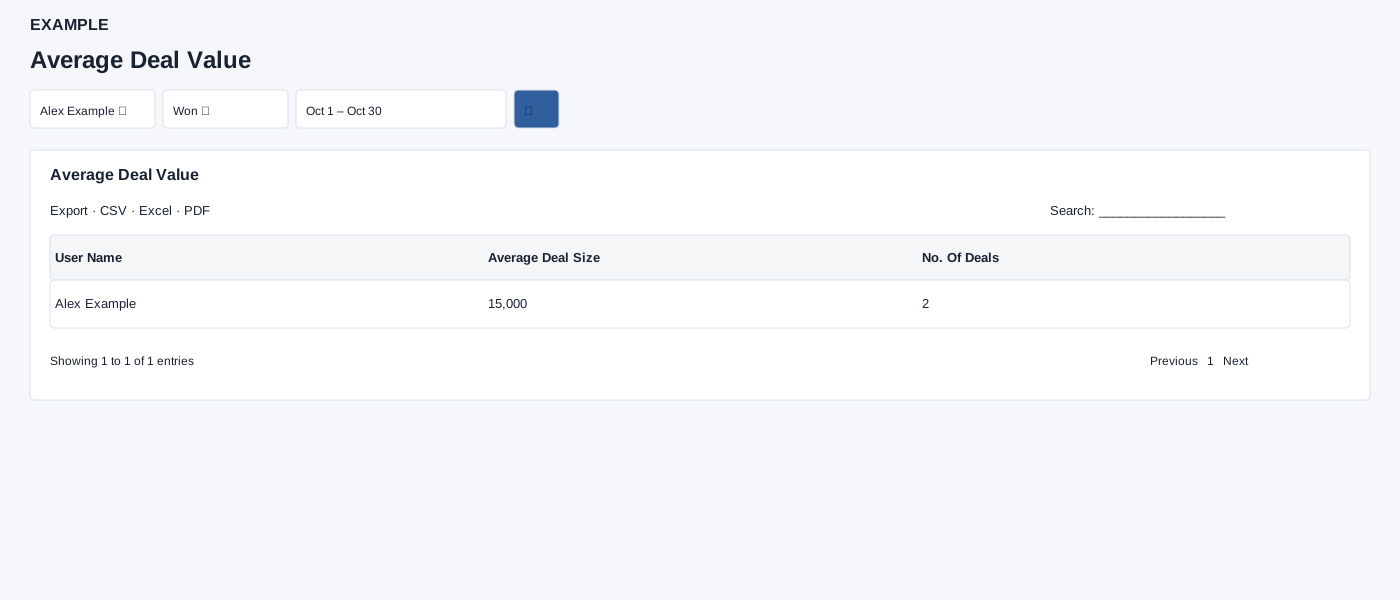
Open Reports → Average Deal Value. Choose user, stage and dates, then search. Compare the average with the number of deals; zero or a small sample needs context.
Controls: User, Deal Stage, Date range. User and department options reflect available scope.
Read the results
Columns: User Name, Average Deal Size, No. Of Deals. Average and count use deal closure date in range and selected stage; the initial range is one month ago to today.
Date picker and table controls
The date picker offers Today, Yesterday, Last 7 Days, Last 30 Days, This Month and Last Month, plus a custom range. Apply the range and select the search control to reload the report. The table initially shows 100 rows per page and provides Excel, CSV and PDF export controls.
Interpretation and limits
The initial stage ID is 2; choosing Deal Stage requests all stages. The page resets a selected user outside the viewer’s hierarchy to the viewer. Active users with identical names can be combined in the report. Administrators are not restricted by the selected user in this report; non-admins need their own user or an authorized subordinate. Its raw date-only upper bound can exclude closure times later on the selected end date; check the next day when reconciling rather than assuming a full end day. The enhanced table exports CSV, Excel and PDF for loaded rows matching the table search across pages.
When the shared enhancement loads, exports cover loaded rows matching the table search across pages. If enhancement fails, the original table controls may differ.
Example and verification
Select Alex Example, a stage and a month. If two qualifying deals have values 10,000 and 20,000, Average Deal Size is 15,000 and No. Of Deals is 2. Check closure dates and selected stage when reconciling.
See charts for this report and shared table and export controls.