Deals
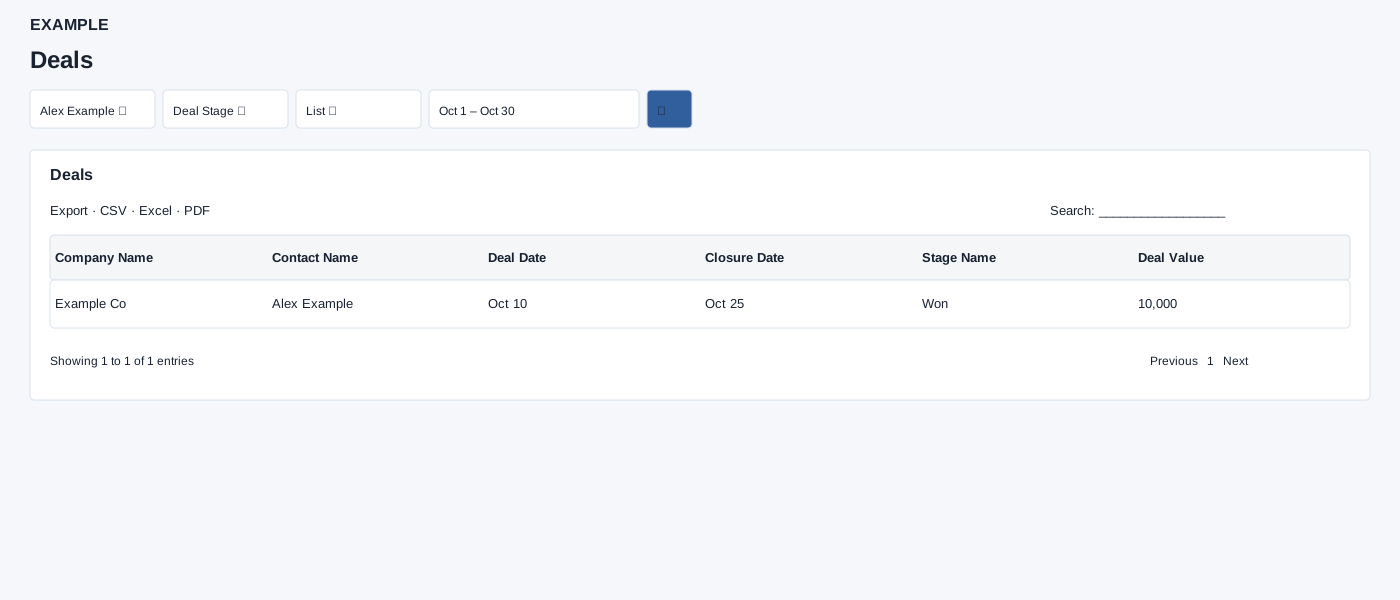
Open and filter
Open Reports → Deals. Select a user, stage, List or Consolidated and dates, then search. Compare stage totals with the list while accounting for the different stage filter.
Controls: User, Deal Stage, List / Consolidated, Date range. User and department options reflect available scope.
Read the results
Columns: Company Name, Contact Name, Deal Date, Closure Date, Stage Name, Deal Value. List includes deals closed in range or with no closure date, capped at 5,000. Consolidated groups by user and configured stages; it does not use the selected stage. The initial range is today.
Calculation and scope
The initial view is List. List returns at most 5,000 records for the selected user; Consolidated groups by user and stage.
Date picker and table controls
The date picker offers Today, Yesterday, Last 7 Days, Last 30 Days, This Month and Last Month, plus a custom range. Apply the range and select the search control to reload the report. The table initially shows 100 rows per page and provides Excel, CSV and PDF export controls.
Interpretation and limits
Both views can omit records closed later on the selected end date. An out-of-scope selected user is reset to the viewer; confirm the intended access with an administrator. Consolidated tests the selected user’s role: if that user is an administrator, it includes all active users; otherwise it restricts to that selected user. Treat this as a scope limitation, and verify access policy with an administrator. Consolidated cells show total deal value followed by the number of deals in parentheses for each configured stage. List rows are plain text rather than contact links. Export and table search apply to loaded rows.
Example and verification
Choose Alex Example, List and the desired dates to review a deal’s value and stage. Switch to Consolidated for per-user stage totals; the stage filter is not applied to that consolidated view. A deal without closure date can still appear in the list.
See charts for this report and shared table and export controls.