Product Sales
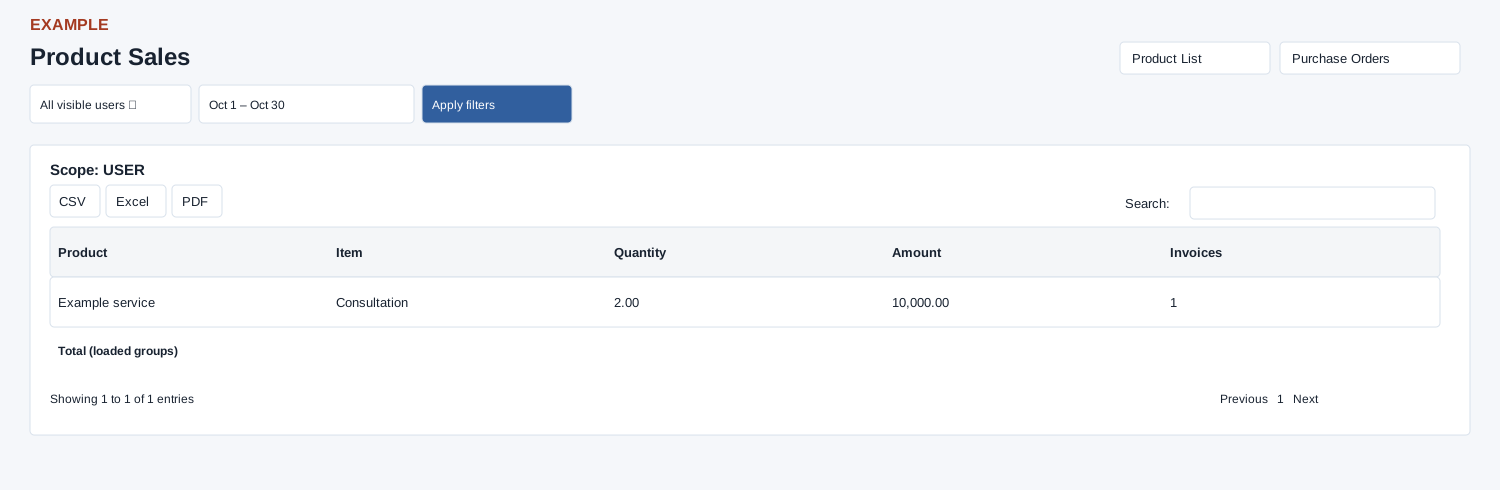
Open and filter
Open Reports → Product Sales. Invoice report scope determines accessible users or teams; an access-restricted message appears when unavailable. Choose User scope and Date range, then select Apply filters to load results. The initial range is month-to-date.
Read the results
The table columns are Product, Item, Quantity, Amount, Invoices. Groups active, non-void invoice line items by product and item for the selected invoice-date range. Quantity and amount sum line-item values; Invoices counts distinct invoices. The report returns at most 5,000 groups. Use the Product List and Purchase Orders links for related inventory workflows.
Date picker and table controls
The date picker offers Today, Yesterday, Last 7 Days, Last 30 Days, This Month and Last Month, plus a custom range. Apply the range and select Apply filters to reload the report. The table initially shows 100 rows per page and provides Excel, CSV and PDF export controls.
Interpretation and limits
Amount sums stored invoice line amounts; it is not invoice gross including invoice-level tax or proof of receipt. The footer adds each item group’s distinct invoice count, so one invoice with several items can be counted more than once. Search and sorting operate on loaded groups; rows are not invoice links. A time-bearing invoice date can fall after the raw end-date midnight bound.
When the enhanced report loads, CSV, Excel and PDF export all loaded rows matching the table search, not just the current page. If enhancement fails, the original table controls can differ; check the visible controls.
Example and verification
If an invoice includes two units of a service, compare its line quantity and amount with the product/item row. If absent, verify the line is linked to a product item, invoice date and non-void status; results stop at 5,000 groups.
See charts for this report and shared table and export controls.