Deal Health
Open and filter
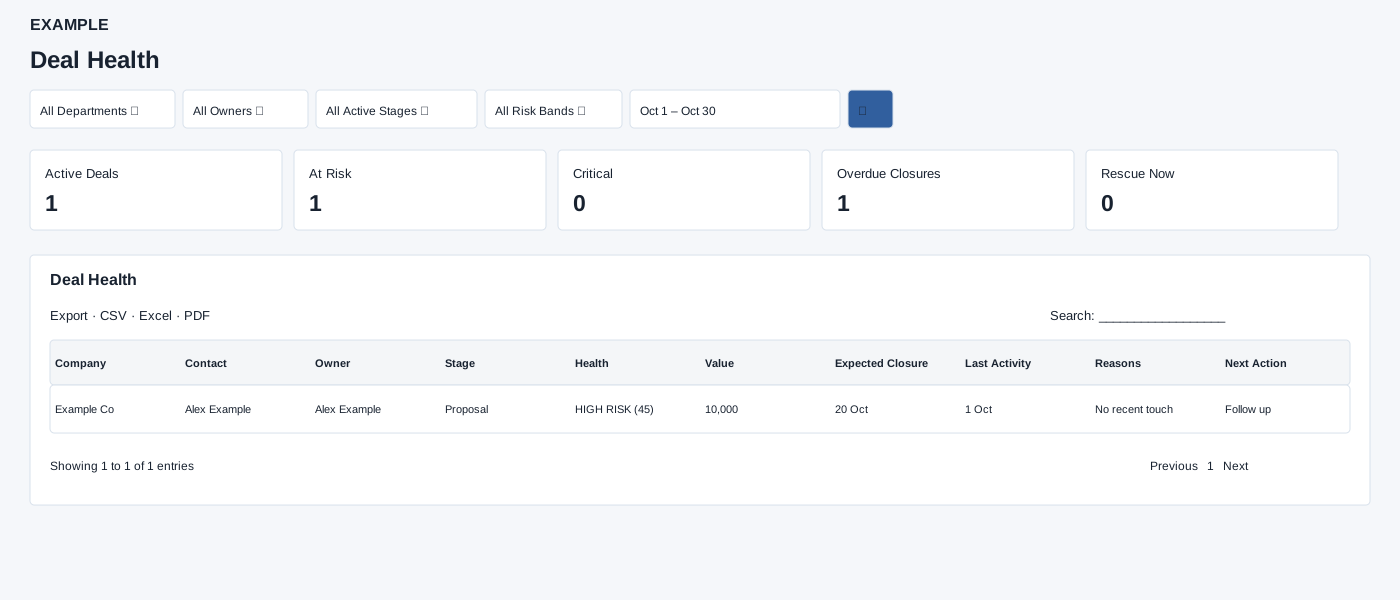
Open Reports → Deal Health. Deal Analytics access is required. Filter by department, owner, active stage, risk band and dates, then search. Read reasons and recommended next action before following up.
Controls: All Departments, All Owners, All Active Stages, All Risk Bands, Date range.
Read the results
Columns: Company, Contact, Owner, Stage, Health, Value, Expected Closure, Last Activity, Reasons, Next Action. The dashboard includes active, at-risk, critical, overdue and rescue counts, owner and band breakdowns. The report requests up to 300 records; owner breakdown displays up to eight rows and the rescue section up to twelve.
Filter and export details
Risk Band offers Healthy, Watch, High Risk and Critical. The default dates run from 30 days ago through today; date presets are Today, Last 7 Days, Last 30 Days and This Month, with a custom range available. Select the search icon to apply. The detailed table offers CSV, Excel and PDF exports. Health is a calculated score and its reasons are signals for review, not a guarantee of an outcome.
Read the breakdowns
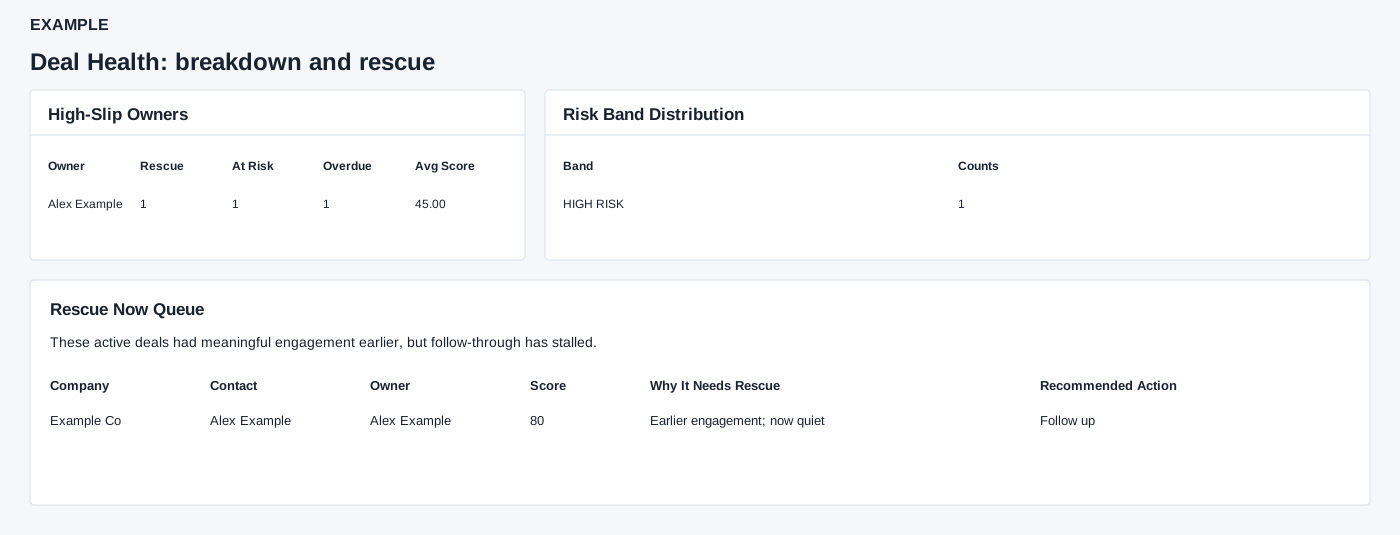
In High-Slip Owners, Rescue counts rescue-flagged deals, At Risk counts High Risk and Critical bands, Overdue counts slipped expected dates, and Avg Score is the average health score. Risk Band Distribution counts each retained deal by health band. Rescue Now Queue shows a separate rescue score, headline, up to three reasons and recommended action; it displays at most 12 entries and is not a send or assignment action. Detailed Deal List shows a rescue badge when flagged and uses the rescue action in that case. These tables show text, not contact links; open the contact separately to investigate.
Interpretation and limits
The date range filters deal creation date, not expected closure or last activity. The source fetches up to 300 newest matching active deals before applying the risk-band filter; cards and tables summarize the retained rows, so they can be partial. At Risk counts scores below 60; Critical counts the critical band. Overdue means expected closure before today; Rescue is a separate calculated flag. Owner breakdown At Risk counts High Risk plus Critical bands, which need not equal the score-based card. Owner Avg Score averages included scores. Rescue rows show Company, Contact, Owner, Score, Why It Needs Rescue and Recommended Action. The categories overlap.
When the shared enhancement loads, exports cover loaded rows matching the table search across pages. If enhancement fails, the original table controls may differ.
Example and verification
Filter Example Co’s owner and an active stage. If an opportunity is marked at risk with an overdue expected closure, review its reasons and next action, then open the underlying contact before deciding on outreach. If the report warns that analytics is disabled, ask an administrator to enable the feature; check the 300-row request limit when reconciling totals.
See charts for this report and shared table and export controls.