Deal Revival
Open and filter
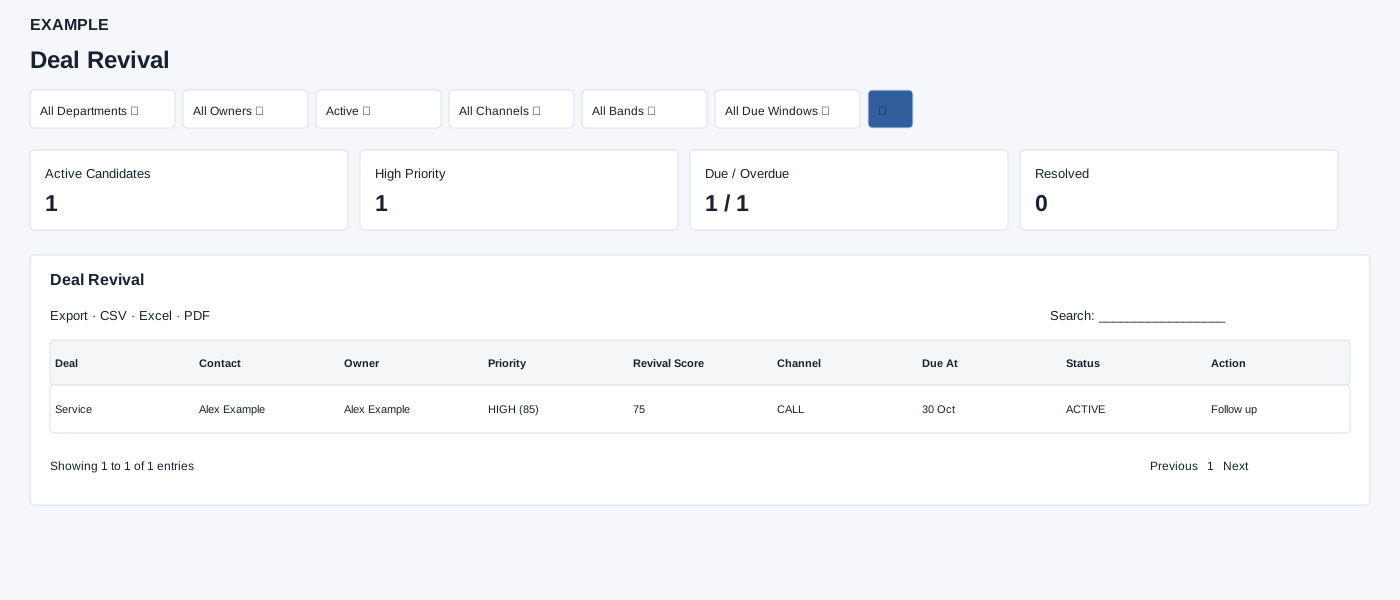
Open Reports → Deal Revival. Deal Analytics access is required. Select filters and search, then review a suggested action and due time in the relevant deal context.
Controls: All Departments, All Owners, Active, All Channels, All Bands, All Due Windows.
Read the results
Columns: Deal, Contact, Owner, Priority, Revival Score, Channel, Due At, Status, Action. Choose Active or Resolved; band options are High, Medium and Watch, and due windows include Overdue, Due Now and Next 7 Days. The owner table shows Owner and Counts.
Queue controls
Channel choices are Call, Email and WhatsApp. Status defaults to Active, with Resolved available; the page has no date picker. The report requests up to 250 rows. Cards show Active Candidates, High Priority, Due / Overdue and Resolved. The table Action is suggested text, not a button that sends a message. CSV, Excel and PDF exports are available.
Read the breakdowns
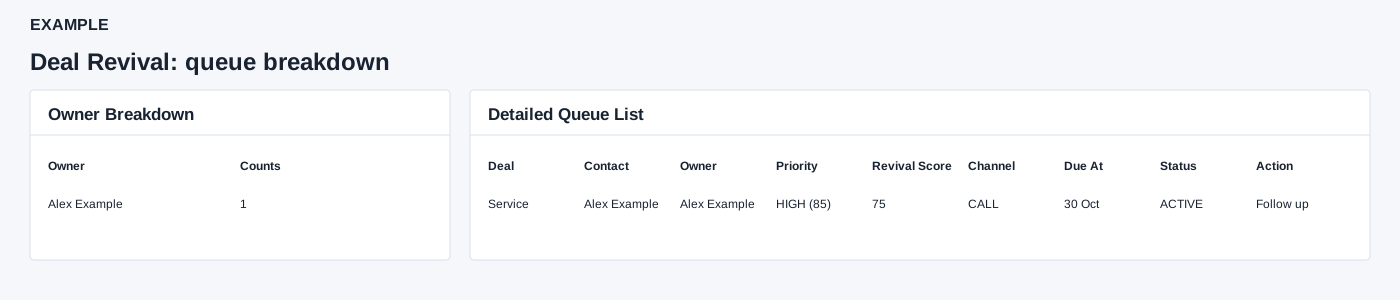
Owner Breakdown counts matching rows for the selected Active or Resolved status. Detailed Queue List shows each deal name, contact, owner, priority band and score, separate revival score, suggested channel, due time, status and suggested action. These are text rather than contact links or message buttons. Use the contact workspace or appropriate follow-up workflow to take action; CSV, Excel and PDF export matching loaded detail rows across pages.
Interpretation and limits
Opening this report can repair active queue entries with inactive owners: the service may reassign them to an active owner or resolve them if none is available. High means priority score 80 or higher, Medium 60–79, Watch below 60; Revival Score is a separate value. Overdue is before now; Due Now includes overdue and items due exactly now; Next 7 Days is after now through seven days ahead. The Active Candidates, High Priority and Due / Overdue cards always summarize active rows even when Resolved is selected; the Resolved card counts resolved rows. Owner breakdown follows selected status. Counts can exceed the 250 detailed rows.
When the shared enhancement loads, exports cover loaded rows matching the table search across pages. If enhancement fails, the original table controls may differ.
Example and verification
Choose Active, High band and Overdue. For an Example Co deal due yesterday, review its score, channel and suggested action before opening the contact. If the queue is empty, clear the due window and band; verify Deal Analytics access and that the item is active.
See charts for this report and shared table and export controls.