Sales Productivity
Open and filter
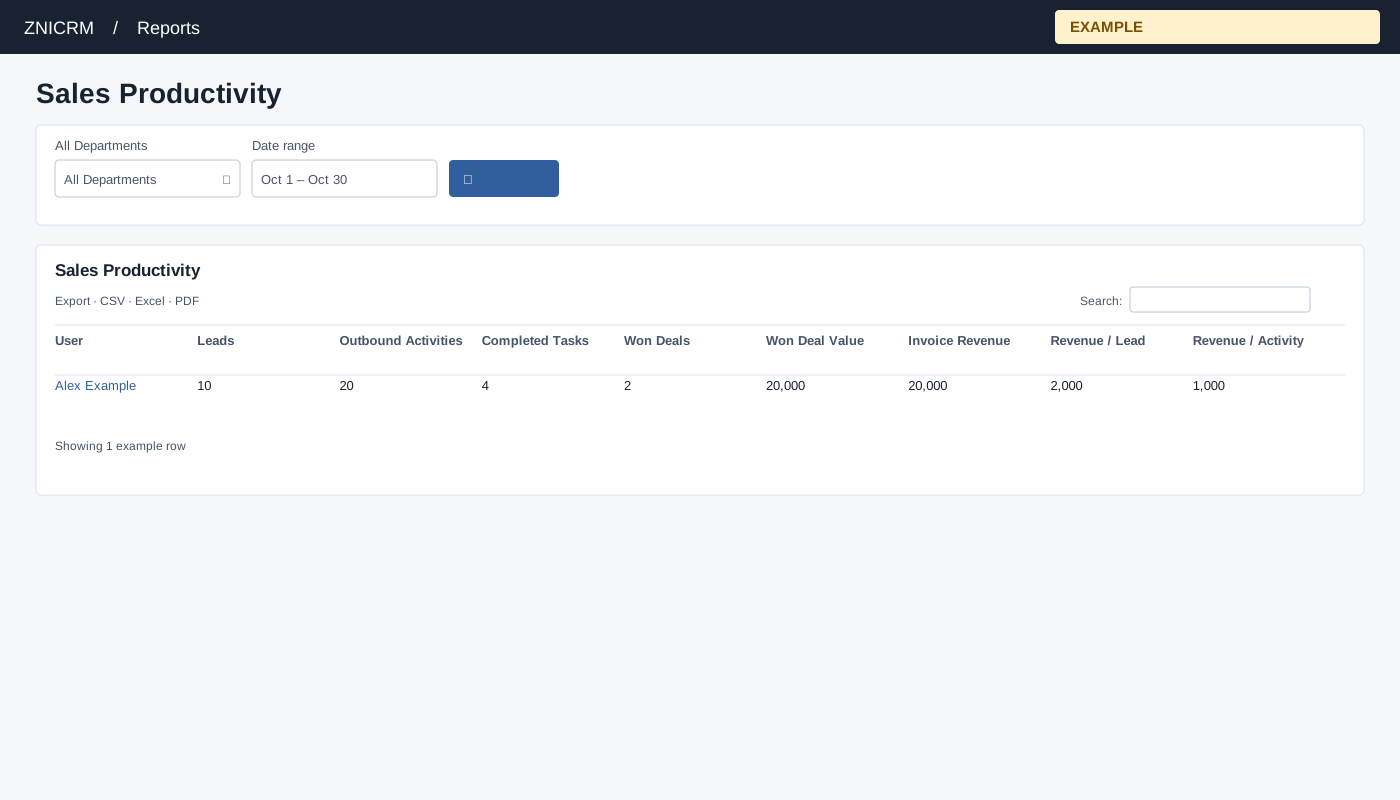
Open Reports → Sales Productivity. Choose a department and dates, search, and inspect counts alongside ratios before comparing users.
Controls: All Departments, Date range. User and department options reflect available scope.
Read the results
Columns: User, Leads, Outbound Activities, Completed Tasks, Won Deals, Won Deal Value, Invoice Revenue, Revenue / Lead, Revenue / Activity. The report combines leads, activities, tasks, won deals and invoice amounts, which use different underlying event dates. Ratios use their respective counts; zero denominators yield zero.
Calculation and scope
Leads use contact creation date; outbound activity uses conversation date; completed tasks use task creation date; won deals use closure date; invoices use invoice date. Lead and invoice amounts are attributed to the current contact owner.
Date picker and table controls
The date picker offers Today, Yesterday, Last 7 Days, Last 30 Days, This Month and Last Month, plus a custom range. Apply the range and select the search control to reload the report. The table initially shows 100 rows per page and provides Excel, CSV and PDF export controls.
Interpretation and limits
Completed Tasks counts status exactly 1 and task creation date, not completion date. Invoice Revenue is gross invoice value, not payments, and includes void or inactive invoices. Invoice date is a date-only field , so both selected date boundaries are included. Revenue per Lead and Revenue per Activity divide that invoice amount by the respective period counts; the cohorts need not be the same customers. When the shared enhancement loads, table search and sorting operate on loaded rows and CSV, Excel and PDF export matching loaded rows across pages. Original controls may differ if enhancement fails.
Example and verification
For Alex Example, compare 10 leads, 20 outbound activities and 20,000 invoice gross revenue: the ratios are 2,000 per lead and 1,000 per activity. Different counts use different event dates, so inspect underlying records before attributing a change to one activity.
See charts for this report and shared table and export controls.