Engage websites
Open the page
Account Settings → Features Settings → Engage. Administrator access is required.
Manage sites
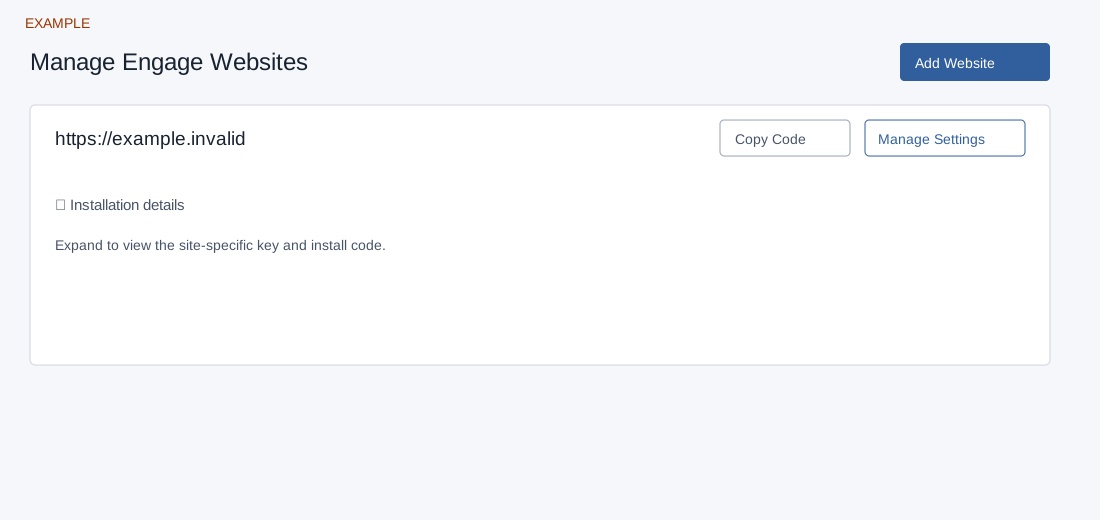
- Review Manage Engage Websites and choose Manage Settings for the desired site. Each site has its own widget, routing and other settings.
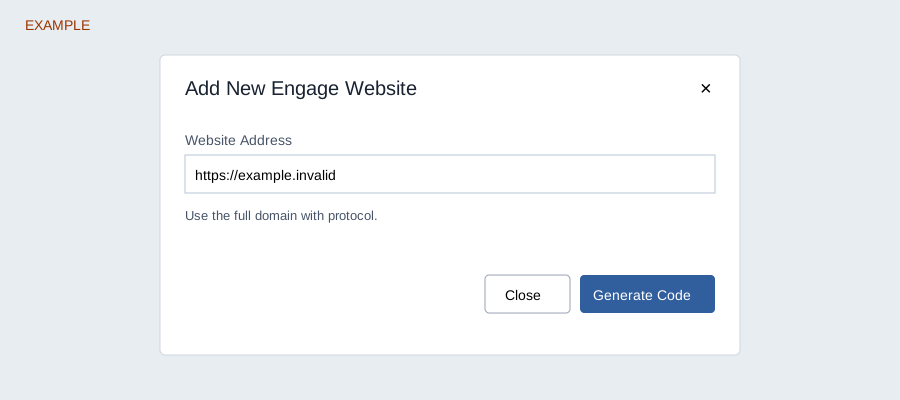
- To add an authorized site, choose Add Website, enter Website Address and select Generate Code. This creates a configuration. Copy Code and Installation details provide the site-specific embed snippet for the website head.
- The installation details expose an API key and code. Treat them as credentials and omit them from screenshots and public documents. Coordinate installation with the website administrator, then verify the widget and lead flow using an authorized test.
Website settings
- Distribution
- Lead Routing
- Widget
- Contact Form
- AI Chat
- Popup Screen
- Small Popup
- Splash Screen
- Exit Screen
- Other Settings
Website list and creation
Only an administrator can open and change these settings. Add Website opens a dialog with Website Address (maximum 120 characters, initially https://), Close and Generate Code. Enter a full working website address with protocol as the page requests. Registration checks the hostname, block lists, DNS and a working HTTP or HTTPS response, as well as the plan’s website allowance; entering the form does not itself install the widget. Generate Code creates a site configuration and reloads the list on success. If it fails, check the address, working domain and plan limit before retrying.
Each site card has Copy Code, Manage Settings and expandable Installation details containing the API key and read-only installation snippet. Copying does not install the code. Share the site-specific snippet only with the authorized site administrator; install it in the site head, then verify the actual published page and a permitted test enquiry. Example Co can configure its example.invalid site as an example, but needs a working real domain for creation. Opening the old settings URLs redirects to this list or the selected site’s Distribution page.