Popular Pages
Open and filter
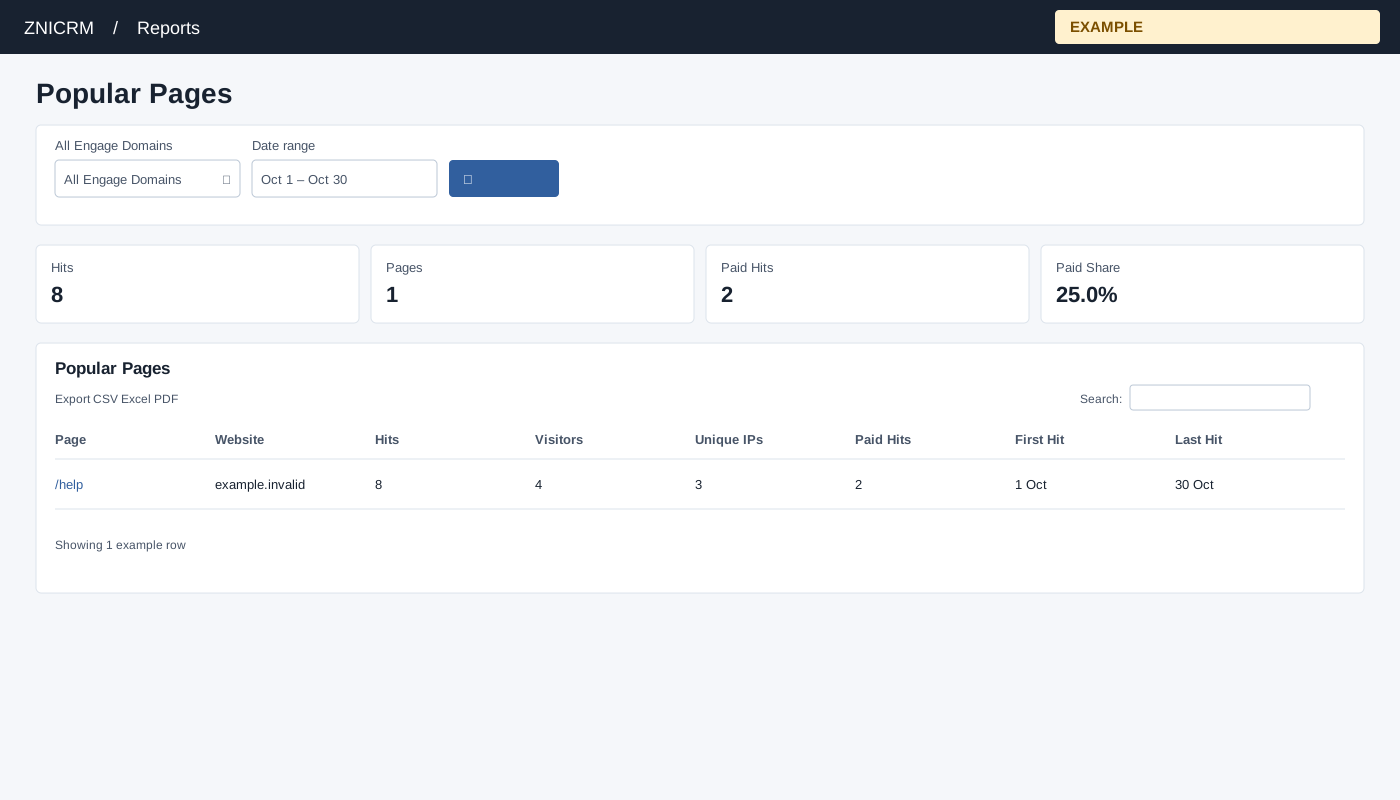
Open Reports → Popular Pages. CRM access is required, and only linked Engage domains are queried. Choose All Engage Domains, Date range and select the search button to apply. The usual initial range is 30 days before today through today.
Read and use the report
Columns: Page, Website, Hits, Visitors, Unique IPs, Paid Hits, First Hit, Last Hit. Rows group hit records by URL and website; unknown URLs are grouped as Unknown. Totals cover only the listed top 300 page groups, so they can be partial. Visitors and IPs are distinct within each group. Search or sort the table and export matching rows.
Use table search and sortable headings to narrow or order the loaded rows; CSV, Excel and PDF export matching loaded rows across pages. These controls do not fetch records beyond the report’s source limit. If the enhanced table does not load, the original table controls can differ.
Example and verification
If /help has 80 hits and 20 paid hits, review that page’s content and traffic source. Totals cover only up to 300 listed pages, so check the limit before comparing with a site-wide total.