Engage AI Chat
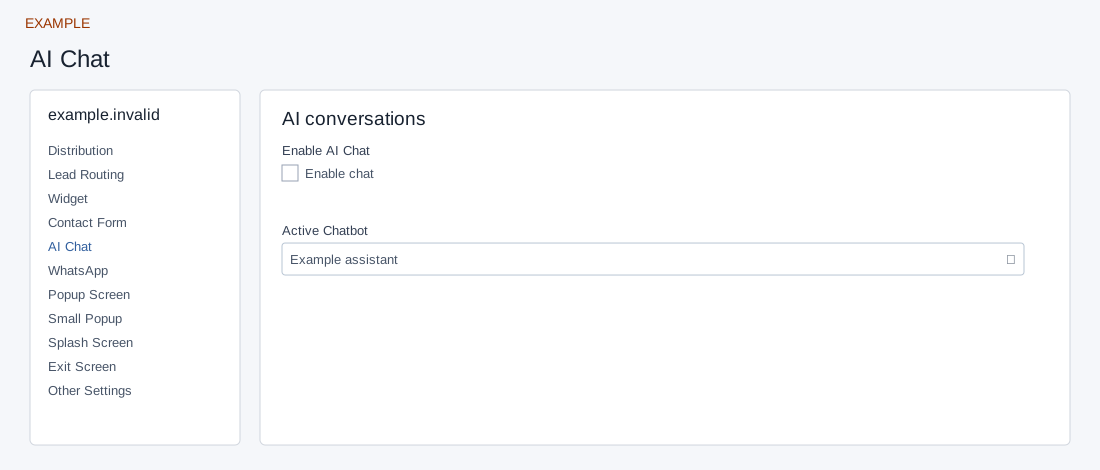
Open the page
Engage → website → AI Chat. Administrator access is required.
Connect a chatbot
- Select an Active Chatbot from this account before enabling Enable AI Chat. The list contains active bots.
- Controls save automatically; text saves when you leave the field, while selectors and switches save on change. Ensure the bot is configured and its answers and credit settings are appropriate, then test the visitor experience with authorization.
Bot and switch
Active Chatbot lists active account bots; select and save a valid bot before enabling AI Chat as the page instructs. Enable chat is a separate switch and saves separately. Select a valid bot as well as enabling the switch; public chat requires both. Configure the bot’s knowledge and account credits before an authorized visitor test. If the bot is missing, check its active status; if the switch saves but the experience is wrong, reopen the bot and inspect the installed site. A saved setting alone does not verify an AI answer.
Saving: text, URL, number and textarea fields save when you leave the field; selectors, switches and ranges save on change. Gallery selection and color picker Save also save the chosen value. Each field is separate, so a later failure does not undo earlier saves. Wait for saving to finish; if an error appears, entries remain in the form and Retry saving retries failed fields. Leaving with unsaved or failed changes prompts a warning. Reopen the same site and check the saved value before testing the installed widget.