VUK Contact Mapping
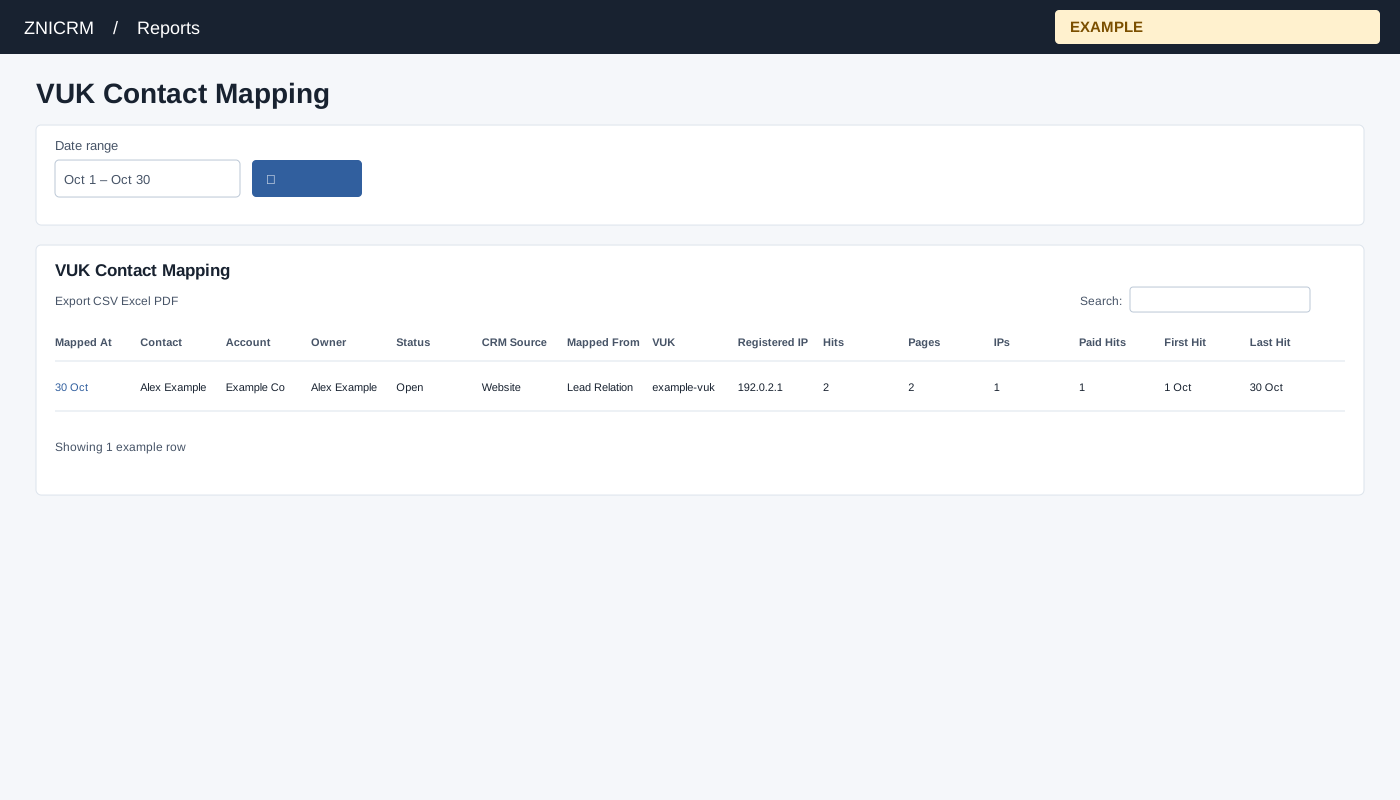
Open and filter
Open Reports → VUK Contact Mapping. CRM access is required, and only linked Engage domains are queried. Choose Date range and select the search button to apply. The usual initial range is 30 days before today through today.
Read and use the report
Columns: Mapped At, Contact, Account, Owner, Status, CRM Source, Mapped From, VUK, Registered IP, Hits, Pages, IPs, Paid Hits, First Hit, Last Hit. The report retrieves up to 5,000 mappings in the selected range and adds visit summaries from linked websites, also capped at 5,000. Contact opens CRM; VUK and Registered IP open visit details for that identifier and range. Lead Relation and Engage Chat sources are combined by contact and VUK; a lead relation takes precedence over a matching chat pair. Mapped At is the relation or chat date; owner and status are current contact fields. A mapping associates a visitor identifier with a contact; it does not establish identity independently.
Use table search and sortable headings to narrow or order the loaded rows; CSV, Excel and PDF export matching loaded rows across pages. These controls do not fetch records beyond the report’s source limit. If the enhanced table does not load, the original table controls can differ.
Example and verification
Open Alex Example’s VUK link to review linked visits, then open the contact to confirm context. A mapping is an association, and a matching Lead Relation takes precedence over a chat mapping.