Paid Sources
Open and filter
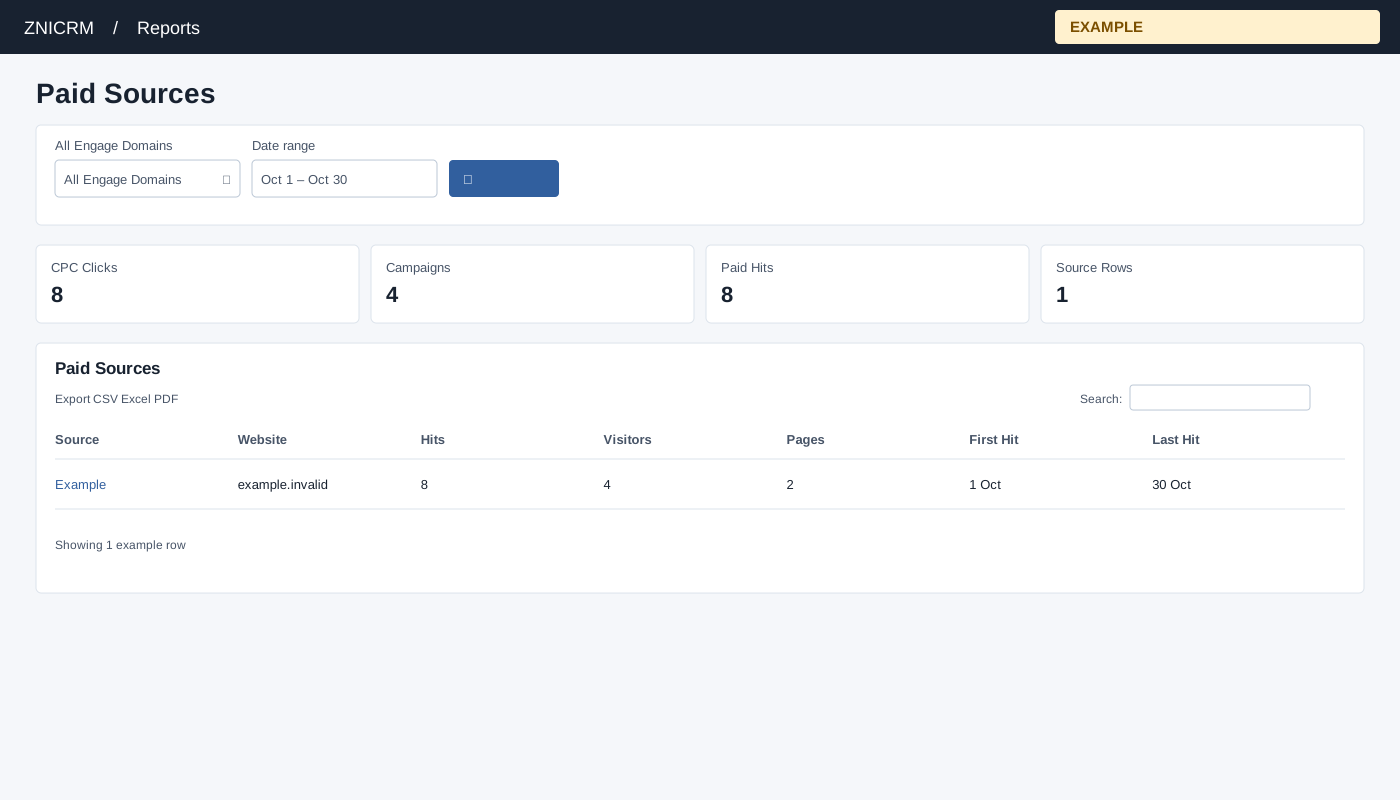
Open Reports → Paid Sources. CRM access is required, and only linked Engage domains are queried. Choose All Engage Domains, Date range and select the search button to apply. The usual initial range is 30 days before today through today.
Read and use the report
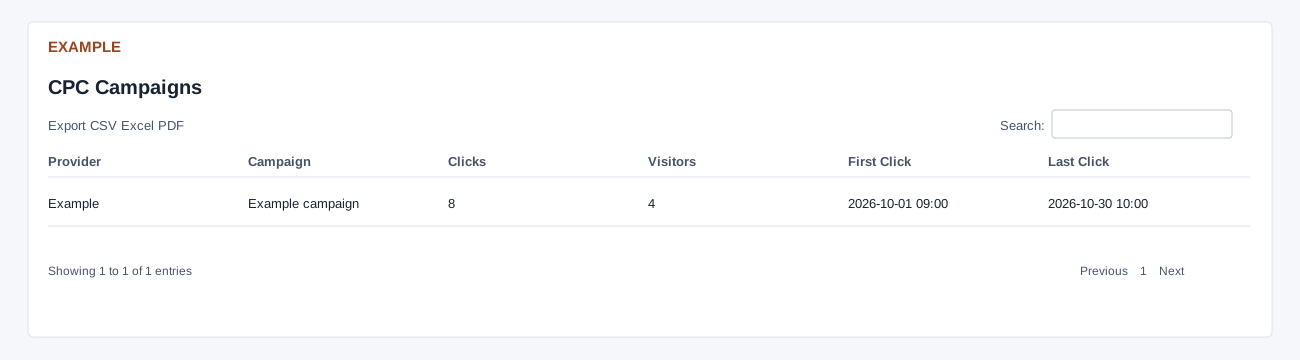
Columns: Source, Website, Hits, Visitors, Pages, First Hit, Last Hit. Paid source rows group paid footprints by source and website, capped at 300. CPC Campaigns separately groups up to 5,000 CPC click records by normalized provider and campaign; its columns are Provider, Campaign, Clicks, Visitors, First Click and Last Click. Paid Hits and CPC Clicks describe different inputs and should not be added together. This report counts click records; it does not calculate advertising cost, a cost-per-click denominator or currency. Click counts can omit later times on the end date; paid-hit counts use the full selected day.
Use table search and sortable headings to narrow or order the loaded rows; CSV, Excel and PDF export matching loaded rows across pages. These controls do not fetch records beyond the report’s source limit. If the enhanced table does not load, the original table controls can differ.
Example and verification
Compare a Google source row with the CPC Campaigns table to investigate paid activity. These tables use different inputs; verify source normalization and row limits before reconciling counts.