Visitor Bounces
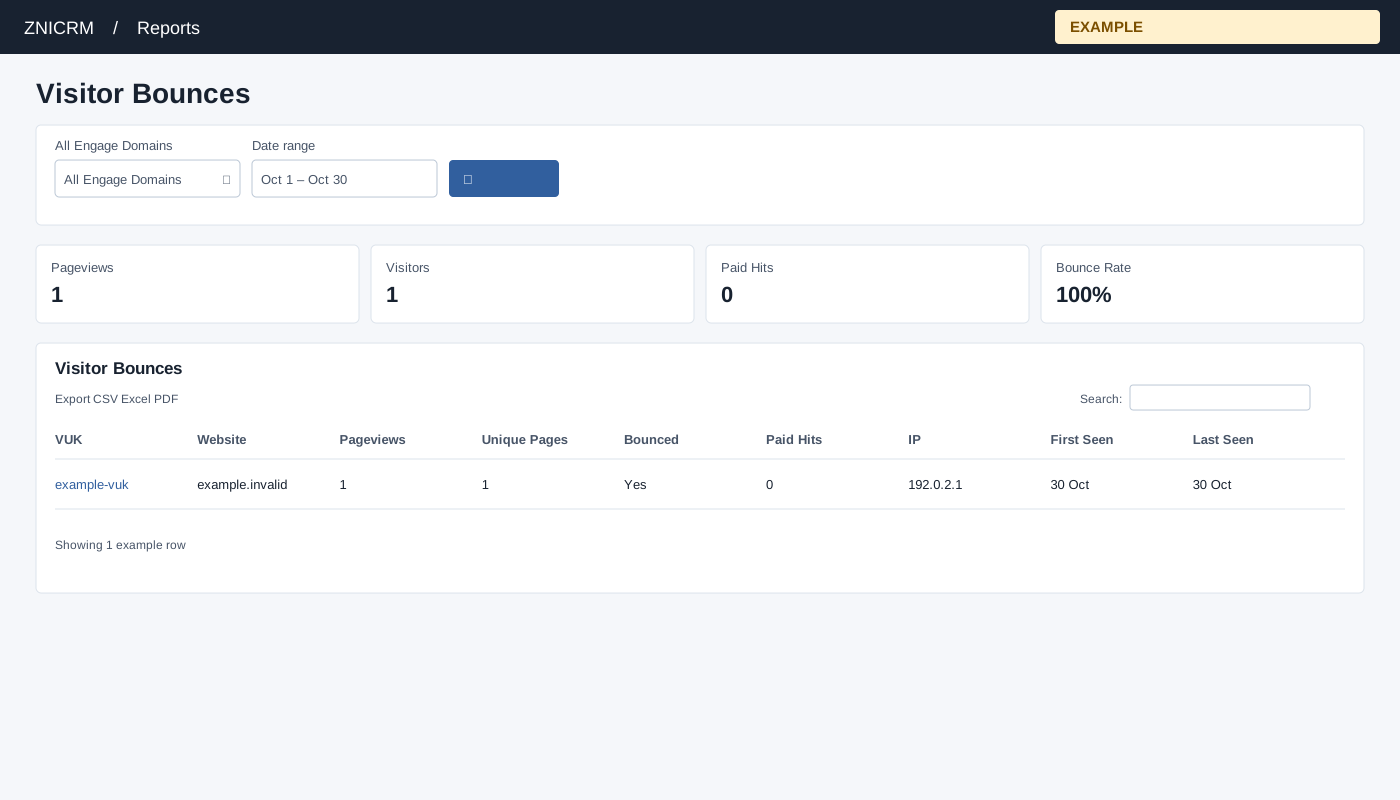
Open and filter
Open Reports → Visitor Bounces. CRM access is required, and only linked Engage domains are queried. Choose All Engage Domains, Date range and select the search button to apply. The usual initial range is 30 days before today through today.
Read and use the report
Columns: VUK, Website, Pageviews, Unique Pages, Bounced, Paid Hits, IP, First Seen, Last Seen. Rows group a nonempty visitor VUK by website across the selected period, capped at 2,000 rows. Bounced means at most one pageview in that group. Bounce Rate is bounced rows divided by listed visitor/website rows, not sessions; Visitors counts distinct nonempty VUKs among listed rows.
Use table search and sortable headings to narrow or order the loaded rows; CSV, Excel and PDF export matching loaded rows across pages. These controls do not fetch records beyond the report’s source limit. If the enhanced table does not load, the original table controls can differ.
Example and verification
If a VUK has one pageview on example.invalid in the selected period, its row is Bounced. Compare its path with multi-page rows; this is a visitor/website grouping over the range, not a session bounce.