Unusual Hit Patterns
Open and filter
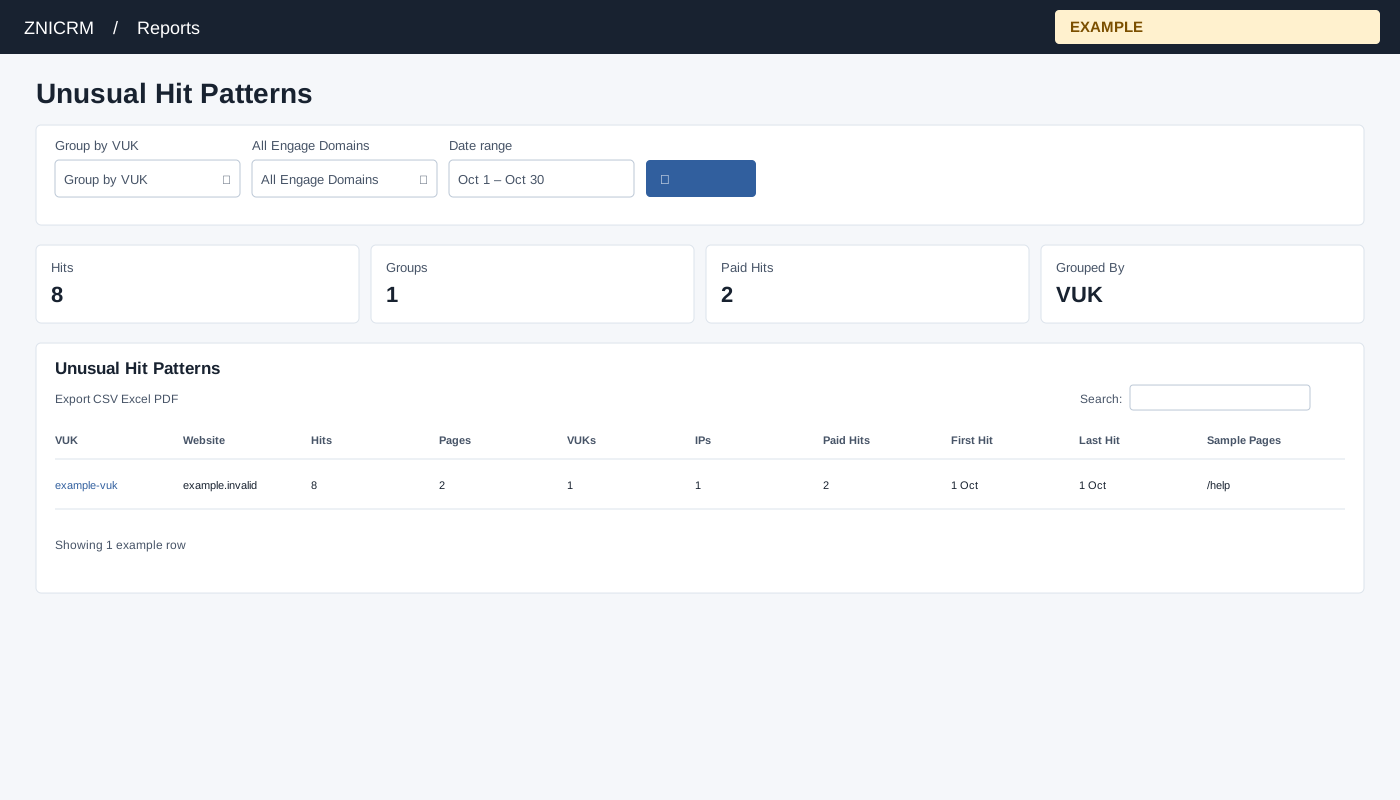
Open Reports → Unusual Hit Patterns. CRM access is required, and only linked Engage domains are queried. Choose Group by VUK, All Engage Domains, Date range and select the search button to apply.
Read and use the report
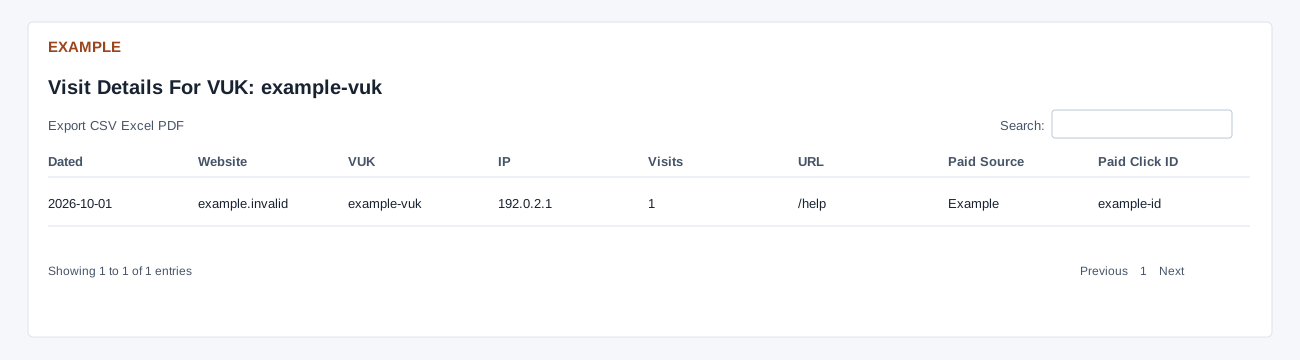
Columns: VUK, Website, Hits, Pages, VUKs, IPs, Paid Hits, First Hit, Last Hit, Sample Pages. Choose Group by VUK or Group by IP. The summary uses only the selected start date, not the whole date range, and returns up to 2,000 groups. The default is today. There is no anomaly threshold: it ranks all groups by hit count, then pages and last hit, including ordinary low-volume groups. “Unusual” is a prompt to investigate, not an automatic fraud finding. Click a group to show Visit Details for the selected date range, capped at 5,000; that distinction can make the detail totals differ.
Use table search and sortable headings to narrow or order the loaded rows; CSV, Excel and PDF export matching loaded rows across pages. These controls do not fetch records beyond the report’s source limit. If the enhanced table does not load, the original table controls can differ.
Example and verification
Choose Group by IP and a start date, then open a high-hit group to inspect its visits. The summary uses only the start date while details use the selected range, so counts need not match.