Engage popup screen
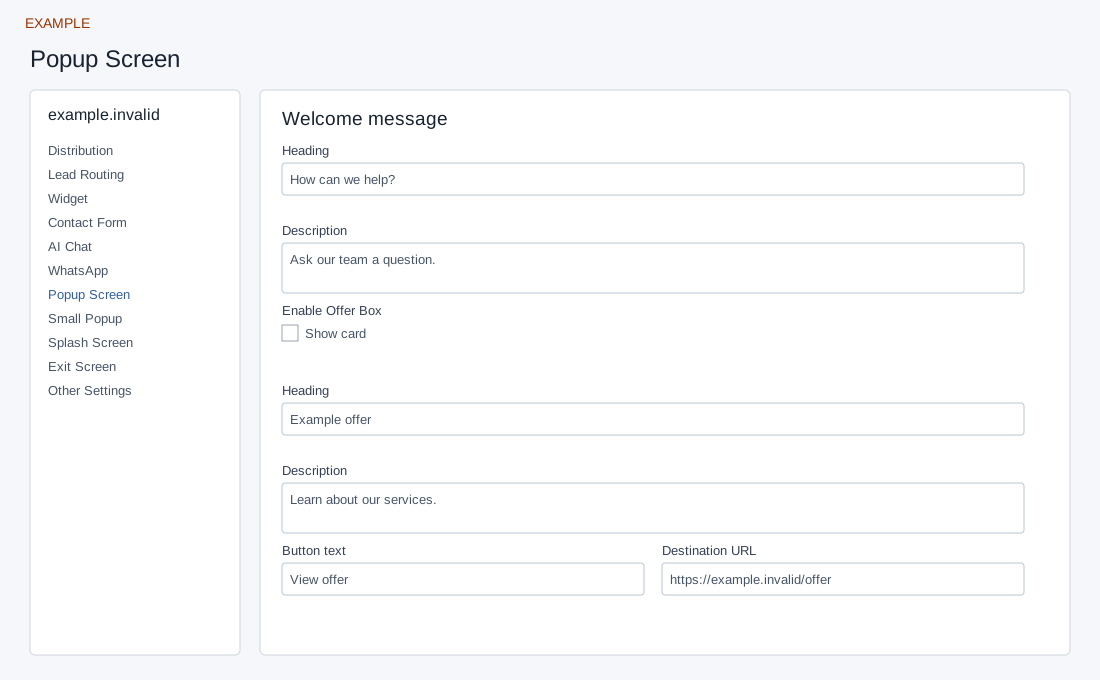
Open the page
Engage → website → Popup Screen. Administrator access is required.
Configure the welcome screen
- Enter a welcome Heading (up to 45 characters) and Description (up to 160). The Contact card is always available and has its own Heading and Description.
- Optionally enable Offer Box, then set its Heading, Description, Button text (up to 45) and HTTPS Destination URL.
- Optionally enable Search Box or Ticket Box and enter headings and descriptions; both require Helpdesk setup. Controls save automatically; text saves when you leave the field, while selectors and switches save on change.
Cards and dependencies
Welcome Heading and Description are separate fields. Offer card has an enable switch, Heading, Description, Button text and Destination URL. Contact card has Heading and Description and is always available. Search and Support ticket cards each have an enable switch, Heading and Description; enabling either checks that a Helpdesk domain is configured. Save the content and switches individually. In the public widget, the Offer button uses fixed “Know More” text rather than the configured Button text; the Search card uses fixed heading and description rather than the saved Search values. The settings can save without changing those visible labels. If a switch fails, set up Helpdesk and retry; check the saved state instead of assuming the card is active.
Example: give the Offer card a short label and authorized destination, then inspect the installed popup and its link after the site owner approves the change. URL and text settings are stored separately; verify both.
Saving: text, URL, number and textarea fields save when you leave the field; selectors, switches and ranges save on change. Gallery selection and color picker Save also save the chosen value. Each field is separate, so a later failure does not undo earlier saves. Wait for saving to finish; if an error appears, entries remain in the form and Retry saving retries failed fields. Leaving with unsaved or failed changes prompts a warning. Reopen the same site and check the saved value before testing the installed widget.