Import a dialer CSV
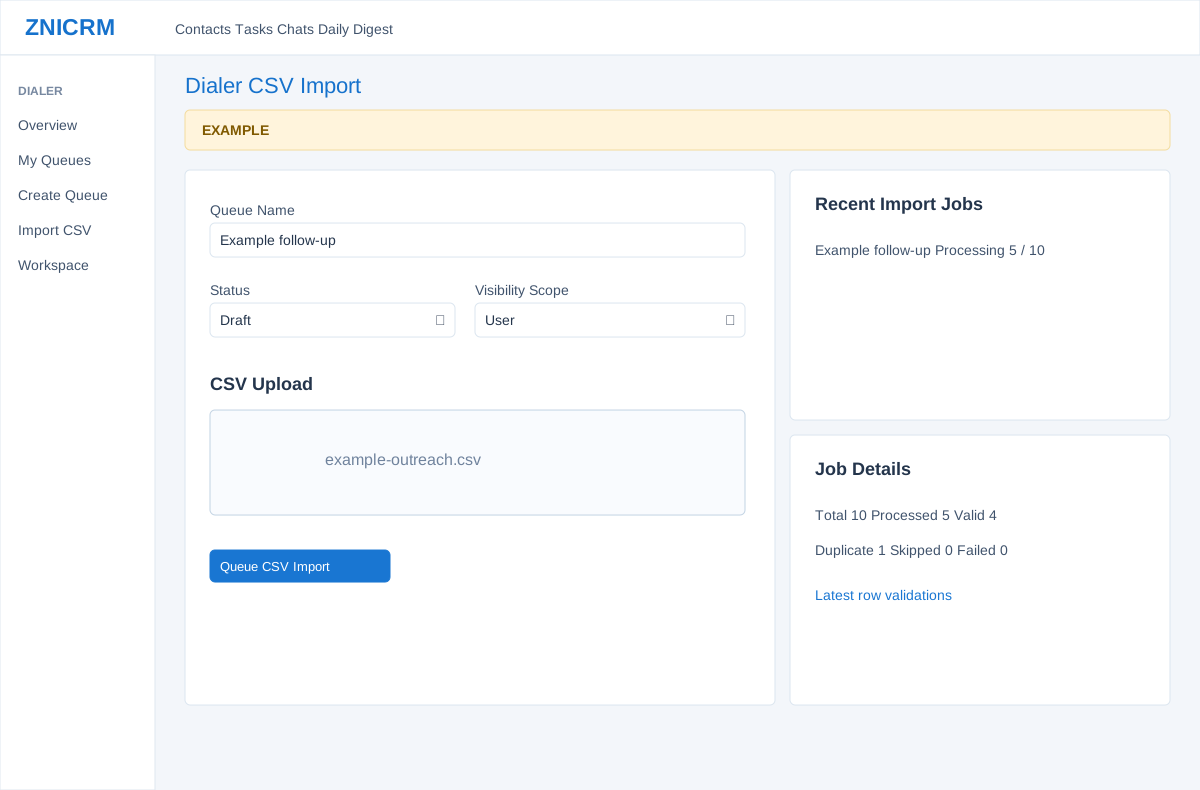
Open the page
Dialer > Import CSV. Dialer access and the relevant action permissions are required.
Prepare the queue and file
- Enter Queue Name and Description; choose Status (ACTIVE, DRAFT or PAUSED), Dialing Type, Priority and Visibility Scope, and select users, departments or Auto Workflow where required. AUTO depends on permissions and eligible workflow configuration.
- Prepare a CSV with columns name, phone, alt phone, company, city, source and remarks. Without a header row, use that order. Example only: Alex Example,2025550142,,Example Co.,Example City,Web,Follow up. Check the intended audience before uploading.
Upload, queue and inspect
- Choose or drag a CSV into CSV Upload. Upload stages the file; Queue CSV Import starts a background import and creates or queues the corresponding work. These actions store data, so use an authorized file.
- In Recent Import Jobs select a job to inspect Job Details: total, processed, valid, duplicate, skipped and failed counts, plus latest row validations. Wait for processing and investigate errors before assuming all rows were added.
CSV mapping and job recovery
The first row is treated as a header only when at least two recognized headings match. Recognized aliases include name/contact name/full name; phone/mobile/phone 1/phone1; alt phone/alternate phone; company, city, source and remarks/notes. Header-based mapping also accepts mobile no/number, primary phone, phone 2/phone2/secondary phone, company name/account/account name, town, lead source and comment/comments. A row whose column count differs from its header falls back to positional mapping, so use consistent column counts. Without a recognized header the order is name, phone, alt phone, company, city, source, remarks.
Both queue-creation and file-import permissions are required. Upload accepts one .csv and stages it; Queue CSV Import creates a queue and background job. A normalized phone of 6–15 digits is required; non-digits are removed before the length check. Suppressed or invalid rows are skipped and duplicate normalized phones within the queue are marked duplicate. Recent Import Jobs requests 25 and refreshes every 20 seconds; a selected job shows up to 50 latest row validations. QUEUED and PROCESSING are not completion; review counts, errors and terminal COMPLETED, PARTIAL or FAILED status. If enqueueing fails after queue creation, the queue may already exist: inspect queues and jobs before retrying. Upload and job processing do not place calls.