Dialer Disposition Analysis
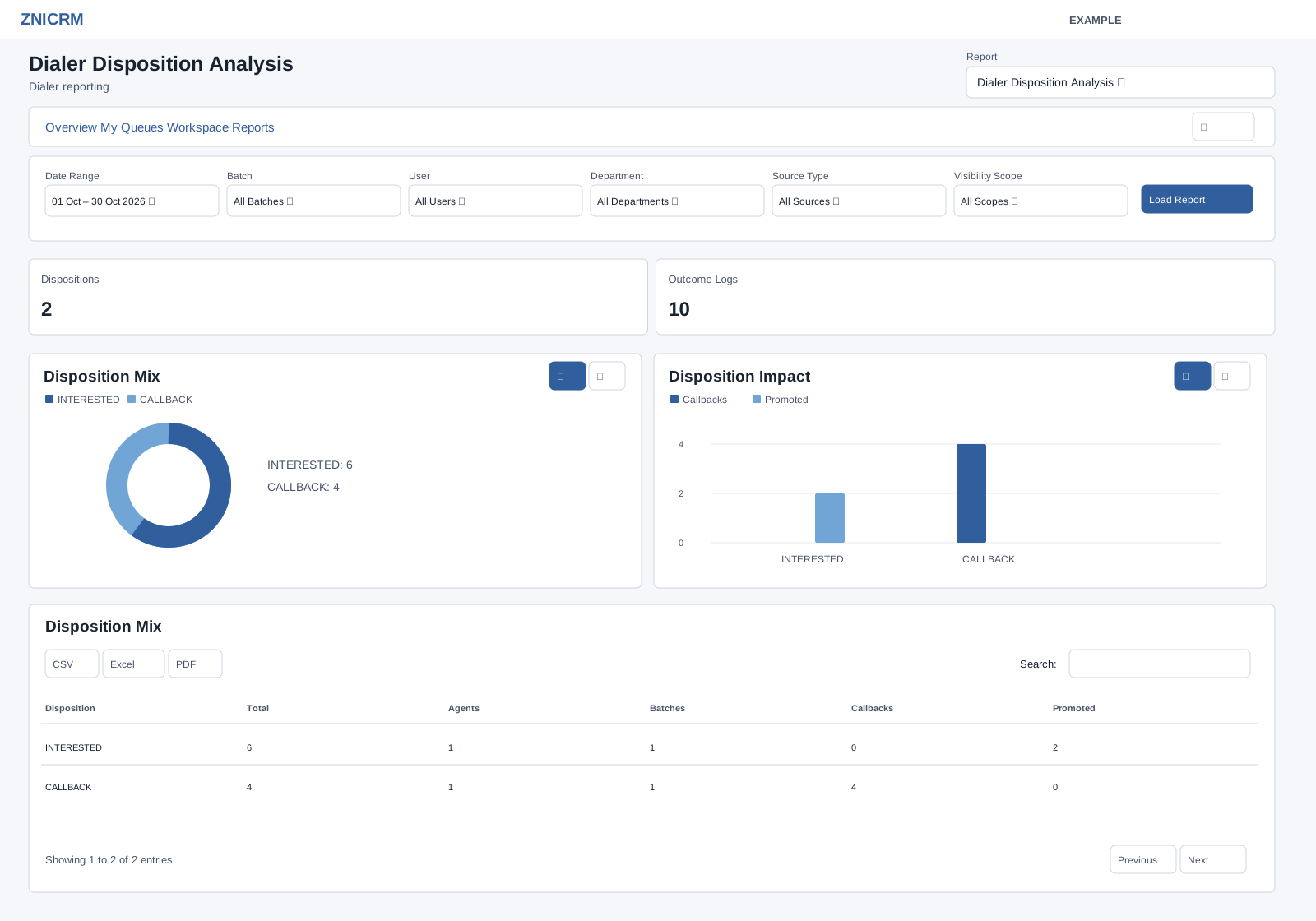
Open and filter
Open Dialer → Reports and choose Dialer Disposition Analysis in the Report selector. CRM Dialer access and the dialer reports permission are required; results include only permitted work. Choose Date Range and Batch, User, Department, Source Type, Visibility Scope, then select Load Report. The initial dates are 30 days before today through today; the picker also offers Today, Yesterday, Last 7 Days, Last 30 Days, This Month and Last Month. User, department and batch choices depend on access. Source, scope and import status choices are fixed; see the filter reference.
Read the report
Disposition groups outcome logs; Total counts logs, Agents and Batches count distinct participants and queues, and Callbacks counts logs moving to callback. Promoted counts matching logs whose item is currently promoted and whose last disposition matches that log; it is not a distinct prospect count.
Date Range filters disposition log date. Cards show Dispositions and Outcome Logs.
The table supports search, sorting and pagination (100 rows per page), plus CSV, Excel and PDF exports after the report enhancement loads. Export only where authorized. Rows in the shared table are text, not drill-down links; use the dialer workspace for queue or prospect work. Changing Report opens the chosen report without retaining the current filters.
Use the charts
Read the chart definitions for this report and use the chart type buttons to compare measures. Table search redraws linked charts across matching loaded rows; summary cards retain the full report totals. See chart, search and export procedures and all dialer filters and navigation.
Use and verify
If five NO_ANSWER logs generated two callbacks, inspect the affected queue and retry approach. Total counts logs, not unique prospects; verify the selected log dates before comparing with item counts.