Dialer Department Performance
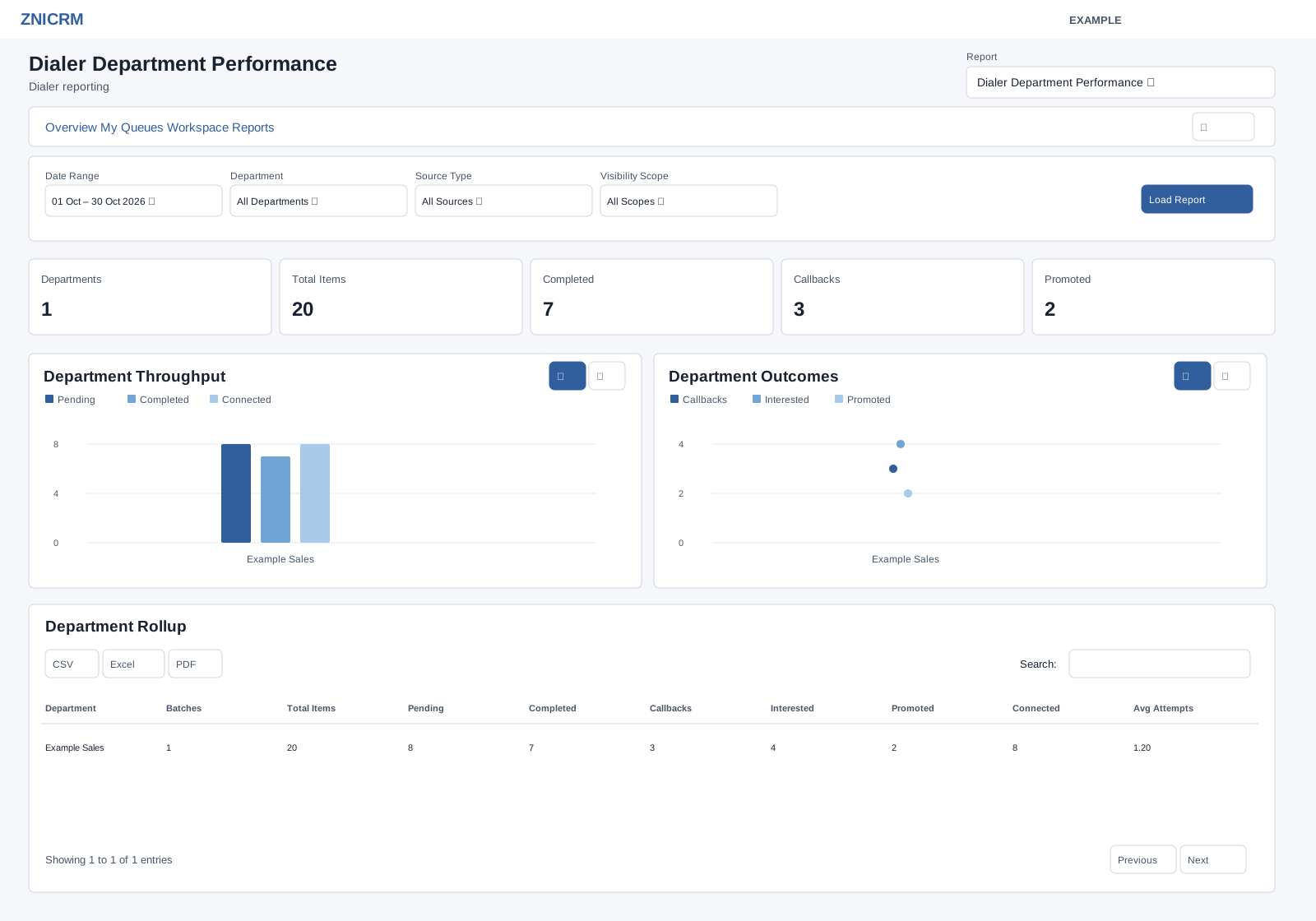
Open and filter
Open Dialer → Reports and choose Dialer Department Performance in the Report selector. CRM Dialer access and the dialer reports permission are required; results include only permitted work. Choose Date Range and Department, Source Type, Visibility Scope, then select Load Report. The initial dates are 30 days before today through today; the picker also offers Today, Yesterday, Last 7 Days, Last 30 Days, This Month and Last Month. User, department and batch choices depend on access. Source, scope and import status choices are fixed; see the filter reference.
Read the report
Department is the queue assignment department, with Unassigned shown separately. Batches, Total Items, Pending, Completed, Callbacks, Interested and Promoted are queue rollups; Connected counts items whose last disposition is neither empty, NO_ANSWER nor WRONG_NUMBER. Avg Attempts averages batch averages, including zero for batches without an average.
Date Range filters batch creation date; counts reflect current batch state. Cards show Departments, Total Items, Completed, Callbacks and Promoted.
The table supports search, sorting and pagination (100 rows per page), plus CSV, Excel and PDF exports after the report enhancement loads. Export only where authorized. Rows in the shared table are text, not drill-down links; use the dialer workspace for queue or prospect work. Changing Report opens the chosen report without retaining the current filters.
Use the charts
Read the chart definitions for this report and use the chart type buttons to compare measures. Table search redraws linked charts across matching loaded rows; summary cards retain the full report totals. See chart, search and export procedures and all dialer filters and navigation.
Use and verify
Compare Example Co’s assigned department with another department, using batch counts and current pending work to decide where to shift capacity. Check batch creation dates and queue department assignments before reconciling.