Real Estate sales
Record an explicit hold for a buyer, then confirm or complete the sale as the agreement progresses. A shortlist or quote does not reserve a property.
Before you start
Open the Real Estate workspace and choose Sales, or open Buyer requirements. You need property catalog and CRM read access to see sales; creating or managing a hold also requires sales management and write access to the buyer. Available records and actions depend on your permissions and customer scope.
- Open an authorized open buyer requirement, shortlist an active sale listing, and choose Create sale hold for a non-rejected shortlist item. The requirement and listing must use the same currency, and the sale mandate must not have expired.
- In Hold, enter the positive Agreed commercial total, including the agreed total in the listing currency. Enter a future Hold expiry in company time, no later than the mandate end.
- Choose Explicit staff approval or Recorded invoice settlement threshold as the confirmation basis. For a threshold, enter a positive amount no greater than the agreed total; leave it empty for staff approval. Add reservation notes if useful.
- If current or future committed tenancies are shown, check every listed lease and enter the actual sale and tenancy agreement or acknowledgement. This preserves those tenancies and does not promise vacant possession. If the complete tenancy context is unavailable, ask an authorized colleague to review it.
- Choose Create property hold. Open the resulting sale and check its property, buyer requirement, total, expiry, basis and Held status. Only one active held or confirmed sale allocation is allowed per property.
Find a sale
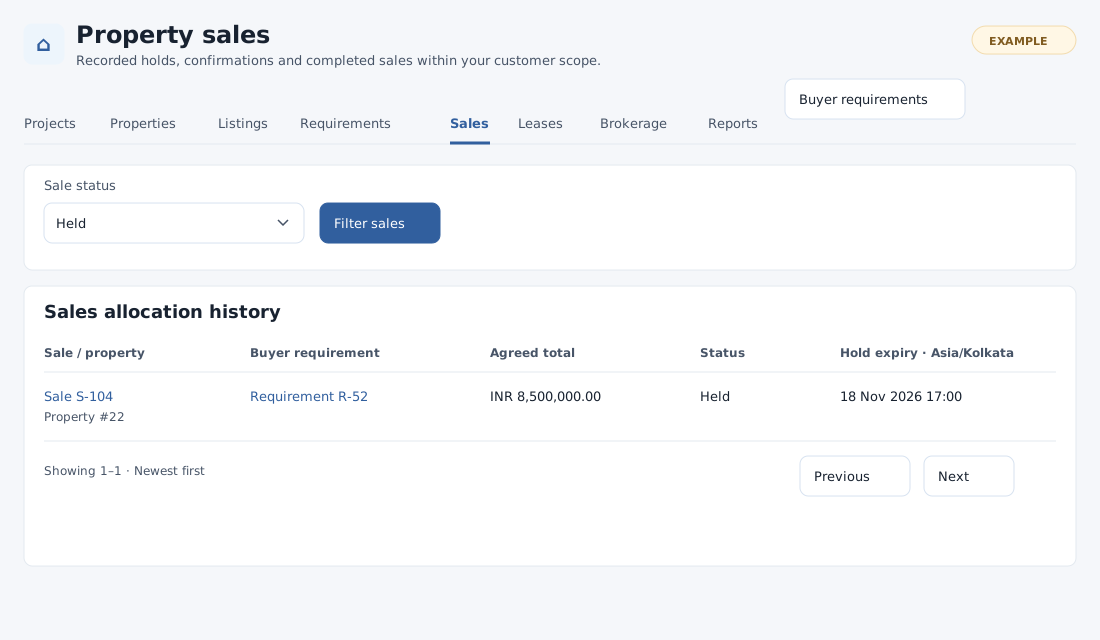
The Sale status filter offers All statuses, Held, Confirmed, Completed, Released, Cancelled and Expired. Select a value and choose Filter sales. The history shows sale and property, buyer requirement, agreed total, status and hold expiry in company time. Select a sale or requirement link for details; use the page controls for more results.
What happens next
On sale details, extend an unexpired hold, confirm it when its chosen basis is satisfied, complete a confirmed sale, or release/cancel it with a reason. A hold can expire. Completion closes the sale listing; allocation records do not transfer legal ownership. Use Brokerage to record a separate agreed fee and Reports for authorized reporting.
If a hold cannot be created
Reopen the requirement and listing to check their status, currency and mandate; check the requested expiry and any existing allocation. If a tenancy or customer is outside your scope, request help from a colleague with the necessary access. If a save is uncertain, inspect sales history before trying again.