Real Estate owner statement
The owner statement reconciles dated allocations and actual remittance evidence for one property, owner relationship, currency and date window. It is not an independent wallet balance or a bank payout. Statement access and visibility of the property, owner account and related financial sources are required; recording evidence also requires financial management permission and completed Invoicing settings.
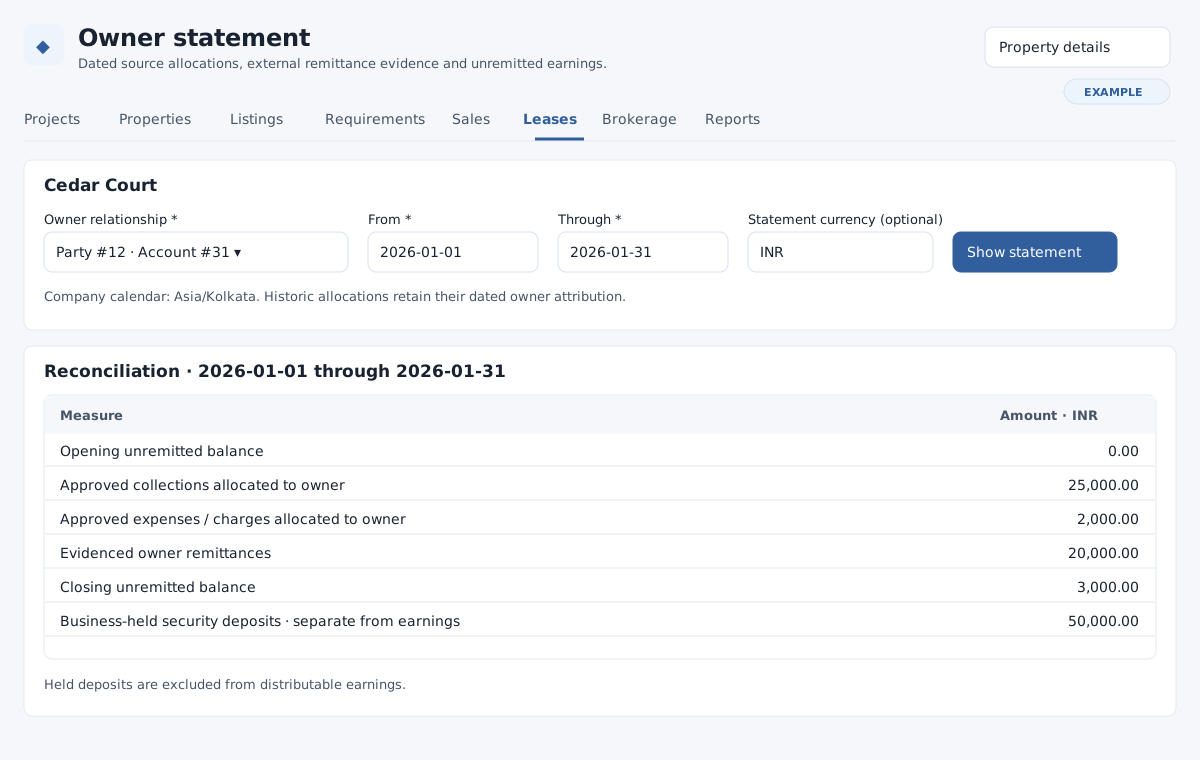
Choose a statement
- Open Owner statement from lease billing or property details. If asked to choose a property, search accessible active or archived properties with Search properties and Find properties, select a property and click Choose owner. Clear search or use pagination if needed.
- Select the dated Owner relationship, enter required From and Through dates, and choose Show statement. Through must be on or after From. The default window is the first day of the current month through today in the company calendar. If history contains multiple currencies, enter one stored unit in Statement currency (optional); a single unit is detected automatically. No conversion is inferred.
- Review opening unremitted balance, allocated collections, expenses, evidenced remittances and closing unremitted balance. Business-held and owner-held security deposits are shown separately from earnings. Historic allocations stay attributed to their dated owner. Open an allocation’s source or linked lease for detail. Statement totals include complete authorized history even when source histories are paged separately.
See owner allocations and remittances for form examples and correction steps.
Record property outlays and allocations
For a property expense outside a tenancy, expand Record actual property outlay or correction. Choose actual outlay or correction, enter the positive evidenced amount, actual value date, reason, external reference, issuer and recipient. For correction select the exact original event. Select Record actual property evidence. This records an actual external event; it does not transfer money. To allocate a supported source, use Allocate or correct a supported source, choose the source, enter amount, allocation date and reason, and select the original allocation only for a correction. Save and inspect the resulting source and reconciliation. See lease financial evidence for limits and correction order.
Record an actual owner remittance
- After the external payment has occurred, expand Record remittance or correction evidence. Enter the positive evidenced amount, actual value date, reason, external transaction reference, sender and recipient.
- Under Exact earning allocations, enter a positive amount against each earning source used; leave other rows blank. The amounts must total the remittance exactly and remain within each source’s available amount and the owner’s dated earnings after expenses and earlier remittances.
- For an actual return correcting a remittance, select Original remittance for a correction and enter the matching original allocation splits and actual return evidence. The correction date cannot precede the original remittance or be in the future. Partial corrections are allowed; match the original earning-source splits and keep each amount within its remaining original amount. Select Record external remittance evidence; this does not initiate a bank payout.
- Review the remittance row, source links and closing balance. Use the separate history pagination to locate older correction sources. To correct distributed source evidence, record the actual return first, then compensate the allocation and finally correct the source.
If a complete statement cannot be shown, check the dates, stored currency and access to all related sources with an authorized colleague. Historical currency statements are viewable, but new evidence uses the current company currency. See owner source history and leases.