Real Estate owner allocations and remittances
Allocate actual supported sources to the lease’s dated landlord or to a property’s dated owner, then record evidence of an actual external remittance on the owner statement. Financial read and management access, the applicable property, owner and source access, completed Invoicing settings and current company currency are required. For new property-level outlays and allocations outside a lease, the owner relationship must cover the actual value date. Lease-linked records use the landlord relationship covering that tenancy. These records do not transfer funds.
Record an actual collection or outlay
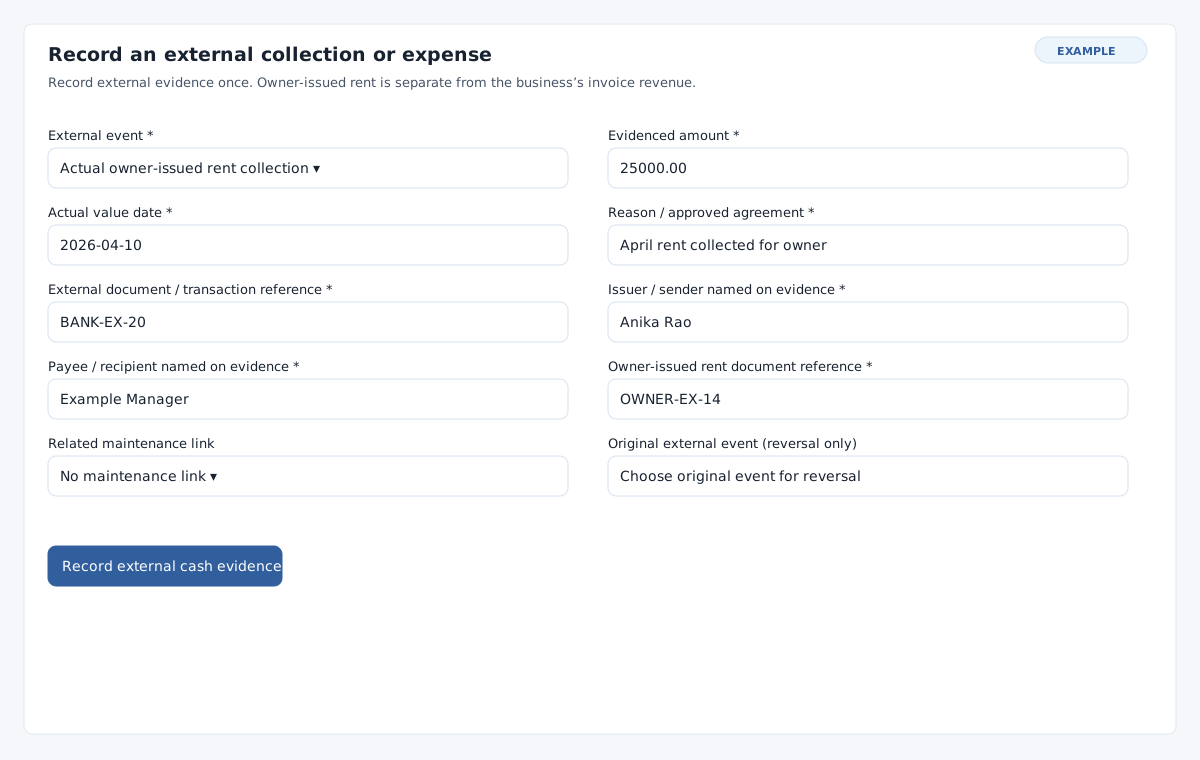
In lease Billing and evidence, expand Record an external collection or expense. Choose Actual owner-issued rent collection for agency rent actually received by the business, Actual maintenance / property outlay, or Correct an original external event. For a collection, enter the required Owner-issued rent document reference. For an outlay, optionally choose a related maintenance link. Reversal requires the exact original event; its original support is retained and the support controls are disabled.
Enter required positive Evidenced amount, Actual value date, Reason / approved agreement, External document / transaction reference, Issuer / sender named on evidence and Payee / recipient named on evidence. Use two decimal places at most, an actual date no later than today and text of at most 255 characters. Select Record external cash evidence and check its history. For a lease-linked event, use its lease page to correct it. To record or correct a property outlay outside a lease, use Record actual property outlay or correction on the owner statement, choose the event, fill the same evidence fields and select Record actual property evidence.
Allocate a source
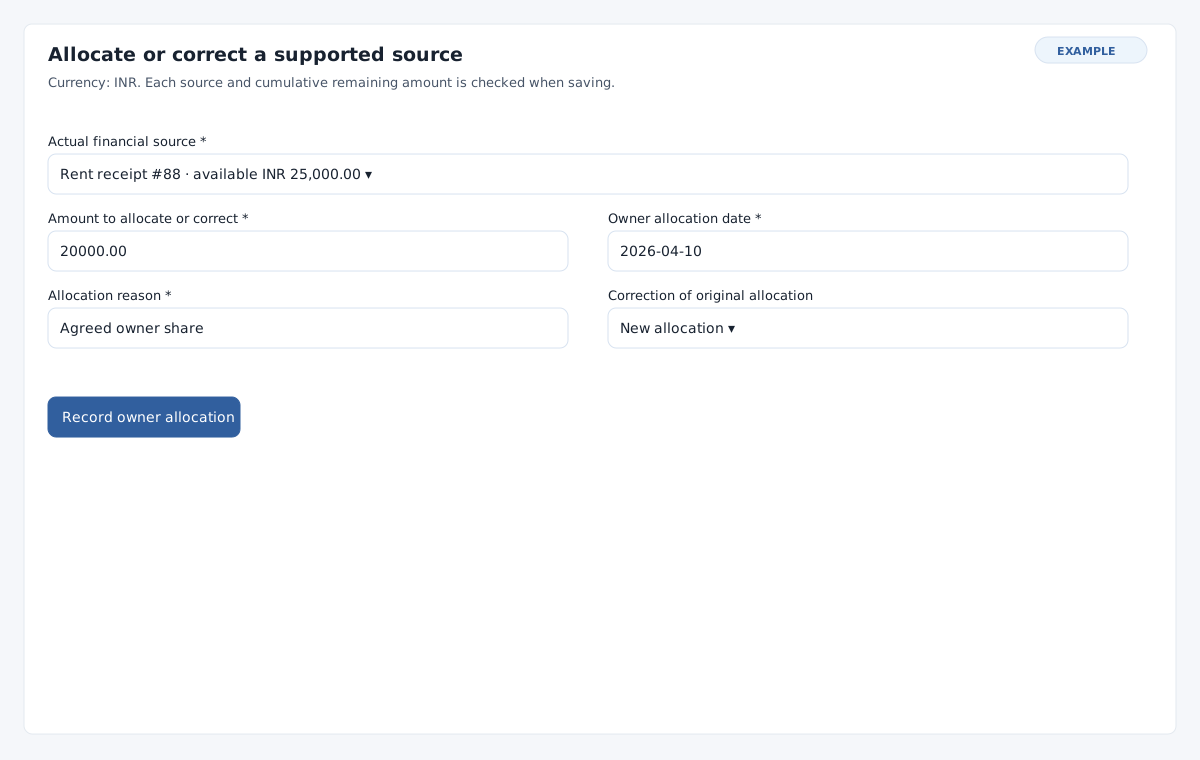
- In lease Owner allocations or the statement’s Property outlay evidence and source allocation, expand Allocate or correct a supported source. Choose the Actual financial source: an eligible rent receipt, external event or evidenced deposit deduction. Wallet funding and its invoice settlement are not counted twice.
- Enter positive Amount to allocate or correct, Owner allocation date and Allocation reason. The date cannot be before the source or after today; the amount cannot exceed the source’s remaining available amount. For a new allocation leave Correction of original allocation at New allocation.
- Select Record owner allocation. Verify its source, direction, amount and date in history, follow the source link, and show the statement for the appropriate owner and date window.
Record a remittance or return
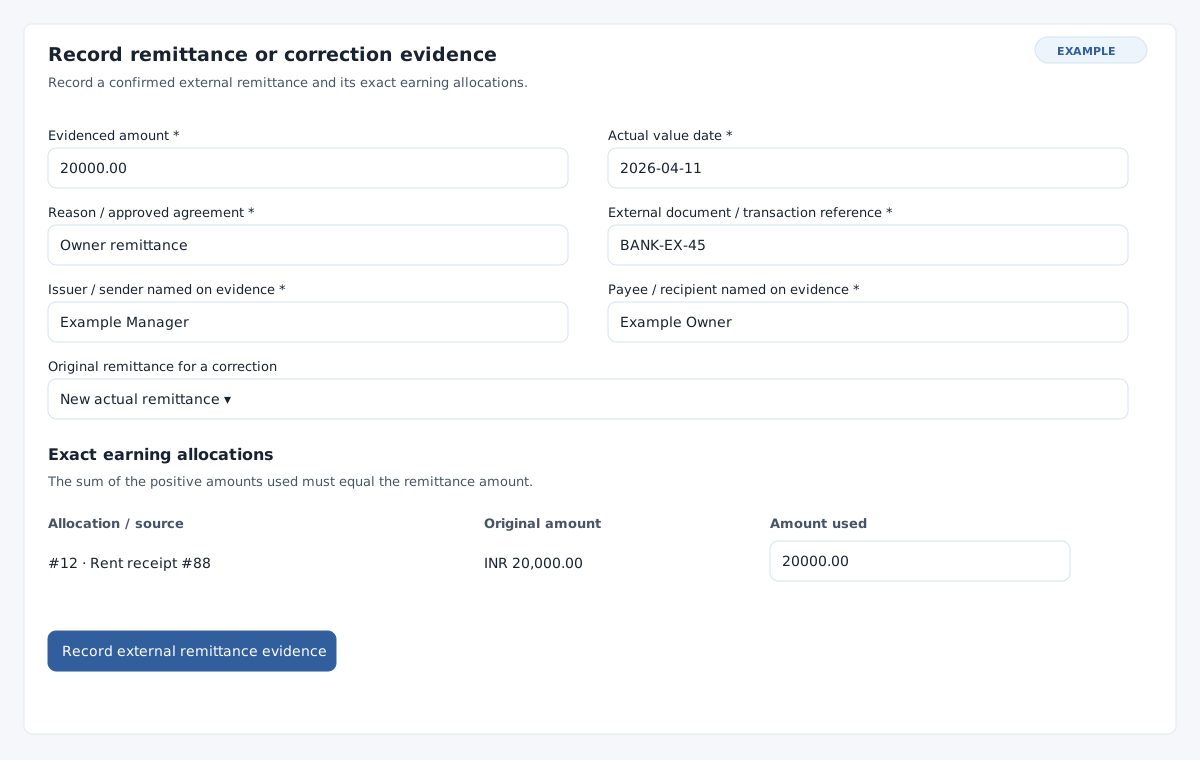
- On the owner statement, select the property and dated Owner relationship, enter From and Through, then select Show statement. Under Actual owner remittance evidence, expand Record remittance or correction evidence.
- After payment has actually occurred, enter the six evidence fields described above. Leave Original remittance for a correction as New actual remittance. Under Exact earning allocations, enter a positive Amount from allocation for each earning source used, leaving other rows empty. The splits must sum exactly to the evidenced remittance and cannot exceed their remaining earnings or the owner’s dated balance after expenses and prior remittances.
- Select Record external remittance evidence and inspect its row, earning source links and closing balance. To record an actual return, choose the exact original remittance and enter its original earning allocation splits up to their remaining amounts. The date must be on or after the original and no later than today. Save and verify the correction row.
Correct a distributed source
When actual funds have been returned, record the return against the original remittance first. Then expand Allocate or correct a supported source, select the same source and the original under Correction of original allocation, and enter the positive correction amount, date and reason. Finally correct the original cash event, deposit deduction or rent source as appropriate. An allocation correction retains the original property, lease where applicable, dated owner, currency and source. Its date must be on or after the original allocation. Corrections retain history and are bounded by the original remaining amount. Use each source, allocation, external event and remittance history’s own Previous and More controls to locate older records.
If a source is missing, check the correct lease, property, dated owner, currency, financial scope and history page. A statement can display an older stored currency, but new evidence uses current company currency. If a save is uncertain, inspect the history before repeating it; reload a changed record and check the remaining balances.