Real Estate owner statement source
The owner statement source page shows the original evidence supporting an owner allocation. It is a read-only view within the lease and owner statement workflow.
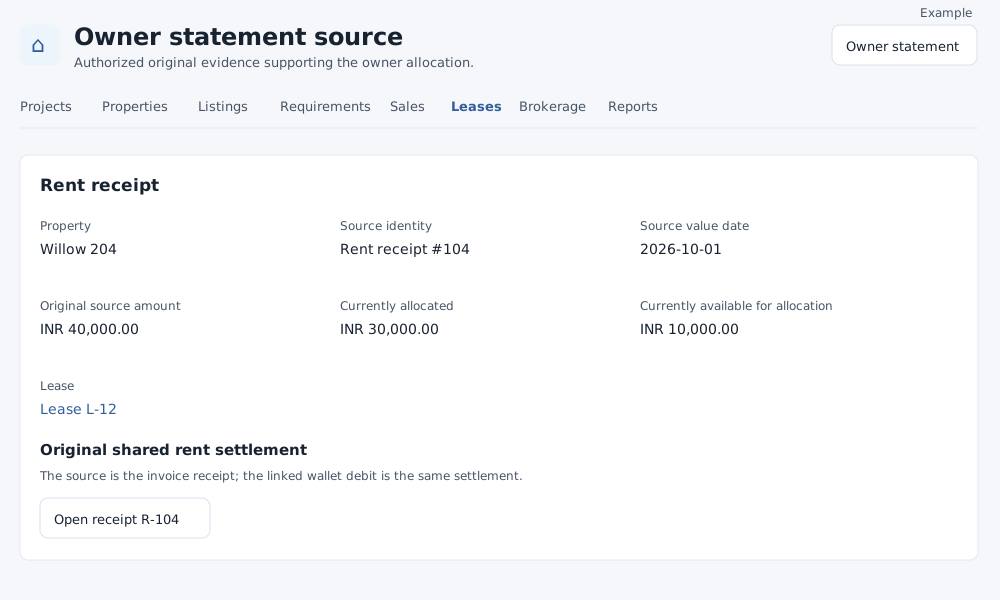
Open and review evidence
- Open the relevant owner statement, then select a source in Statement allocation sources or Original source in a remittance's earning sources. Owner statement access and the applicable financial scope are required.
- Review the property, source identity, source value date, original source amount, currently allocated amount and currently available amount. A lease link opens its financial page when present.
- Depending on the evidence, additional facts can include external reference, owner-issued document, actual evidence date, approved reason, issuer, payee, deposit movement, external event, corrected movement or event, maintenance support link and supporting charge invoice.
- For a rent receipt, use Open receipt when permitted and the linked invoice button when shown. The linked wallet debit is part of the same settlement, not a second owner collection. Other source types describe an external event or approved deposit deduction; viewing them does not execute payment or change invoices, receipts or wallet records.
- Select Owner statement to return to the statement, preserving the available date and currency context.
If the source is unavailable within your financial scope, check the property and owner selection and ask an administrator to review access. If evidence cannot load, try again. Changes or corrections must be made through the relevant financial workflow rather than this view.