Real Estate lease details and tenancy activity
Open Leases, select a Lease L-number, and use Terms, Tenancy activity and Renewal to jump between sections. The property, renter, landlord relationship, dates, rent, timing, deposit, partial charges, notes and any linked subscription or prior term appear in Terms. The property and renter links open their records. Access to a linked subscription depends on subscription permissions.
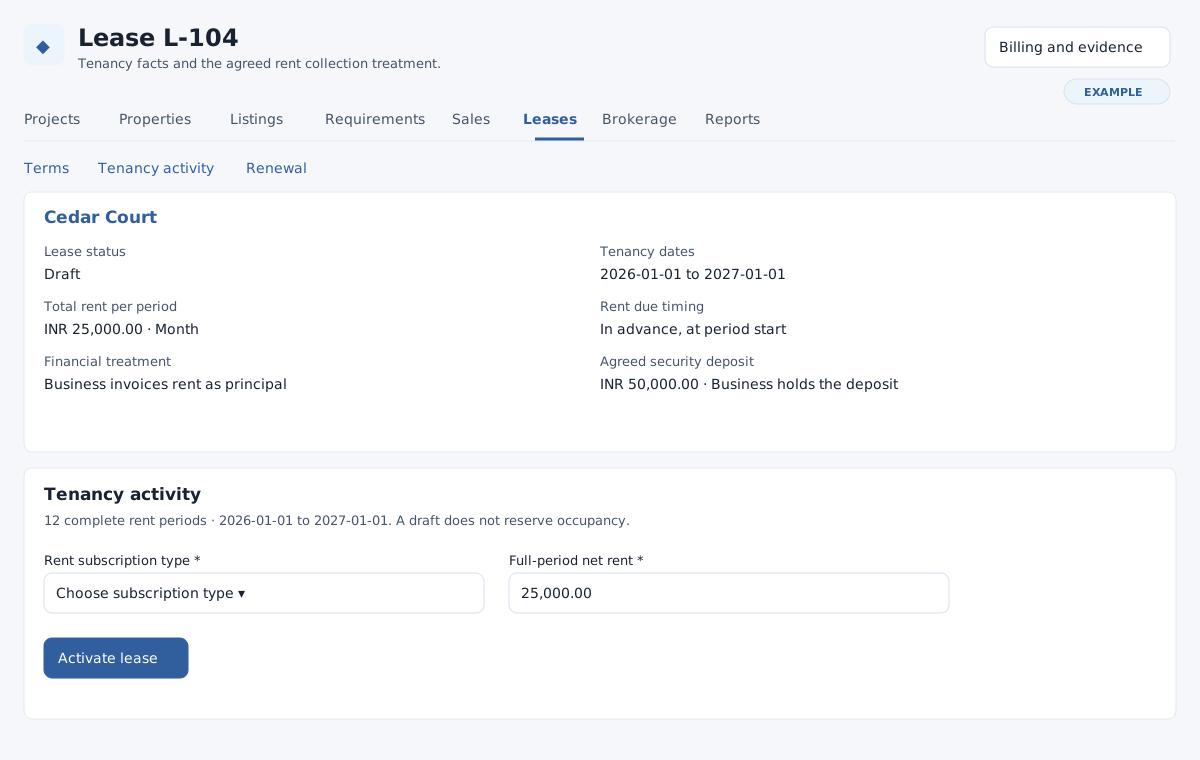
Activate a draft
- Review the complete-period count and any partial periods in Tenancy activity. Confirm the signed terms and the dates: the tenancy end is excluded. Drafts do not reserve occupancy.
- For principal treatment with complete periods, select an existing Rent subscription type, enter Full-period net rent and optional explicit full-period tax amounts. Net plus taxes must equal the agreed total exactly, with zero rounding. The renter needs an office address for invoicing, and Invoicing and the subscription type must be configured. Agency treatment and a wholly partial term do not create a rent subscription.
- If active sale allocations are listed, check every listed sale and enter the actual Sale and tenancy agreement / acknowledgement. This retains both histories; it does not cancel the sale or promise vacant possession. If complete sale context is unavailable, authorized staff must review it before activation.
- Select Activate lease and confirm. The system checks for overlapping committed tenancies and creates the applicable subscription link. Verify status and subscription on the lease and review Billing and evidence. If activation fails, resolve the reported overlap, context, setup or permission issue and retry after reviewing the current record.
Record actual events
For an activated tenancy within your management scope, expand Record actual move-in, Record tenancy notice or Record actual move-out, enter the actual date and save. Each is recorded once and its date cannot be in the future. Notice cannot follow the effective tenancy end. Move-in must fall within the effective tenancy; move-out cannot precede the tenancy start or recorded move-in. Notice may change an active lease to Notice recorded. Review the facts and activity history after saving.
Terminate, renew or cancel
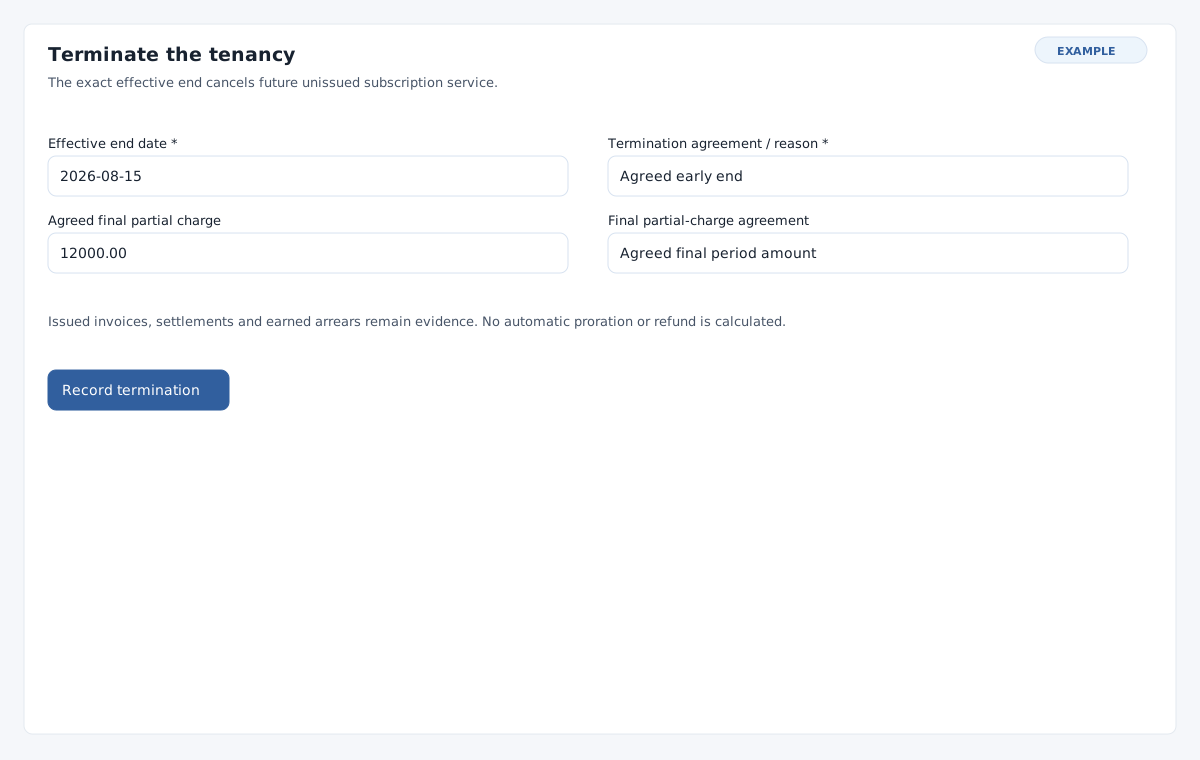
- For an agreed early end, open Terminate the tenancy, enter the required Effective end date within the original term and Termination agreement / reason. The termination date must follow a recorded move-in and cannot precede recorded notice. If a final partial period results, enter its agreed total and reason, including an approved zero. If a final partial invoice already exists, its snapshot is retained; review correction evidence instead. Select Record termination and confirm. Subscription permission is also needed when a subscription is linked.
- The effective end cancels future unissued subscription service. Issued invoices, settlements and earned arrears remain; neither a refund nor proration is automatic. A future end displays Notice until effective; a normal term reaching its end displays Completed. Check the effective date and billing evidence.
- To renew, expand Record agreed renewal terms, select the renewal renter and complete the same fields as a new draft. The new term retains the property and cannot start before the prior effective end. Select Create linked renewal draft, review its Previous term link and activate it separately. Existing financial and occupancy history remains intact.
- To withdraw an unactivated draft, enter the required Draft cancellation reason under Cancel unactivated draft, then choose Cancel lease draft and confirm. History remains. Use termination for an activated lease.
Where permitted, Record brokerage fee opens brokerage for an activated lease. See brokerage, sales and lease drafting.