Facebook lead retrieval and field handling
Use this page to understand how submissions from a connected Lead Ad Page reach CRM. The Page route supplies an assignment starting point; advanced lead routing can use additional conditions, and Lead Manager determines the final eligible owner.
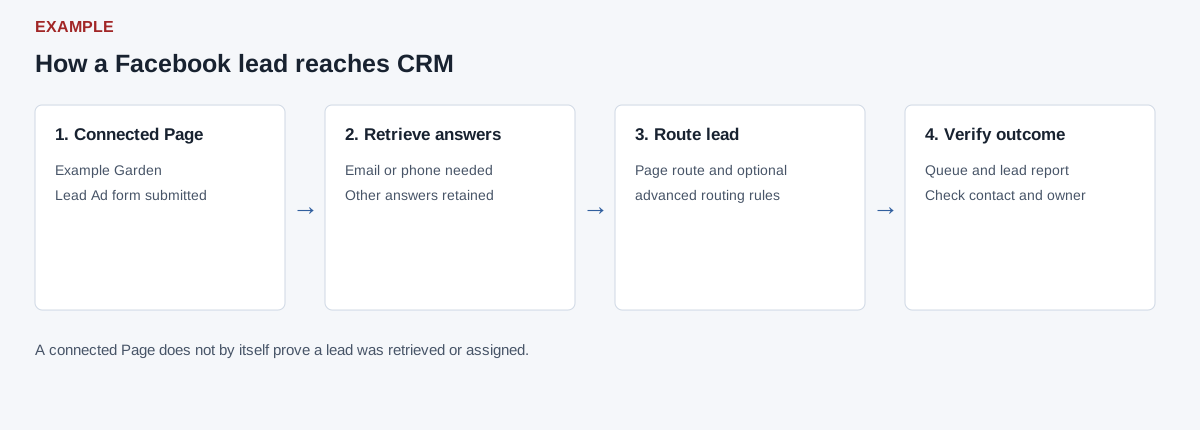
Follow a lead from Meta to CRM
- Connect the Page and choose its default department in Facebook Integration. The inbound webhook must identify a connected and eligible Page and a lead ID. The integration retrieves that lead's form answers and advertising identifiers from Meta using Page authorization.
- Recognized identity fields are described below. At least one email or phone value is required for the CRM assignment path. Additional answers are carried as normalized fields for routing, conversation data and eligible scoring context; they are not automatically equivalent to arbitrary custom CRM profile fields.
- Review Facebook Leads, the relevant Lead Queue and logs, and the contact's owner. A Page connection or a webhook record alone does not prove a contact was created or assigned.
Understand the incoming fields
| Meta answer name | CRM handling |
|---|---|
| full_name; first_name and last_name | Full name is used when present; otherwise first and last are combined. With no name, the phone or email becomes the name fallback. |
| email, work_email | Email is preferred; work email is used when email is empty. |
| phone or phone_number, work_phone_number | Phone or phone_number supplies the phone; work phone is the fallback. If both phone and phone_number are present, the later processed answer can replace the earlier one. |
| country / country_name, country_code / country_iso / country_iso_code | Country name and ISO code are passed into the inbound context when present. |
| Other form questions | Answer names are lowercased and normalized to underscore keys, with multi-value answers retained. Use a source-specific routing field path such as fields.city when configuring routing. This is separate from the CAPI outbound signal mappings and the lead scoring review/approval process. |
For example, an Example Garden form asks for email and city. After a controlled test, check the actual form answer name, configure and save an appropriate routing field and rule, use a sanitized preview, and verify a subsequent controlled lead's owner and queue record. A rule preview is not a live assignment.
Investigate missing leads
Check Page connection, authorization and the correct form first. A retrieval error, absent or empty Meta field data, or missing both email and phone prevents the normal identity/assignment path. Reconnect and inspect the integration and diagnostics where appropriate; consult an administrator when provider access or delivery errors persist. The legacy report requires an accessible linked contact, so compare its scope and date with queue and integration diagnostics before concluding Meta sent nothing. These screens do not establish that the provider delivered every submission.