Facebook Leads report
Find inbound leads by advertising object and date.
Controls depend on your account and permissions.
Open and prepare
- Facebook Integration → View Facebook Leads, or Reports → Facebook Leads
- You need access to the Facebook lead report and visible CRM contacts.
Filter and review
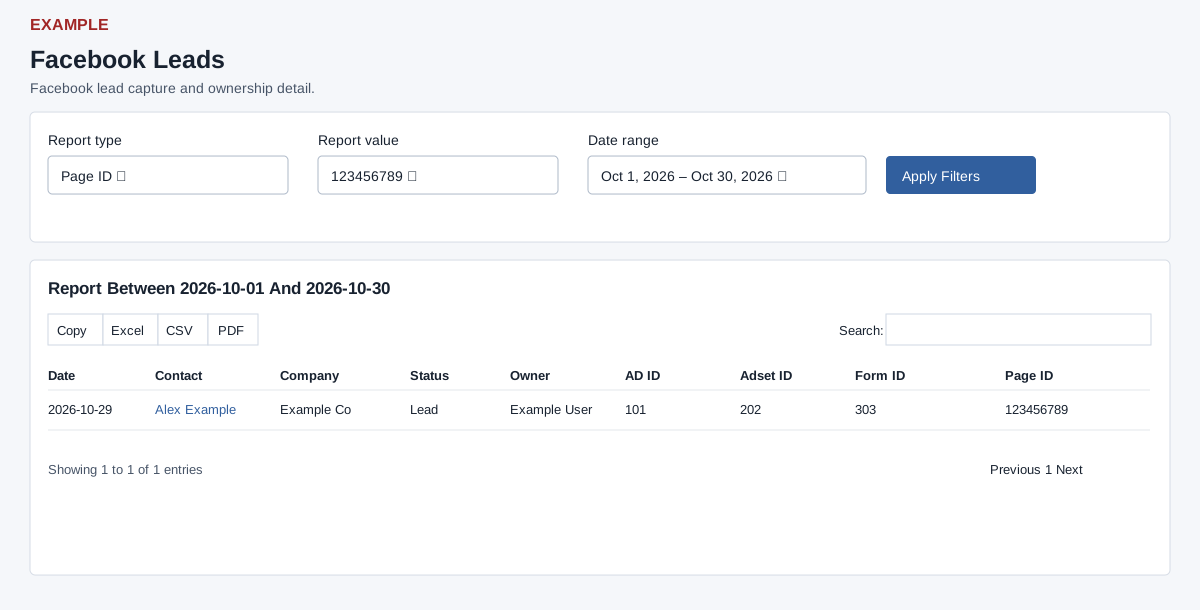
- Choose Report type: Ad ID, Adset ID, Form ID or Page ID. Choose the corresponding Report value, set Date range and select Apply Filters.
- Review Date, Contact, Company, Status, Owner, Ad ID, Adset ID, Form ID and Page ID; the contact opens its CRM conversation in a new tab. The report includes linked CRM contacts only and applies the viewer’s owner scope, so a captured but unlinked lead can be absent. Example: filter by the Example Garden Page to check which leads reached the intended owner.
- The initial date range is the past month through today; the date picker offers Today, Yesterday, Last 7 Days, Last 30 Days, This Month, Last Month and custom dates. Dates filter the stored lead record date through the end date inclusive. Results are capped at 1,000 rows, newest first; the table paginates 100 per page and offers search, ordering, Excel, CSV and PDF for loaded rows matching the table search across pages when the shared enhancement loads; original controls may differ if it fails. Report value choices are distinct linked, visible IDs (up to 1,000), not the complete Meta asset catalog. Select an actual value after selecting a type: the placeholder value is not a wildcard. If no values appear, check connected Page, linked contacts and access; narrow dates to investigate beyond the cap.