Manage partner customers
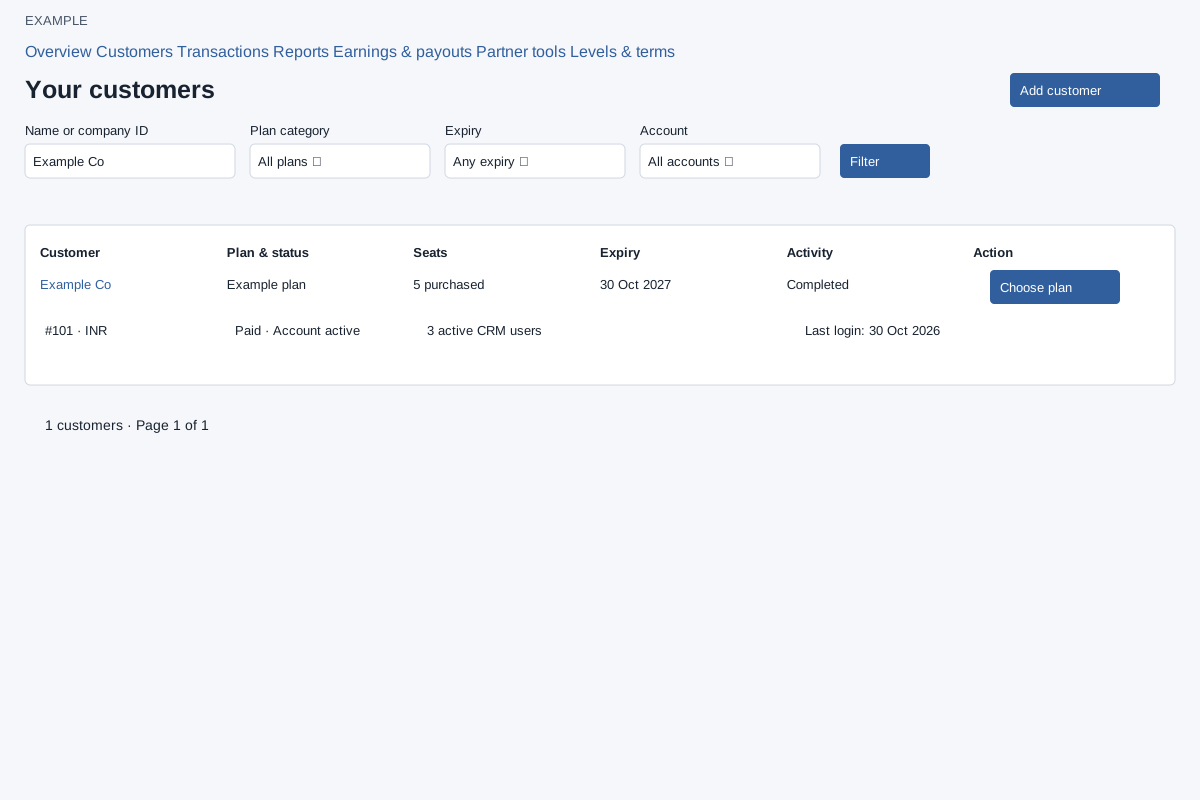
Partners → Customers is available to partner types permitted to manage customers. Filter by Name or company ID, Plan category (All plans, Paid, Free), Expiry (Any, Within 7 days, Within 30 days, Expired), and Account (All, Active, Inactive). Expiry filters apply to paid plans: 7 and 30 days cover future expiries, while Expired covers past expiries. Search matches part of the company name or an exact numeric company ID. Select Filter, open a customer name for details or Choose plan to prepare a purchase.
Read the customer rows
Each row shows customer name, company number, country and currency; plan/category and account status; purchased seats and active CRM users; expiry; setup status and last login. Use Previous and Next where offered to browse the matching records. A company can be visible while inactive; purchases and wallet transfers require an active associated customer.
Choose the next action
- Add customer opens the customer account form.
- The customer name opens entitlement and onboarding details.
- Choose plan opens plan, renewal and license selection.
If no customers match, check the filters before creating another account. Example: search Example Co, choose Paid and Within 30 days, then compare expiry and active users before preparing a renewal.
After opening a customer, see customer details and onboarding.