Partner purchase: plan, renewal and licenses
Prepare the customer’s new entitlement and compare the partner payable before confirmation.
After choosing a customer, check the displayed company, current plan, purchased seats and currency. Customer details returns to that record; the Customer step returns to selection.
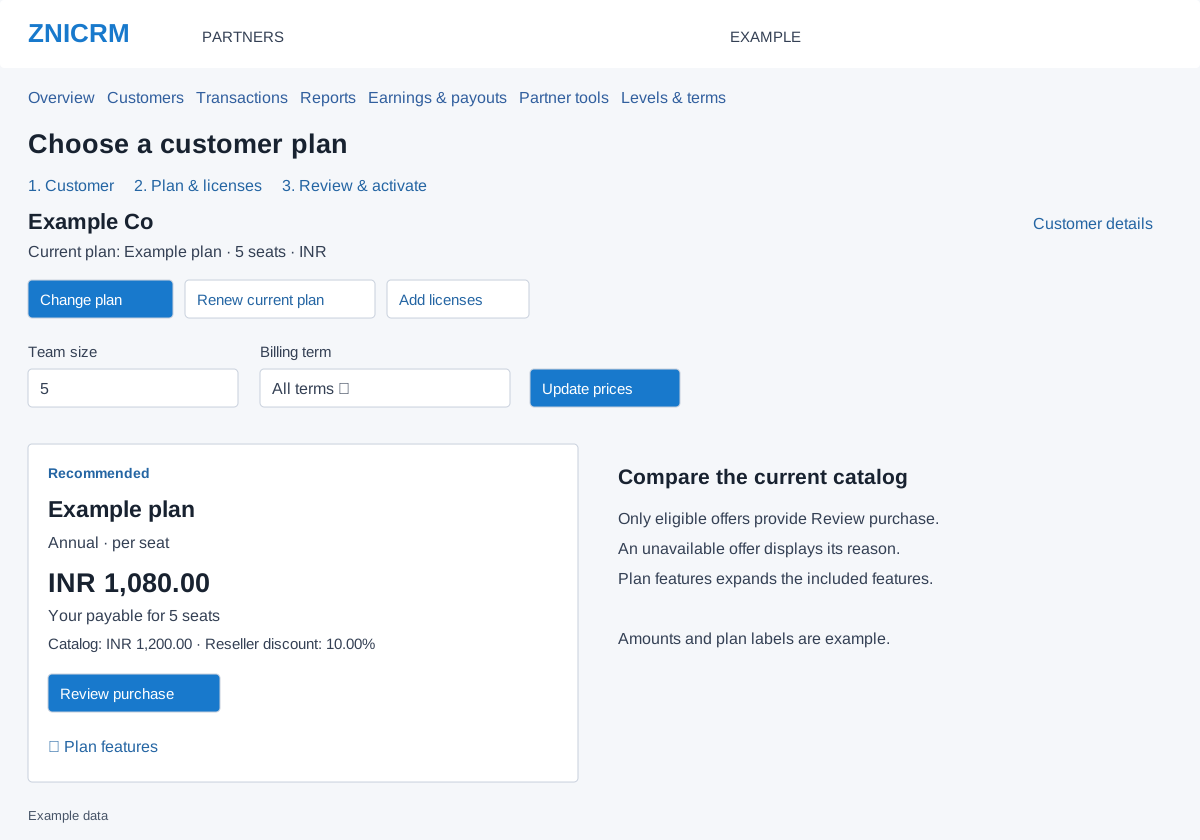
Change plan
- Select Change plan.
- Enter Team size as the total licenses needed. The form minimum is at least one and at least the active user count; the maximum is 999.
- Choose Billing term, or All terms to compare the available terms. Select Update prices.
- Review each eligible plan’s name, term, seat model, payable for the quoted seats, catalog amount and reseller discount. Expand Plan features to see included features and their values. A Recommended badge is a catalog indication, not purchase confirmation.
- Select Review purchase on the intended offer to open Review & activate.
Renew the current plan
- Select Renew current plan.
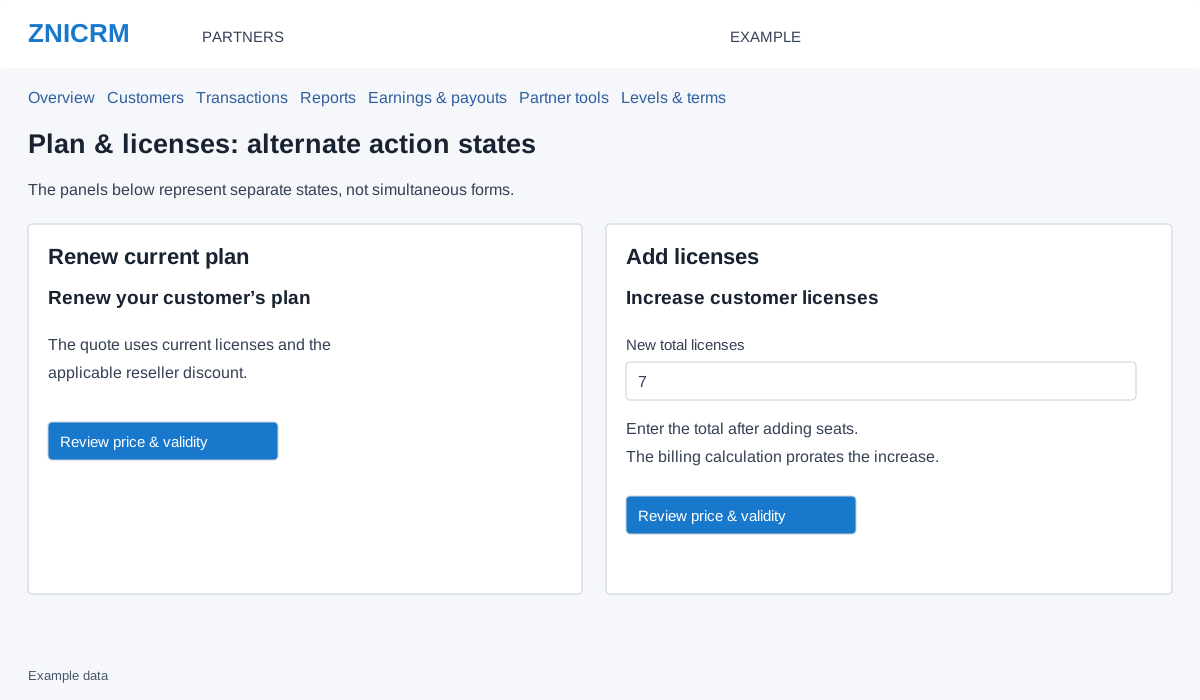
- Review the notice that the quote uses current licenses and the applicable reseller discount. There is no license quantity input in this mode.
- Select Review price & validity. Check the expected expiry on the next screen; do not assume that every renewal adds a term to the old expiry.
Add licenses
- Select Add licenses.
- Enter New total licenses, not the number to add. The minimum is one above currently purchased seats and the maximum is 999. For example, to add two seats to five, enter 7.
- Select Review price & validity. The billing calculation prorates the increase. Verify total seats, amount and expiry before paying.
If an offer is unavailable
Read the reason shown on the plan card. If no eligible plans appear, try another available billing term or ask support about the configured catalog. Purchases require an active associated customer and matching partner/customer currencies. Subscription-managed plans use their subscription checkout and are not purchasable in this wallet workflow. No payment is made by Update prices or Review purchase.