Create a partner customer account
Create a customer company and its administrator, then review onboarding before purchasing a CRM plan.
Open Partners → Customers → Add customer. The signed-in administrator must have an active partner membership with customer-management access.
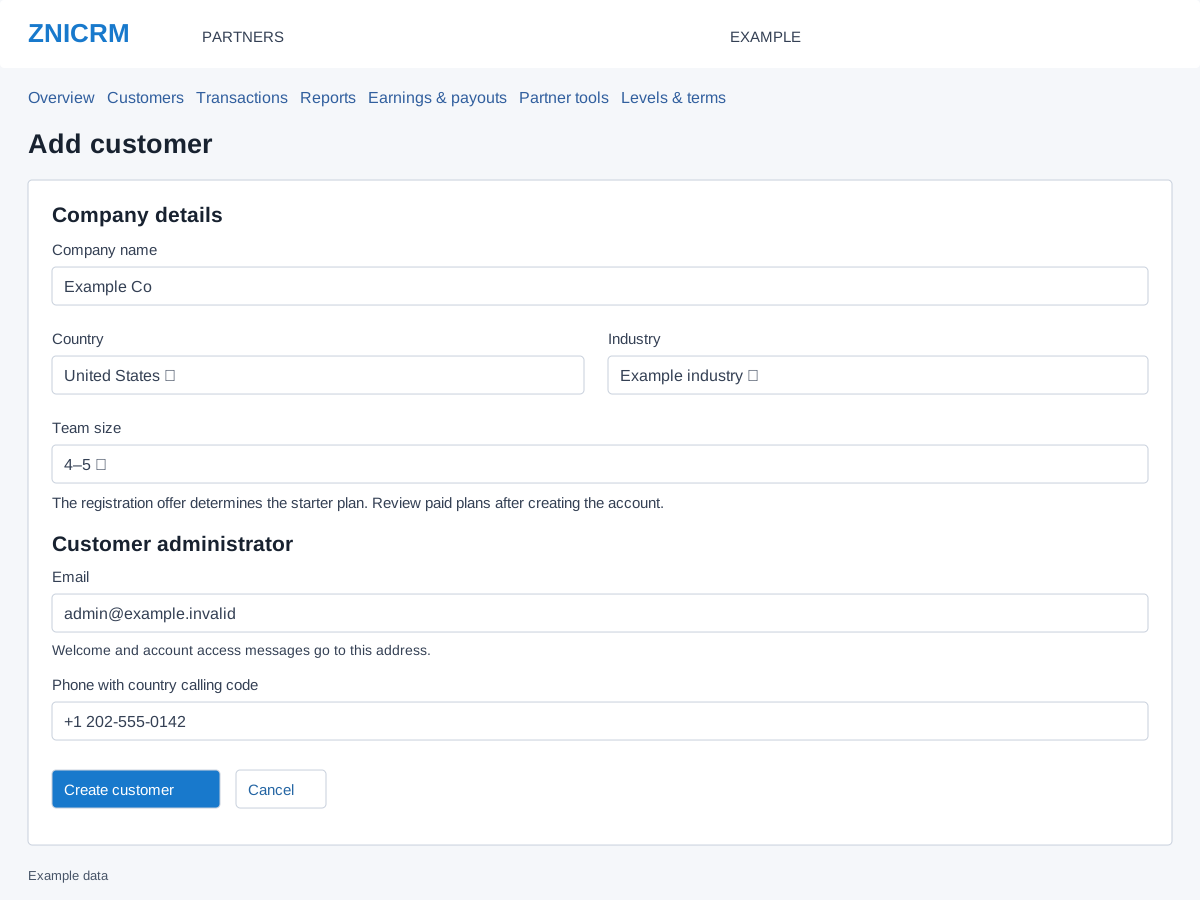
Complete the fields
| Field | What to enter |
|---|---|
| Company name | The customer’s business name, 5–45 characters; for example, Example Co. |
| Country | Select the customer company’s country from the available list. |
| Industry | Select the applicable configured industry. |
| Team size | Choose 1–3, 4–5, 6–15, 16–40, 41–200 or Over 200. The registration offer determines the starter plan; this selection does not buy licenses. |
| The customer administrator’s email, at most 60 characters. Welcome and access messages are addressed here. | |
| Phone with country calling code | Include the calling code. The form permits up to 20 characters; validation requires 7–15 digits after formatting is removed. |
Create and check the customer
- Complete every required field and check the intended administrator’s details. The example address
[email protected]is for illustrations only. - Select Create customer once. Wait while the request is processing. Cancel returns to the customer list without submitting the form.
- On the resulting customer details page, verify the company, administrator setup and starter entitlement.
- Check any welcome-mail, setup or linking notice. Account creation or accepted mail submission does not prove that the administrator received an email.
- When the account is correct, use Activate / upgrade to review a paid plan separately.
Recover without duplicating the account
If the form expires, reload it. If it reports that it already created an account, open that customer; use a new form only for a different company. If a response is lost, search Customers before trying again. For unconfirmed welcome mail or setup warnings, use account recovery or contact support with the company number. Creating a second customer is not a mail-retry procedure.