CRM templates
Create reusable company-wide or personal message and proposal content.
Company-wide templates
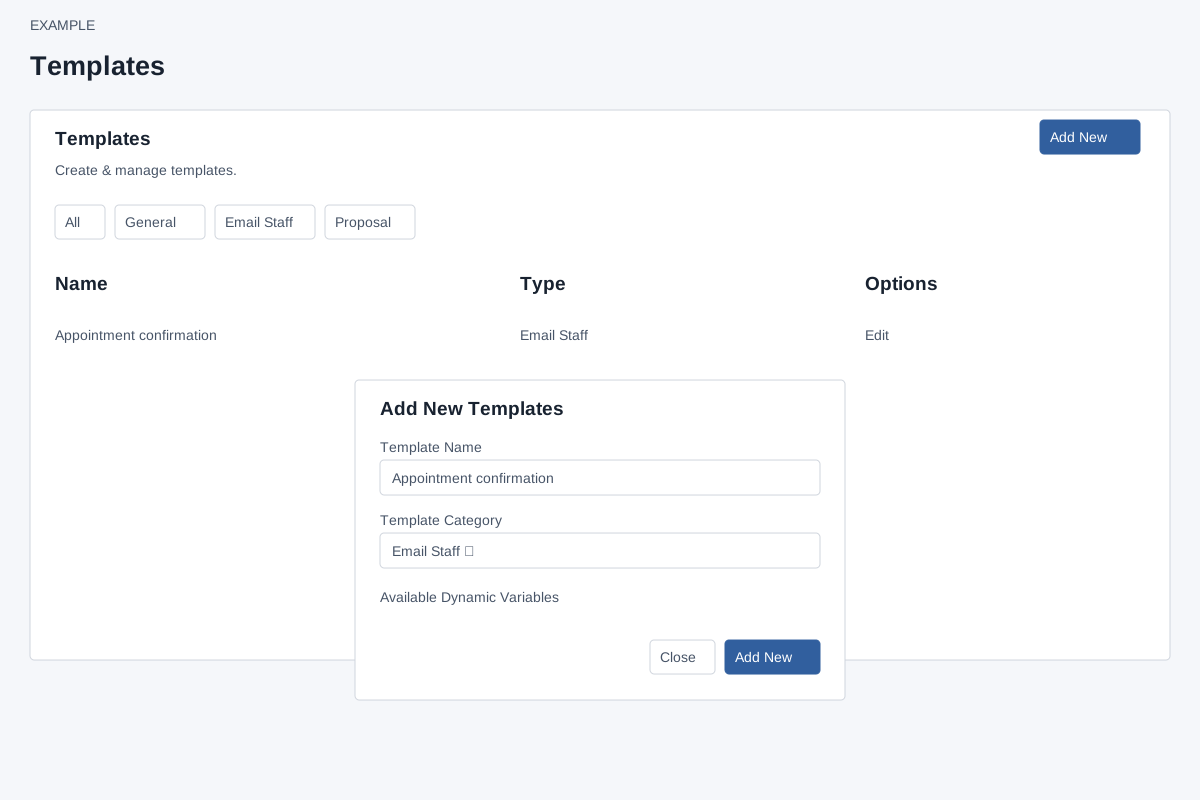
Account Settings → Features Settings → Templates opens the administrator list. ADMIN role is required. The table lists up to 500 global templates with Name, Type and Edit. Search, paging and the All and type filter buttons narrow the loaded list. Notes opens the notes sidebar. Select Edit for the basic editor; Advanced Editor is linked inside that editor, not directly in the list.
Create a company template
- Select Add New. Enter Template Name using letters, numbers and spaces only, and select a Template Category: General, Email Staff, Proposal, Helpdesk Reply Macro, Helpdesk Closure Template, Helpdesk CSAT Email or Helpdesk Internal Note Macro.
- Review Available Dynamic Variables, which changes by category. Select Add New to create the global record and open the basic editor. Close or × dismisses the dialog.
- Enter content and Save. For example, create Appointment confirmation as Email Staff and insert
{{Contact.Name}}. Creation alone does not send a message.
Names must be unique across the company, including staff-created templates. Correct the name or choose a category if validation fails. An empty template is created before the editor opens; leaving the editor does not undo its creation.
Scope and available actions
Global templates are available to applicable CRM workflows alongside a user's own templates. The list exposes Edit, but no clone, delete, department-sharing or preview action. The category determines the relevant workflow; it is not a channel selector. Preview and formatting controls depend on the editor. See personal CRM templates, basic editor and advanced editor.