Automation journey builder
Arrange the steps that follow a rule’s event and configure execution controls.
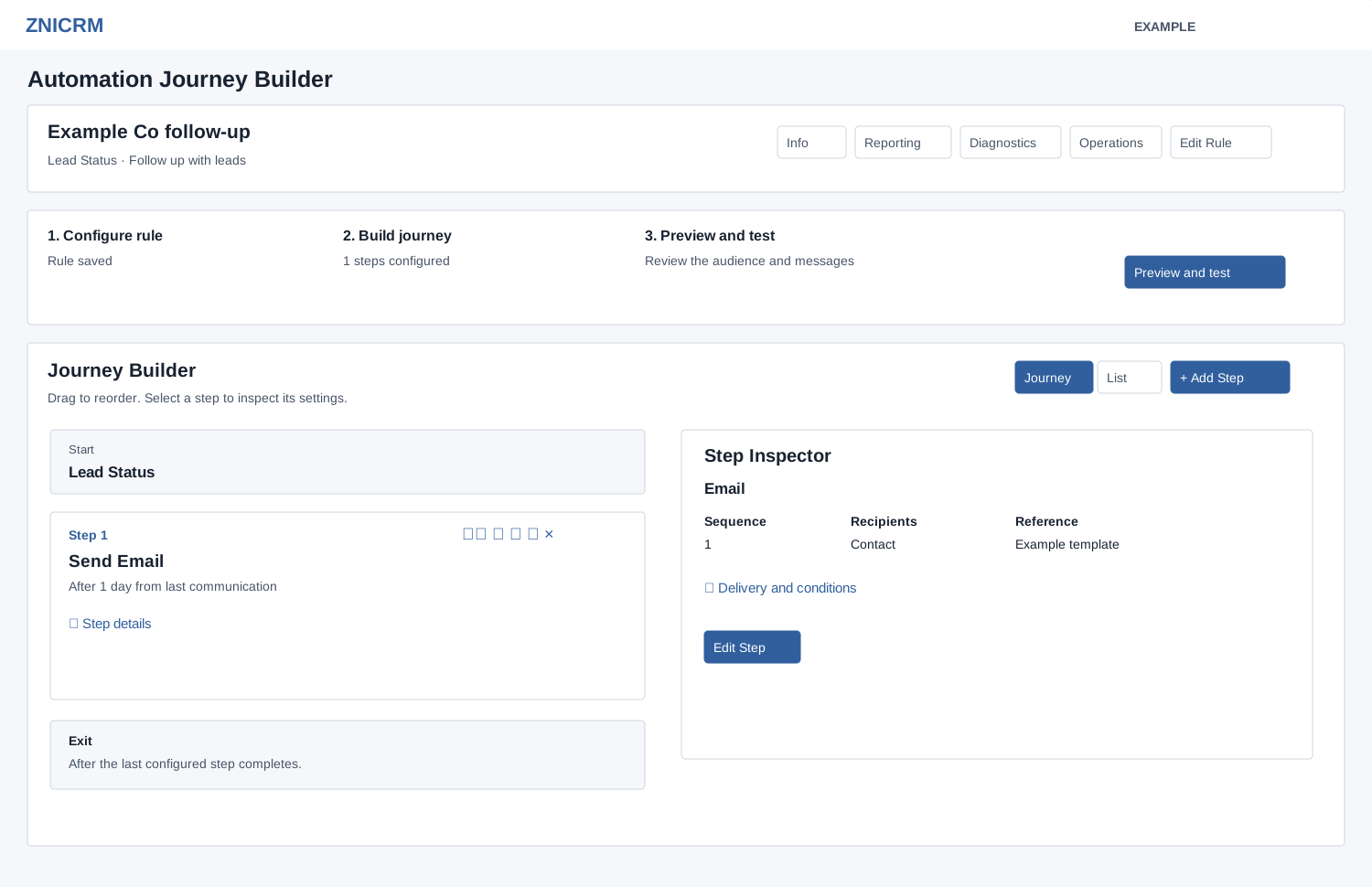
Before editing, check the rule status in All Rules and disable an active rule. New rules start Active. Review the activation and preview limitation before using Operations.
Build and inspect
- Open the rule from Automation, then choose Build & Configure. An empty journey offers Add first step; otherwise choose Add Step. The builder opens its inline step editor; configure the fields in Automation step editor and save.
- Switch Journey and List views. Select a step or its inspect icon to view the Step Inspector; Edit changes its settings, Clone creates a copy after confirmation, and Delete removes it after confirmation.
- Drag a step by its handle to reorder it, or change its sequence in List view. Each change saves immediately; there is no separate overall save button. Dragging posts each step sequentially, so a failure can leave only part of the order saved. Refresh, check every sequence and correct the order if an error appears. A clone is added at the end; review its configuration and order before using it.
Runtime controls
These settings are stored and separately checked for readiness, but automation execution does not apply them. Do not rely on these rule-level controls to defer messages or stop the journey. WhatsApp delivery has its own separate governance checks. In Journey Runtime Controls, choose Quiet Hours Mode: Off, Block after-hours sends or Defer to next send window. For either enabled mode, supply different start and end times and choose Company or Contact local timezone. Set Stop Condition to None, Stop on reply, Stop on goal, or Stop on reply or goal; enter Goal Label for either goal-based option and optional Runtime Notes. Choose Save Runtime Controls; success reloads the page. Inspect runtime blockers and warnings after the reload and confirm that the entered values remain. Reopen the journey to check that the settings were saved. A storage-not-ready warning requires an administrator to address the indicated deployment prerequisite.
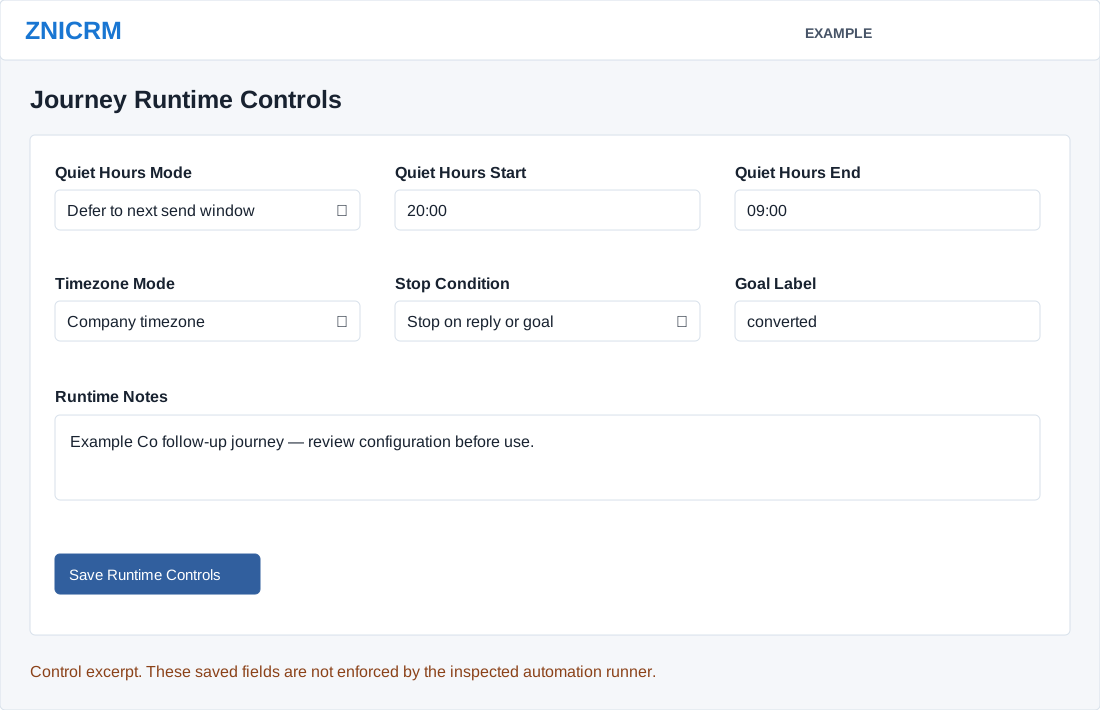
Execution Readiness and Journey Path Validation surface issues; the builder also includes operations, preview, channel and step performance, recent runs and contact log. Use Operations and reports to test the saved journey.