Real Estate customer requirements
Use requirements to record a buyer's or renter's needs, find compatible active listings, record interest and arrange viewings. In Real Estate, choose Requirements. The table is newest first and shows Customer / requirement, Intent / budget, Preferred location, Type / size and Status. Select the customer name to open the record; scroll the table on a small screen and use Previous and Next for pages of up to 50 rows.
Filter the list
Choose Customer intent (Buy and rent, Buy, Rent) and Requirement status (All statuses, Open, Closed), then Apply filters. Reset clears the filters. If an expected record is missing, change the filters and check customer access.
Add a requirement
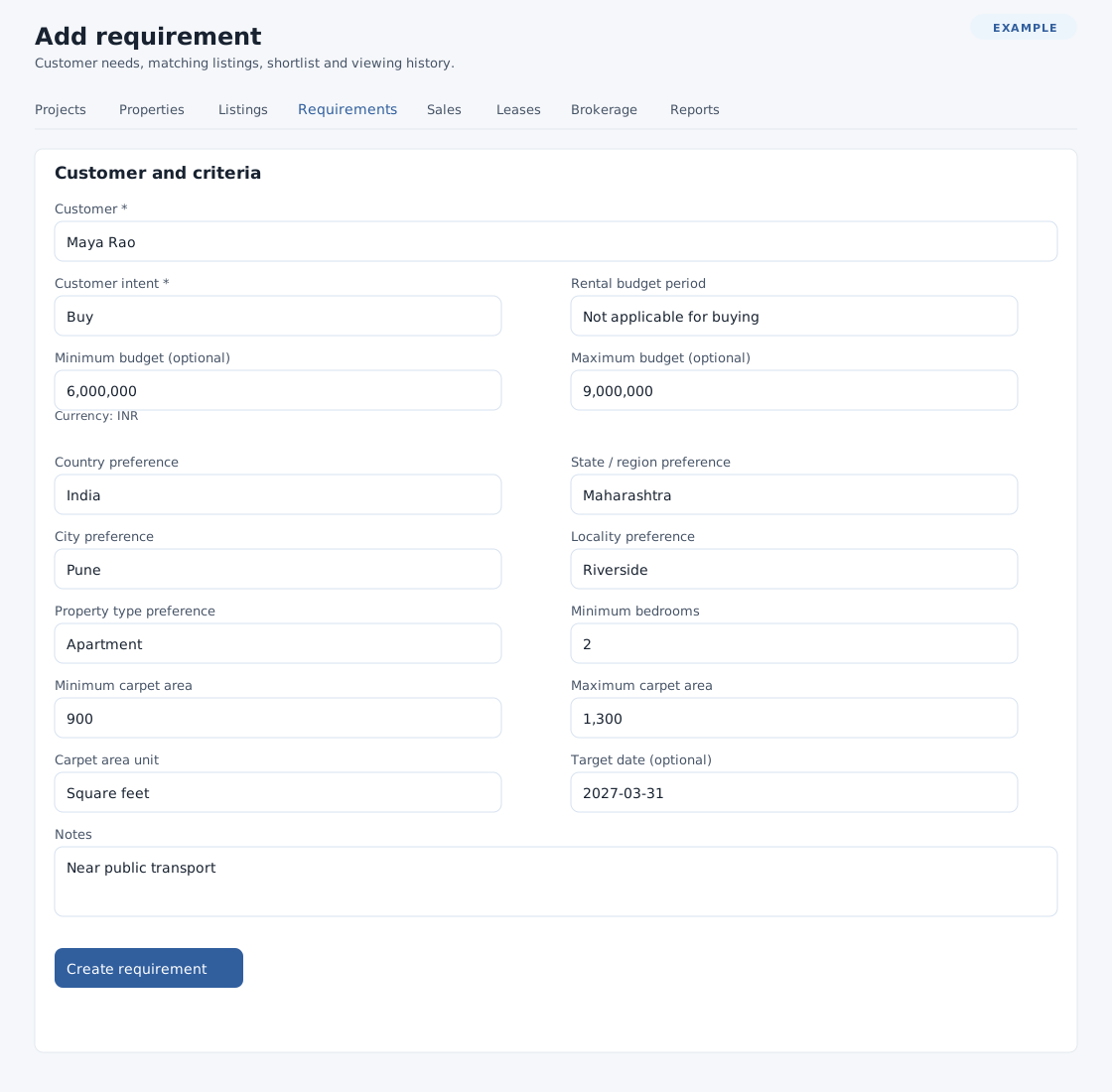
- Select Add requirement. Under Customer and criteria, type at least three characters in Customer and choose a permitted result. A name typed without selecting a result is not enough. A requirement started from a contact opens with that customer already selected.
- Choose Customer intent Buy or Rent. For Rent choose a Rental budget period: Per month, Per year, Per week or Per day. Buy uses Not applicable for buying. Enter optional Minimum budget and Maximum budget in the displayed currency.
- Optionally select Country preference and a state belonging to it in State / region preference. Enter City preference, Locality preference, Property type preference and Minimum bedrooms as appropriate. Empty preferences do not restrict matching.
- Enter optional Minimum carpet area and Maximum carpet area; when either is supplied choose Carpet area unit (Square metres, Square feet, Square yards or Acres). Enter an optional Target date and Notes (up to 65,535 characters). City and locality allow 90 characters each; property type allows 20.
- Select Create requirement. The new open requirement opens; check the criteria and Matching listings. Its creation is also recorded on the customer timeline.
Budget and area values must be nonnegative, at most 9,999,999,999.99 and use at most two decimal places; each maximum must be at least its minimum; bedrooms must be a whole number from 0 to 127. Use the displayed error to correct a field. Customer cannot be changed after creation. If the customer cannot be found, check spelling, select a search result and ask an administrator to check your CRM scope and permissions. Press Escape to close search results. If state or region options cannot load, select the country again and wait for the options before saving.
Manage a requirement, matches and shortlist · Contact Real Estate workspace
Field and paging limits
City and locality preferences allow 90 characters each; Property type preference allows 20 and Notes 65,535. Each budget or carpet-area value accepts 0 to 9,999,999,999.99 with at most two decimal places. Target date must be a valid date from year 1000 onward. The requirement list shows up to 50 rows per page.