Transfer partner wallet funds to a customer
Fund an associated customer’s wallet from the partner company wallet. This transfer is separate from buying a customer plan.
The active administrator must have customer-management access. The customer must be active and associated with the partner, and both wallets must use the same currency.
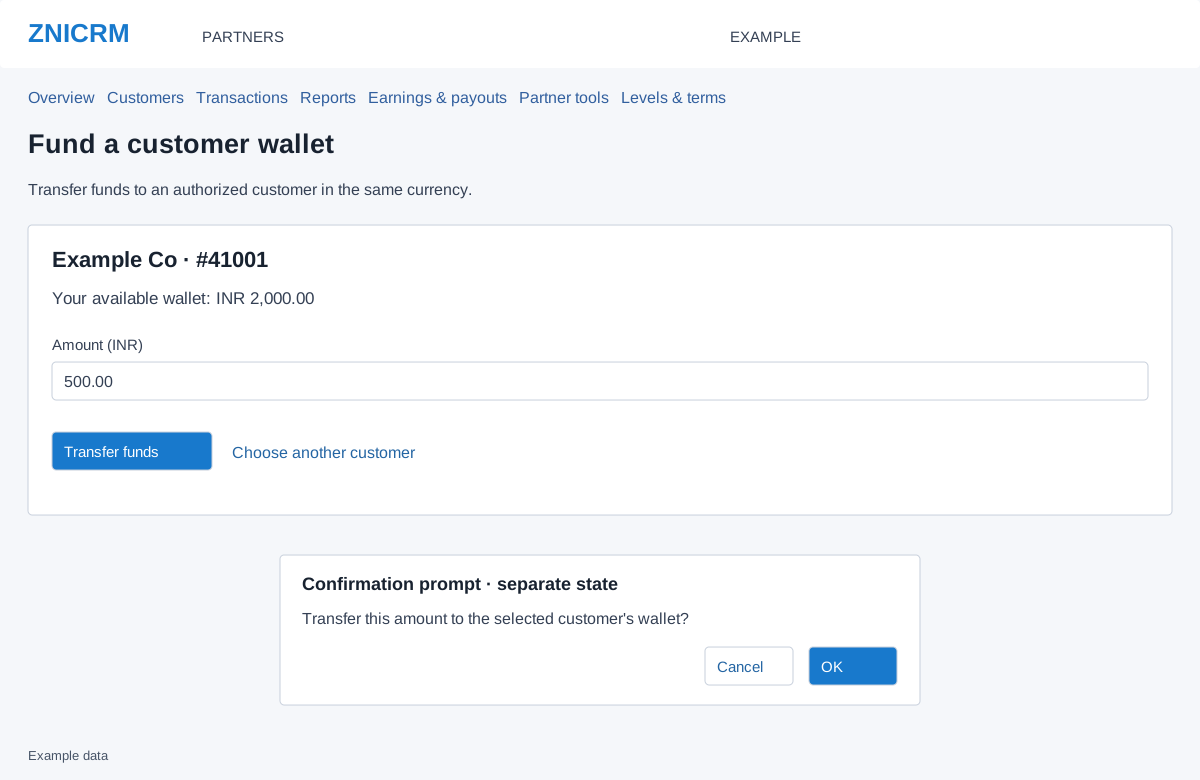
Select, transfer and verify
- Open Transfer funds from customer details. If no customer is selected, search using Customer name or ID, select Search and choose the intended result. Search text is limited to 150 characters.
- Check the selected company name, company number, currency and Your available wallet. Choose another customer returns to selection.
- Enter Amount in the displayed currency: at least 0.01, at most 9,999,999.99, with no more than two decimal places. Ensure sufficient funds are available.
- Select Transfer funds. In the confirmation prompt, accept only if the amount and customer are correct; cancel to leave it unsubmitted.
- Wait for the result, then review the TRANSFER transaction and the resulting partner and customer balances.
Example: transferring INR 500 reduces the partner wallet by INR 500 and credits the customer wallet by the same amount. It does not select or activate a plan.
If the result is uncertain
Check transaction history before trying again. Resolve a currency mismatch or inactive customer with the account administrator; changing the amount cannot resolve those conditions. A session verification message requires reloading the form. Preserve the transaction reference for support when the result cannot be reconciled.