Lead scoring setup
Open and enable
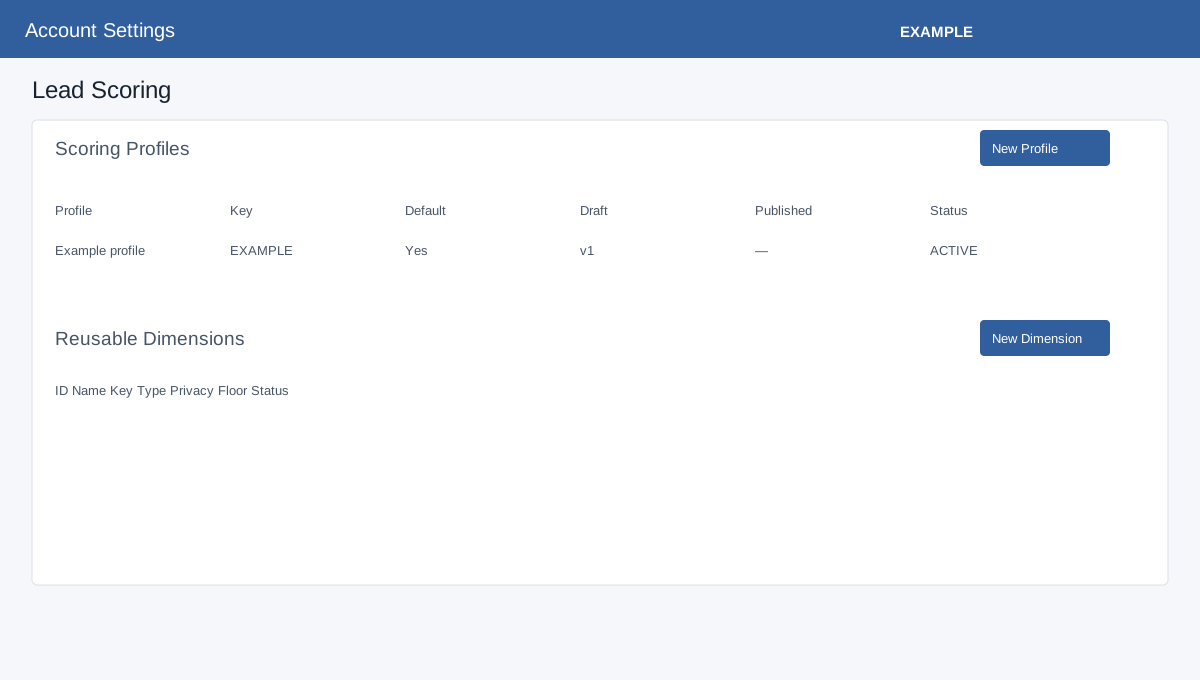
Open Account Settings → CRM Data → Lead Scoring. An administrator needs Lead Scoring access, write access and Manage Lead Scoring permission; storage and plan availability are checked. The company runtime switch is saved with Save Lead Scoring Status. Routing Integration enables deterministic score for advanced inbound routing when available; save separately. CRM Score Display offers Latest current score, A selected published profile, or Do not show lead scores in CRM. Select the published profile when required and Save CRM Display Setting.
Configuration overview
| Control | Purpose and save |
|---|---|
| Lead Scoring Status | Company runtime switch; choose Save Lead Scoring Status. |
| Routing Integration | Allows deterministic scores for advanced inbound routing where available; save separately. |
| CRM Score Display | Choose latest score, a selected published profile, or no display; save the display setting. |
Optional LLM scoring
Enable the company LLM switch and set Daily request limit 1–10000, Daily credit limit 0–1000000, Maximum queued jobs 1–1000 and Maximum concurrent jobs 1–50; Save LLM Settings. The panel shows AI credit balance and per-eligible-lead cost. A profile must also enable the appropriate mode, eligible facts and sufficient credits; enabling a switch alone does not run every lead. Manage AI credits opens billing.
Profile, dimensions and field review
New Profile requires Profile Name (up to 160), a unique stable uppercase Profile Key (letters, numbers and underscores, up to 80), optional Description (500), Base Score 0–100 (default 40), Default profile and Apply recommended starter rules switches. Create Draft opens the draft. Starter rules do not publish or enable LLM. Manage Draft opens an existing draft; Create Next Draft creates a new editable version from a published profile.
New Dimension accepts Name, Key, Description, Canonical Type (TEXT, NUMBER, BOOLEAN, DATE, SINGLE_SELECT, MULTI_SELECT) and Privacy Floor (PUBLIC, BUSINESS, PERSONAL, SENSITIVE). Mapped field types must match and the dimension privacy cannot be less restrictive. Fields appear after a lead reaches the central inbound queue and a FIELD_DISCOVERY worker processes it; discovery does not alter a published profile. Discovered Incoming Fields offers Review, Hide and Block. Hide and Block ask for confirmation. Review selects Type Override (observed type or one of the canonical types), Privacy Classification, deterministic and LLM eligibility and conflict resolution; Approve Revision stores the review. Check the table and warnings after saving.
Example setup and verification
- Create an Example Co draft profile with a unique key and base score. Choose starter rules only if they fit your process.
- Review discovered fields, approve suitable classifications, and open Manage Draft to configure mappings and rules. Save each section before validating.
- Publish only after validation succeeds. Confirm the published version, select the display setting if needed, and inspect scoring logs for subsequent evaluations. Missing scores warrant checking the company switch, profile binding and worker status.