Lead scoring logs and report
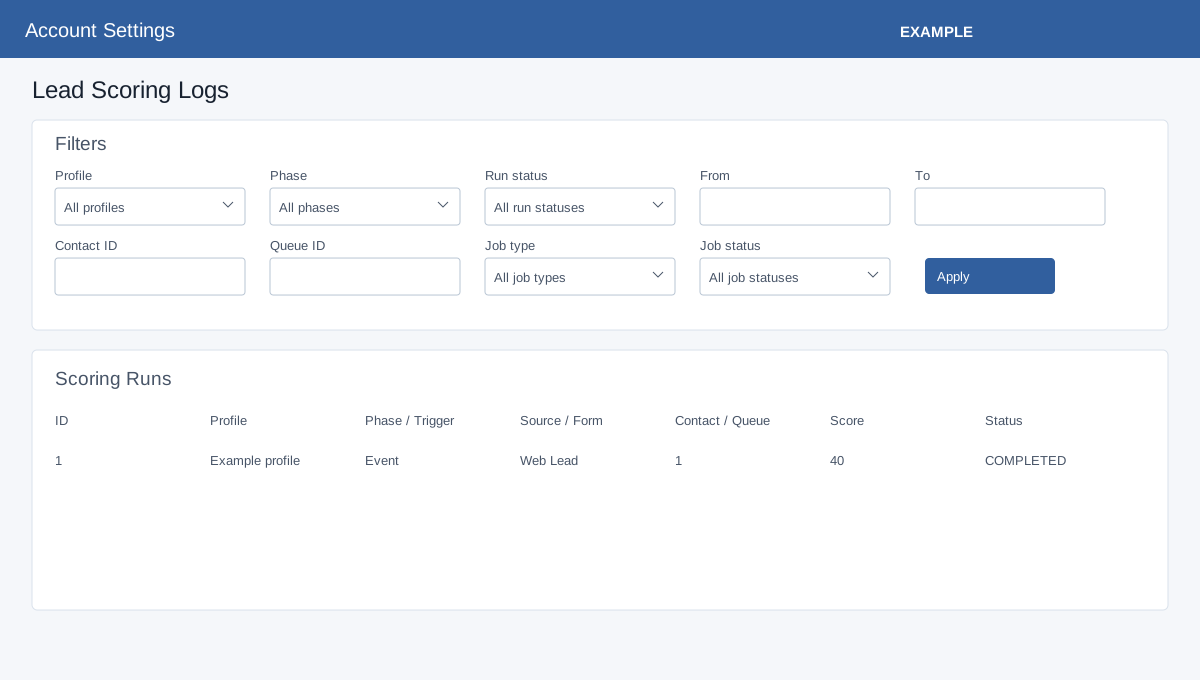
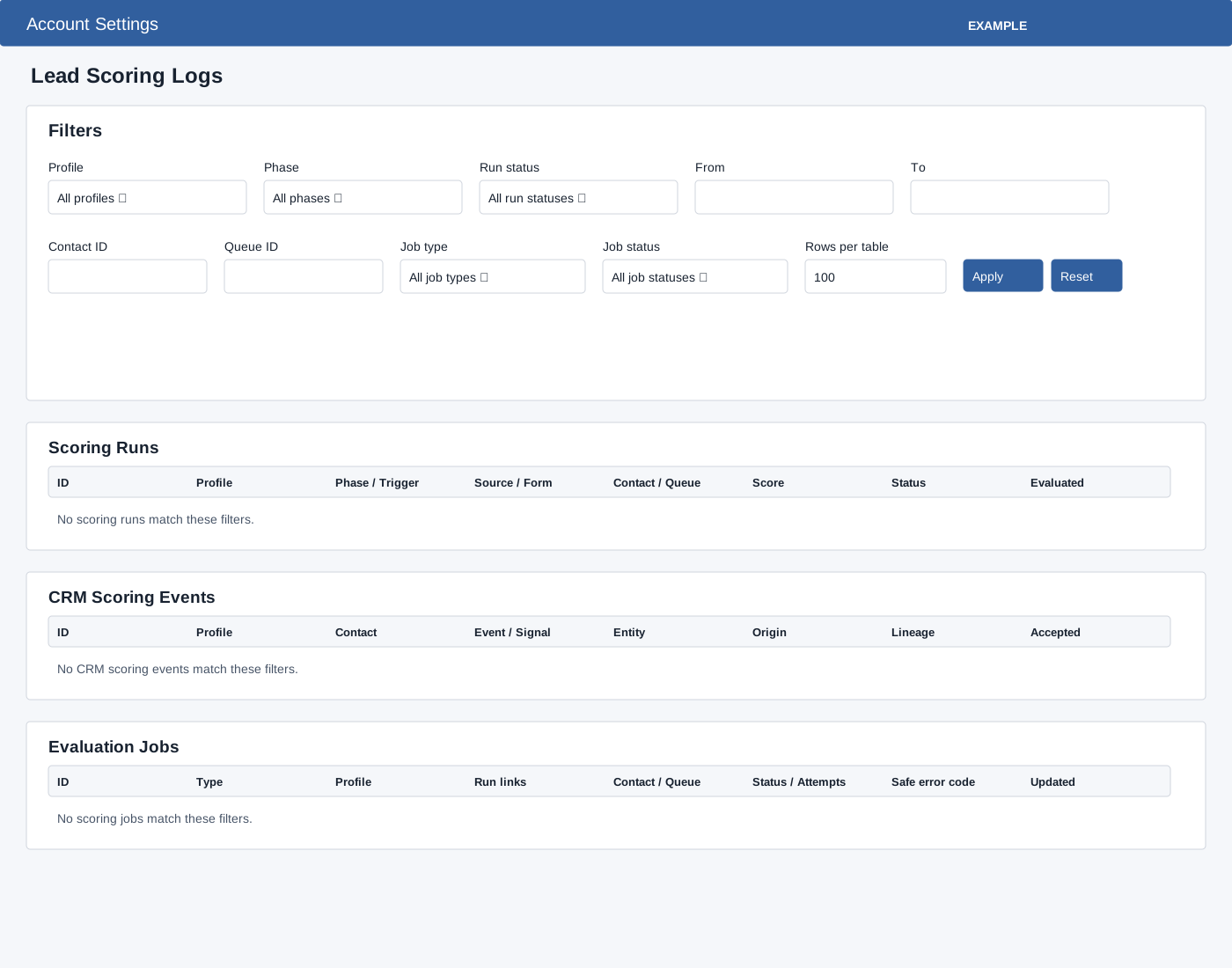
From Lead Scoring select Run and Job Logs or Deterministic Report. Administrator and lead-scoring management access are required. Logs filters include Profile, Phase (All, Event, Contact), Run status (All, COMPLETED, FAILED_SAFE, SKIPPED_NO_PROFILE, SKIPPED_UNCHANGED, SKIPPED_SECURITY_POLICY), From/To, Contact ID, Queue ID, Job type (FIELD_DISCOVERY, FIELD_DRIFT_RECONCILIATION, POST_CONTACT_EVALUATION, CUSTOM_FORM_EVALUATION, CONTACT_REEVALUATION, LLM_ENRICHMENT, MANUAL_RESCORE, BACKFILL_COORDINATOR, BACKFILL_ITEM, ACTION_DELIVERY), Job status (PENDING, RUNNING, RETRY_WAIT, COMPLETED, FAILED_FINAL, CANCELLED) and Rows per table 1–500. Apply loads results; Reset clears filters. Scoring Runs columns are ID, Profile, Phase / Trigger, Source / Form, Contact / Queue, Score, Status and Evaluated. CRM Scoring Events shows ID, Profile, Contact, Event / Signal, Entity, Origin, Lineage and Accepted. Evaluation Jobs shows ID, Type, Profile, Run links, Contact / Queue, Status / Attempts, Safe error code and Updated. Open a run ID to inspect sanitized facts, factor breakdown and run metadata.
Deterministic report
Deterministic Report filters Profile, Phase and From/To. Apply or Reset; review Completed runs, Profiles, Event runs, Contact runs, Average score and Score range cards and breakdowns by profile/version/phase/band, date/phase, and source/form, including runs and average, minimum and maximum. Only completed runs with a deterministic score enter the report. Date filters and Daily Trend use event received time, not the displayed evaluation timestamp. Summary average and range are suppressed below five runs; each grouped row needs at least five runs. Counts are evaluations, not unique leads; source/form uses the selected binding, with DEFAULT for a missing source. There is no export control. If results are empty, check access, filters, publication, runtime and worker status.
Investigate an example
- Filter by the Example Co profile and a narrow date range. Apply the filters, then open a run ID to inspect the sanitized facts and factors.
- Compare run status with the job’s status, attempts and safe error code. If no run appears, reset filters and check the published profile, runtime switch and worker status.
- In the report, broaden the range if a group has fewer than five evaluations and its statistics are suppressed. Remember that repeated evaluations of one lead count separately.