Lead scoring draft editor
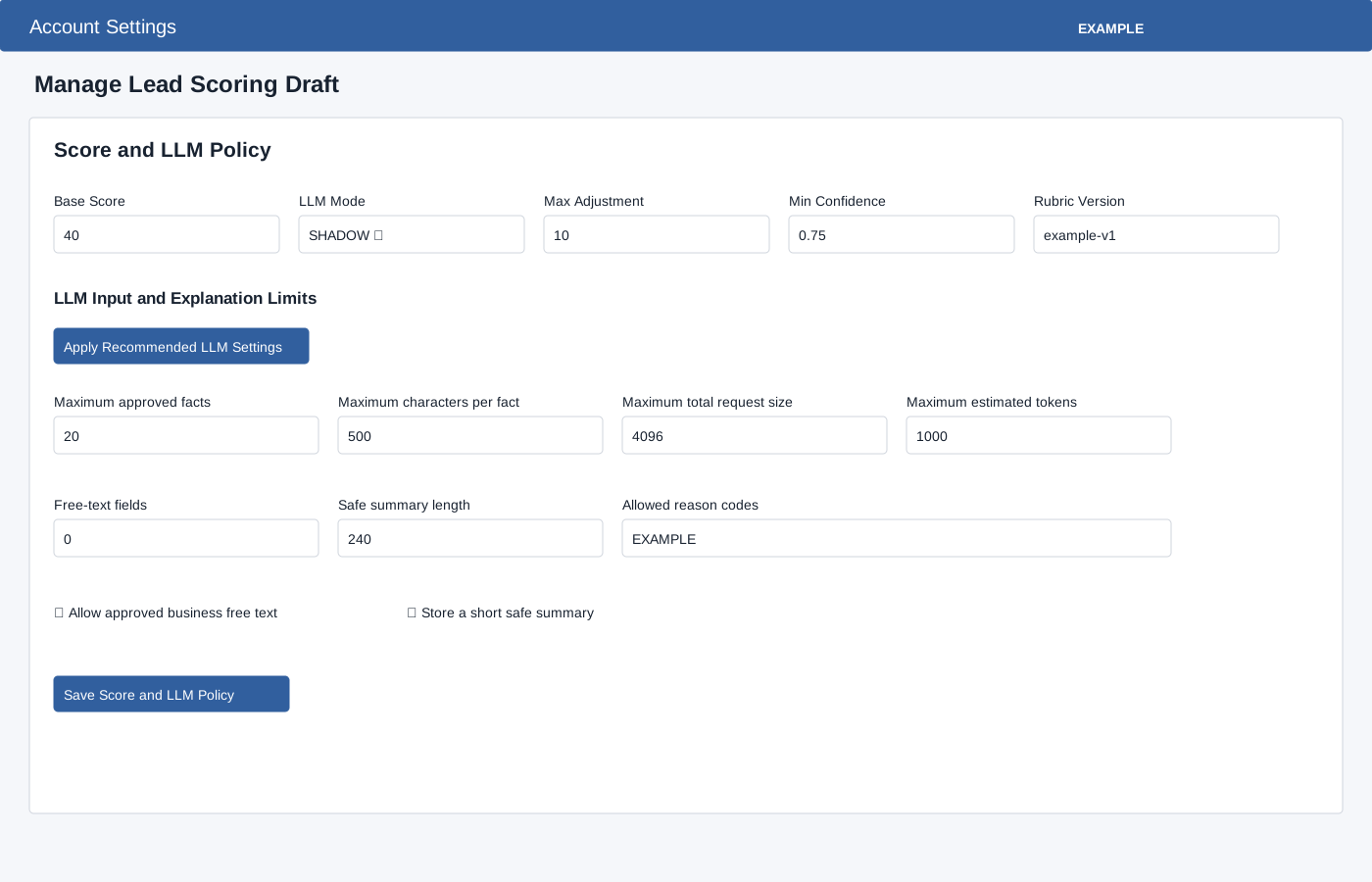
Open Lead Scoring → Manage Draft. Edits in each builder are local until its named Save button is used. Apply Starter Template is different: after confirmation it immediately stores recommended groups, rules and triggers in an eligible empty draft and reloads, preserving bands and mappings. Save Score and LLM Policy sets Base Score 0–100 and LLM Mode OFF, SHADOW or HYBRID. Max Adjustment is 1–100 for non-OFF modes (the field displays 0–100); Rubric Version is also required; Min Confidence is 0–1. HYBRID ignores lower-confidence adjustments. Apply Recommended LLM Settings prepares values in the editor; save to persist.
LLM Input and Explanation Limits include Maximum approved facts 1–100, characters per fact 1–1000, total request size 256–16384, estimated tokens 64–4000, free-text fields 0–10, safe summary length 0–500, allowed reason codes, and switches for approved business free text and short safe summary.
Save boundaries
| Control | What happens |
|---|---|
| Section Save buttons | Persist that builder’s changes; preview and validation use saved data. |
| Load example / recommended LLM settings | Prepare local values; save the section to keep them. |
| Apply Starter Template | After confirmation, immediately stores recommended groups, rules and triggers in an eligible empty draft and reloads. |
| Publish Draft | After confirmation, freezes the version. Create the next draft for later changes. |
Mapping and bands
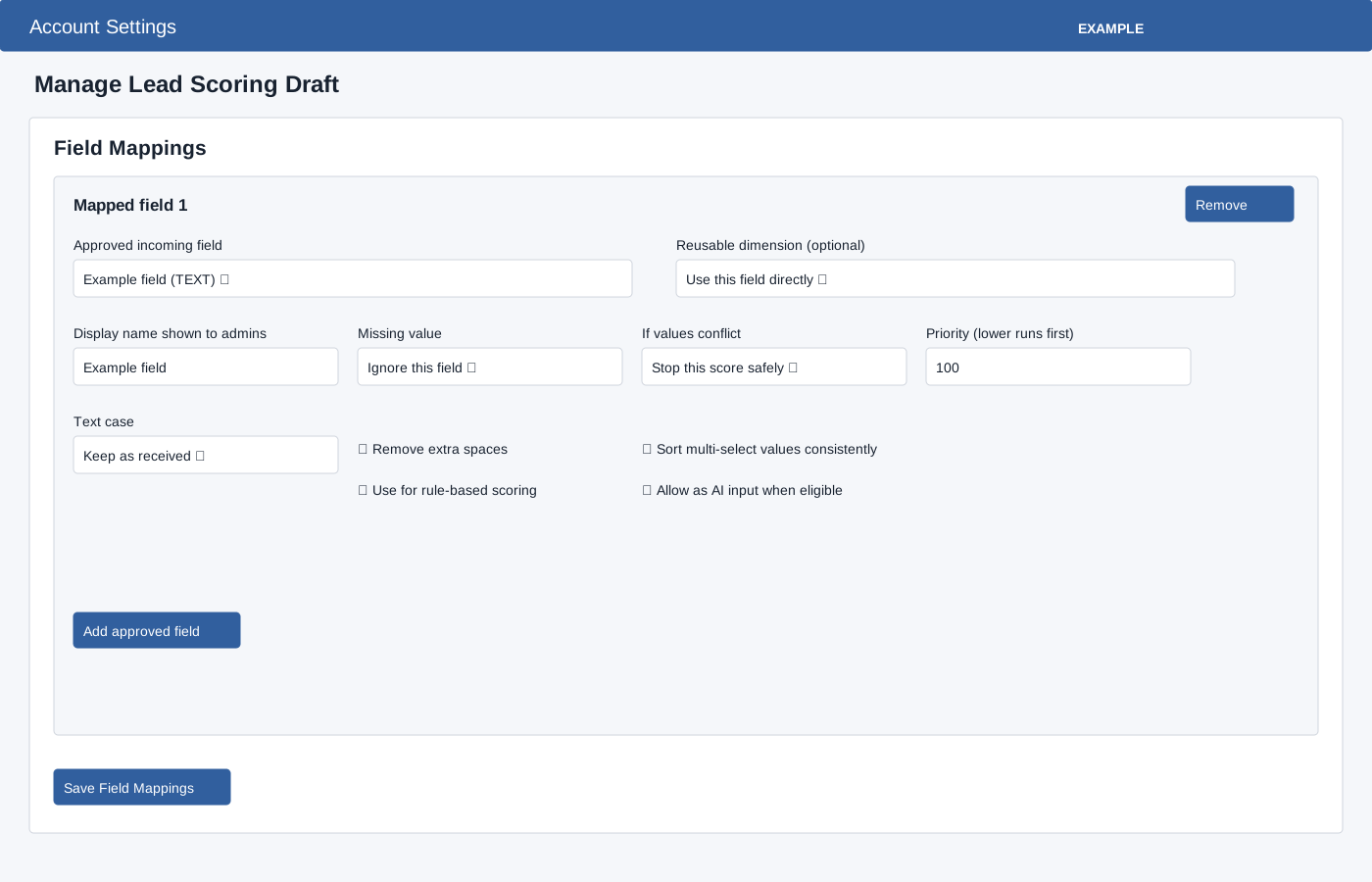
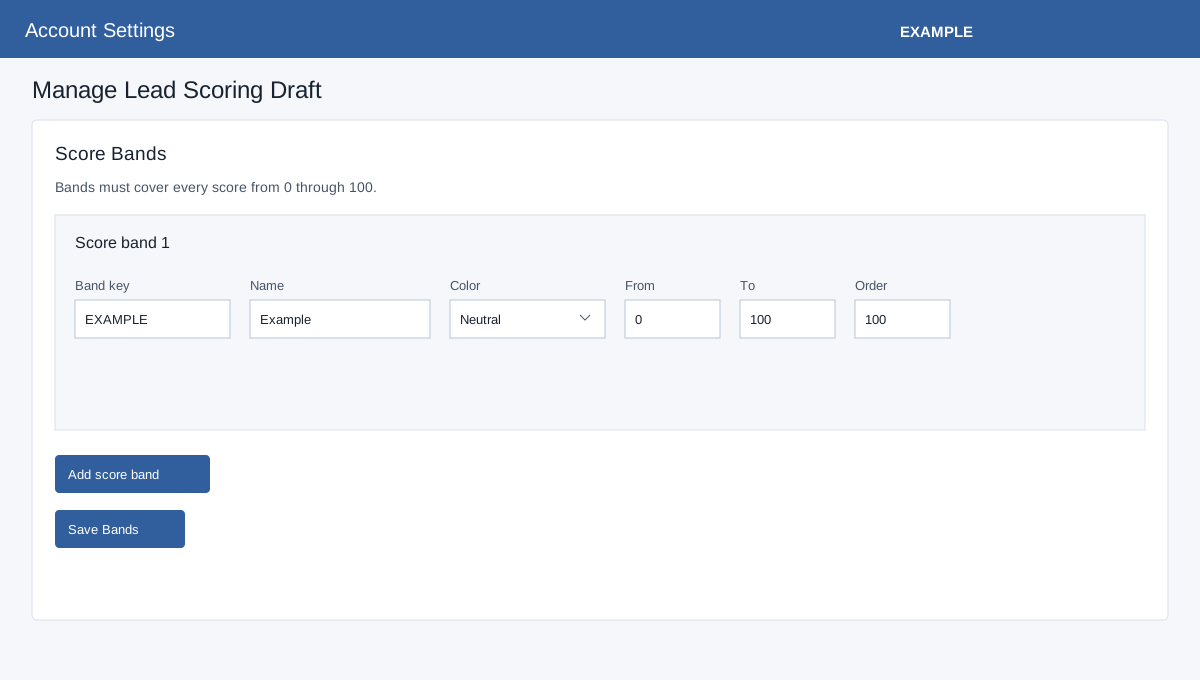
Add approved field chooses an approved revision and optionally a compatible dimension, display name, Missing value (Ignore this field or Stop this score safely), conflict (Stop safely or Use first available), priority, text case (Keep, Uppercase, Lowercase), trim, sort multiselect, rule-based scoring and AI input. Save Field Mappings; the page reloads to show generated IDs. Add score band specifies key, name, color Neutral/Cold/Warm/Hot, From and To 0–100 and Order. Save Bands; published bands must cover 0–100 without gaps or overlap.
Triggers, bindings and rules
Add rescore event chooses Lead assigned, Customer reply received, Deal created, Deal stage changed, Deal won or Deal lost; set signal name, maximum occurrences 1–100, lookback 0–365 days, wait 0–525600 minutes, expiry Do nothing/Recalculate score and enabled switch. Save Trigger Policies. Bindings choose name, source and module (blank, WEBLEAD, FACEBOOK, WHATSAPP, GOOGLE_ADS, INDIAMART, TRADEINDIA, JUSTDIAL, CONTACT_FORM, CUSTOM_FORM, CALENDLY, INBOUND_EMAIL, AI_CHAT, ENGAGE, API or MANUAL), optional service, source and marketing IDs, form type (Any, Public contact, CRM custom, Facebook), form reference, integration ID, provider object type/reference, priority and active switch. Save Bindings; the most specific active match wins.
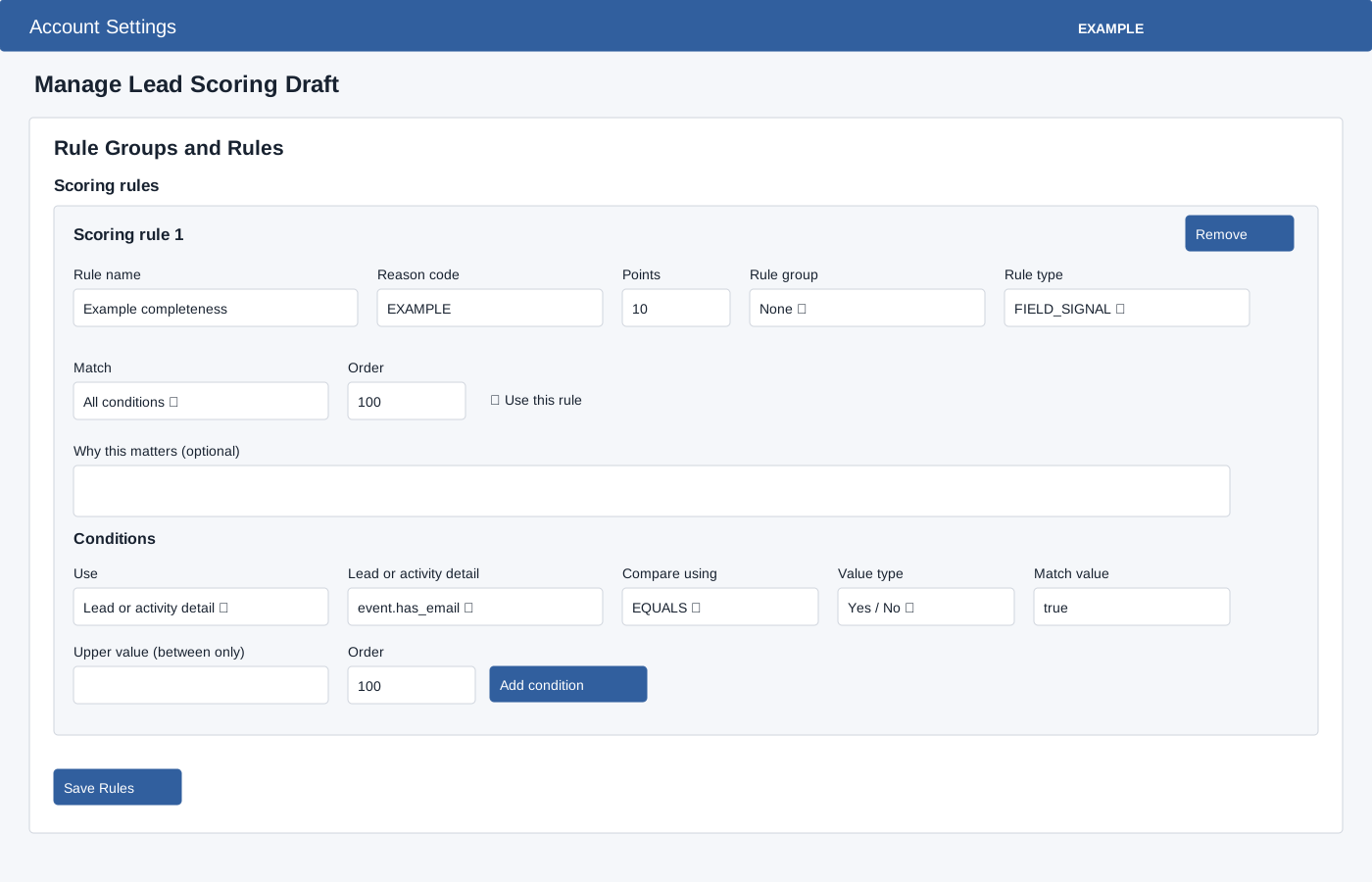
Rule groups have key, name, minimum points −100–0, maximum 0–100 and order. A rule has name, reason code, points −100–100, optional group, type FIELD_SIGNAL/SOURCE_WEIGHT/CUSTOM_RULE, Match All/Any, order, enabled and optional explanation. Add condition chooses Lead or activity detail, Reusable dimension or Exact mapped field, then the appropriate fact/field, operator, value type (Text, Number, Yes / No, Date, Single Select or Multi Select), match value, optional upper value for Between and order. Operators: EQUALS, NOT_EQUALS, CONTAINS, NOT_CONTAINS, STARTS_WITH, ENDS_WITH, IN, NOT_IN, GREATER_THAN, GREATER_THAN_OR_EQUAL, LESS_THAN, LESS_THAN_OR_EQUAL, BETWEEN, EXISTS, NOT_EXISTS, ANY_OF and ALL_OF. Enabled rules need at least one condition. Save Rules stores groups and rules together. Load example buttons replace the corresponding local builder values and do not save them. Remove deletes an item from that local section; save the section to persist the removal. Changing trigger lookback resets its expiry choice, so review that choice before saving.
Available system facts
Facts include source.source_key, source.module_scope, source.service, source.source_id, source.marketing_lead_source_id, source.provider_form_id, source.page_id, source.campaign_id, source.adset_id, source.ad_id, event.has_email, event.has_phone, event.has_company_name, behavior.reply_received_count, behavior.deal_created_count, behavior.deal_won_count, behavior.deal_lost_count and behavior.active_signal_keys. Select the matching value type and use a list for list comparisons.
Example: score an inbound lead
- Map an approved field and save Field Mappings. Create a group and a rule with a condition that uses the mapped field, then Save Rules.
- Save complete, non-overlapping bands from 0 through 100 and add an active source binding if the profile should apply to a particular source.
- Run the synthetic preview with values and inspect score, band and factors. Correct and save the relevant builder before previewing again.
Test and publish
Save each changed section before preview or validation: both evaluate the saved draft, not unsaved builder edits. Synthetic Deterministic Preview uses synthetic, non-personal values only; it selects a source, email/phone/company presence and optional mapped-field or dimension test values. Run Deterministic Preview shows score, band, factors and groups without persistence or AI credits. Validate Draft checks configuration; correct the displayed errors. Publish Draft asks confirmation, freezes the version and returns to settings. Verify the published version and use logs to inspect subsequent runs. To edit later, create the next draft.