Escalation actions and bindings
Define who receives a legacy escalation and where approval and rejection go next.
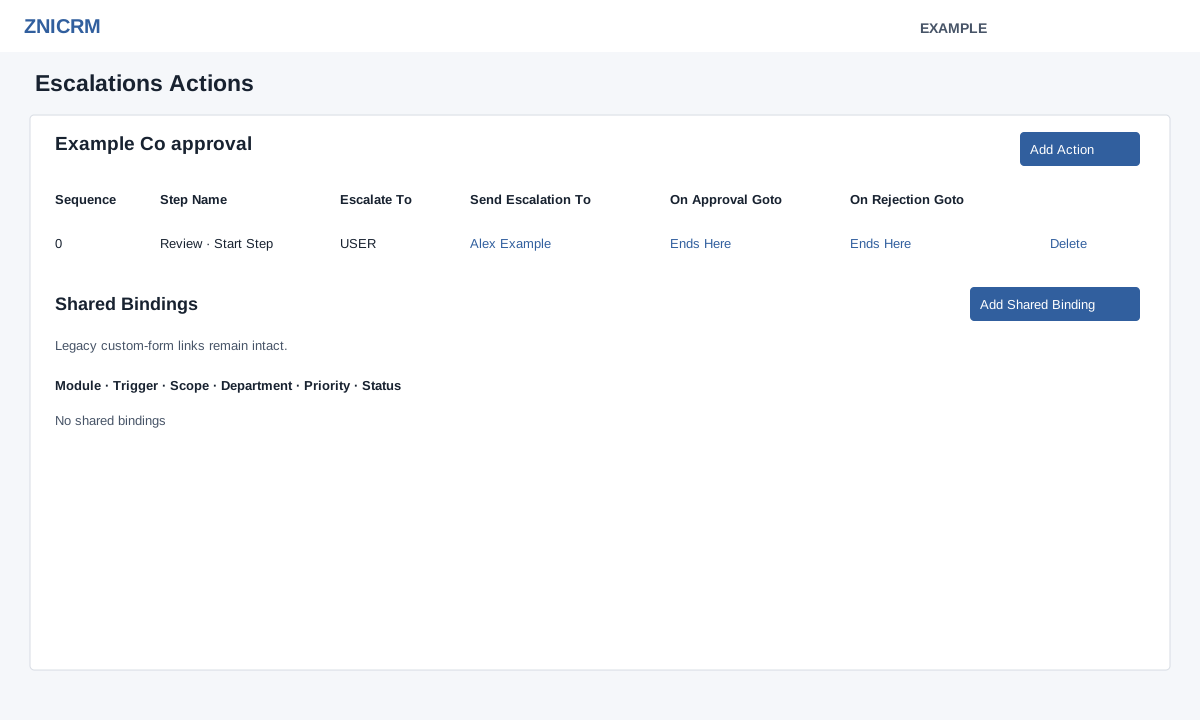
Administrators open Account Settings → Escalations, then select a rule. When shared escalation setup is ready, opening the legacy list can create a missing shared rule, and opening the action page can synchronize its shared steps. If an upgrade notice blocks editing, follow Upgrade Escalations. Where a linked shared rule exists, Open Shared Rule opens it.
- Choose Add Action, enter a recognizable Name of at least three characters, select Send Escalation To: Role, Manager or User, and select Add Action.
- In the actions table, choose the role or user using the editable recipient cell. Manager means Department Manager. Select another existing action in On Approval and On Rejection; selecting the same action is rejected. A blank stored destination ends that outcome. After setting a destination, this screen offers no working way to restore Ends Here. Use a shared-rule configuration only after checking how legacy synchronization affects it. The table marks the Start Step and ending paths.
- Review each path and recipient. Inline changes are sent when selected; reopen the rule to verify. Delete an action only after checking dependent paths and confirming the deletion. The sequence-0 start action cannot be deleted. Deleting a later action clears both approval and rejection destinations on any action that points to it, even if only one pointed to it; inspect both paths afterward. The service writes legacy changes before synchronizing the shared rule, so a synchronization error can leave the legacy change saved. Reload both views before retrying.
Shared bindings
When available, Add Shared Binding connects the shared rule to a Module and its Trigger Event. Choose All Departments or a department scope and Priority (default 100; lower numbers match first). Save the binding, then review the Bindings table; Enable or Disable changes its status. A binding can route real events to the rule, so verify scope, priority and graph first. If saving fails, correct the displayed error and inspect the shared rule. The legacy action table loads up to 50 actions.