Secure wallet payment checkout
Opening an actual pending checkout can create a provider order.
This intermediate page can appear after Continue to secure payment or Retry when the account uses the older wallet collection path. Central Billing orders are handed to the central flow instead. Use the navigation from your own wallet order; do not construct or reuse another order’s checkout link.
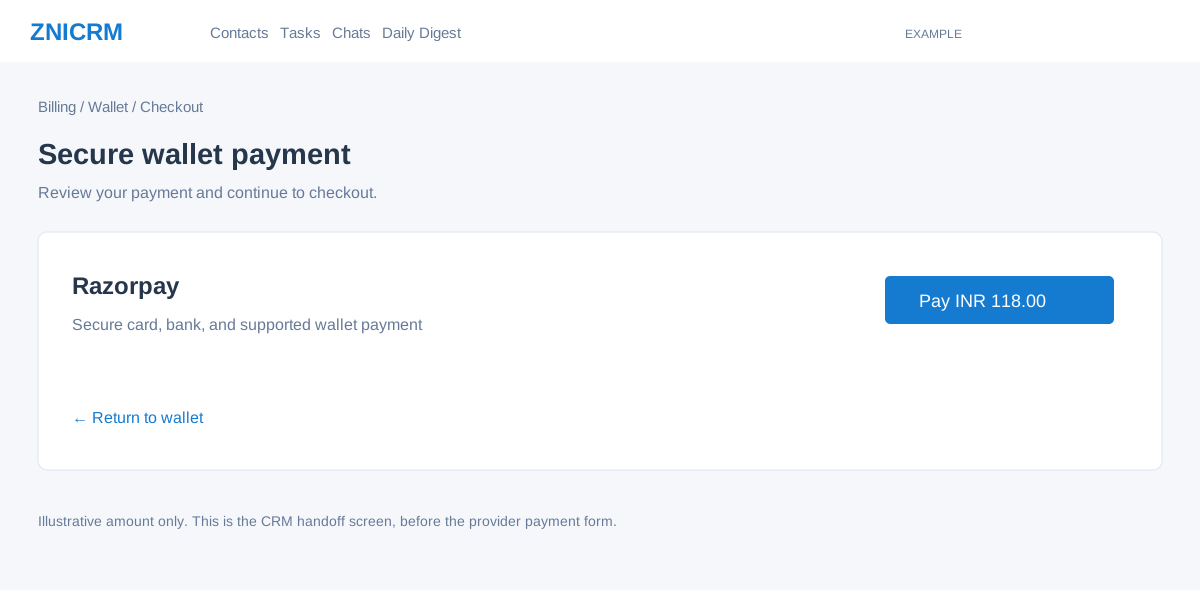
Review and continue
- Check the wallet quote before reaching this page. The heading is Secure wallet payment; the gateway row identifies Razorpay and shows Pay with the order’s currency and payable amount.
- Verify that the Pay amount agrees with the wallet order, including tax. Loading an eligible pending page can already create and associate a provider order, even before Pay is selected.
- Select Pay [currency and amount] only when ready to pay. It opens the provider checkout. The integration prefills the signed-in user’s name, email and phone; review those details in the provider form. Follow the provider’s supported payment method and confirmation steps.
- After the provider return, the legacy response shows Confirming your wallet payment for a captured payment and offers Track wallet update; it redirects to that order’s wallet tracking when an order reference is available. Other responses show Payment not completed and Try Again. Inspect the wallet order, balance and, when relevant, the intended plan change before retrying. A successful provider return is not by itself proof that the CRM wallet and plan have both been updated.
Other states and recovery
| Control or message | What to do |
|---|---|
| Return to wallet | Open wallet funding and recent orders. Leaving checkout does not by itself cancel the pending order. |
| Previous wallet order still pending / Manage pending orders | Return to the existing order and complete or cancel it before preparing another. A prepared billing intent is retained in this handoff when present. |
| Order already processed / create a new order link | Inspect the wallet and payment result first. The processed branch covers more than successful payment, so do not infer either success or a need to pay again from this text alone. |
| Checkout could not be initialized, returned no valid order, or could not be linked | The Pay control is replaced by an error. Return to Wallet, inspect the existing order and retry only after checking its state. A gateway association failure may occur after a provider order was created. For a new order, billing profile changes can also be saved before order preparation fails. |
| Payment Failed notification | Read the provider error shown by the page. Check the order status and any payment confirmation before retrying. An uncertain result should be investigated through billing support. |
Example: Example Co. intends to add a INR 100 wallet credit with INR 18 tax. The CRM handoff displays Pay INR 118.00. The administrator checks that amount before opening the provider form, then verifies wallet credit after the payment is processed.
Wallet funding and pending orders · Payment events · Older billing flows