Automation diagnostics
Find readiness problems and inspect the outcomes of a particular rule.
Open and inspect
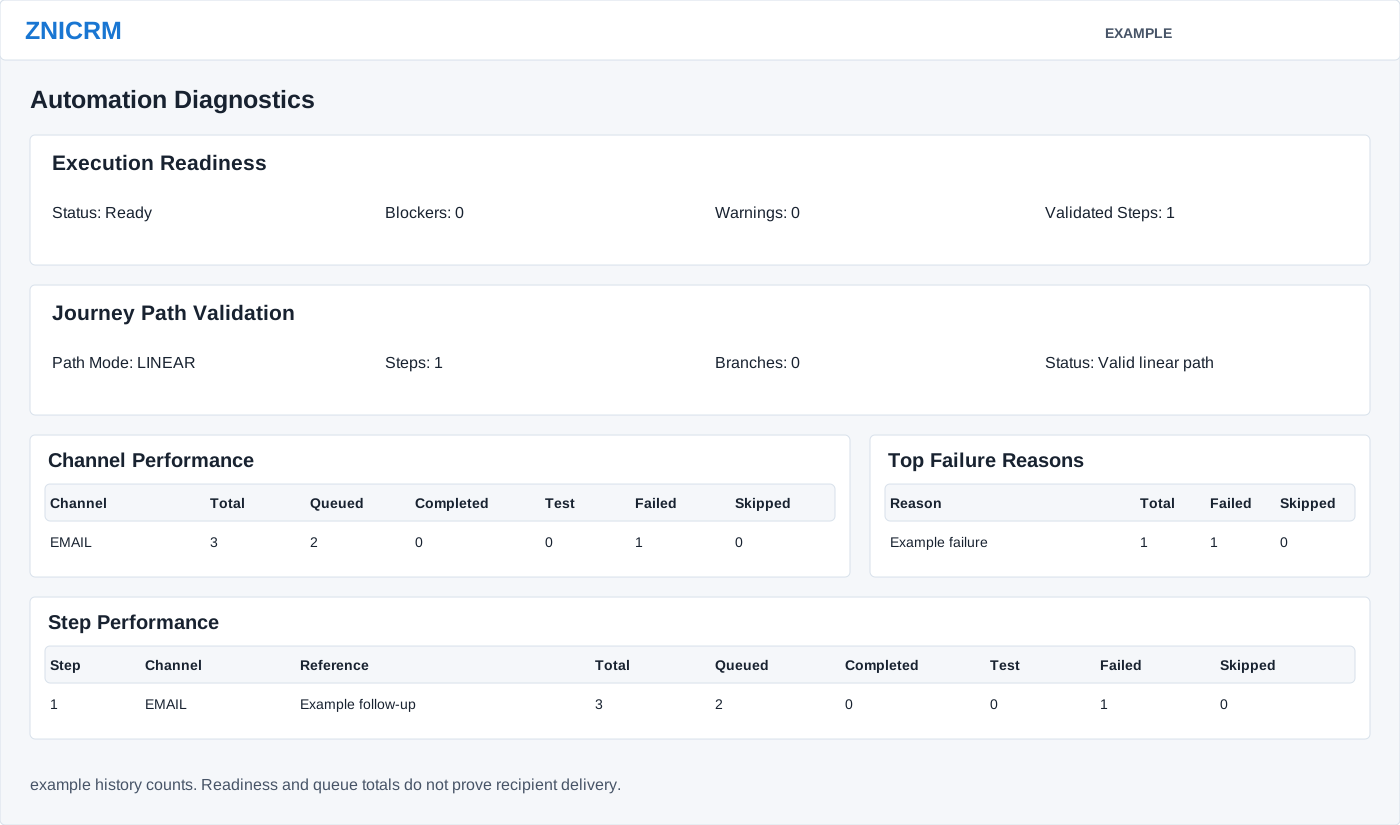
As an administrator, open Account Settings → Features Settings → Automation, open a rule, and select Diagnostics. Execution Readiness identifies blockers and warnings; Journey Path Validation identifies path issues. Follow the displayed issues back to Build & Configure or Edit Rule, save changes and return to check readiness.
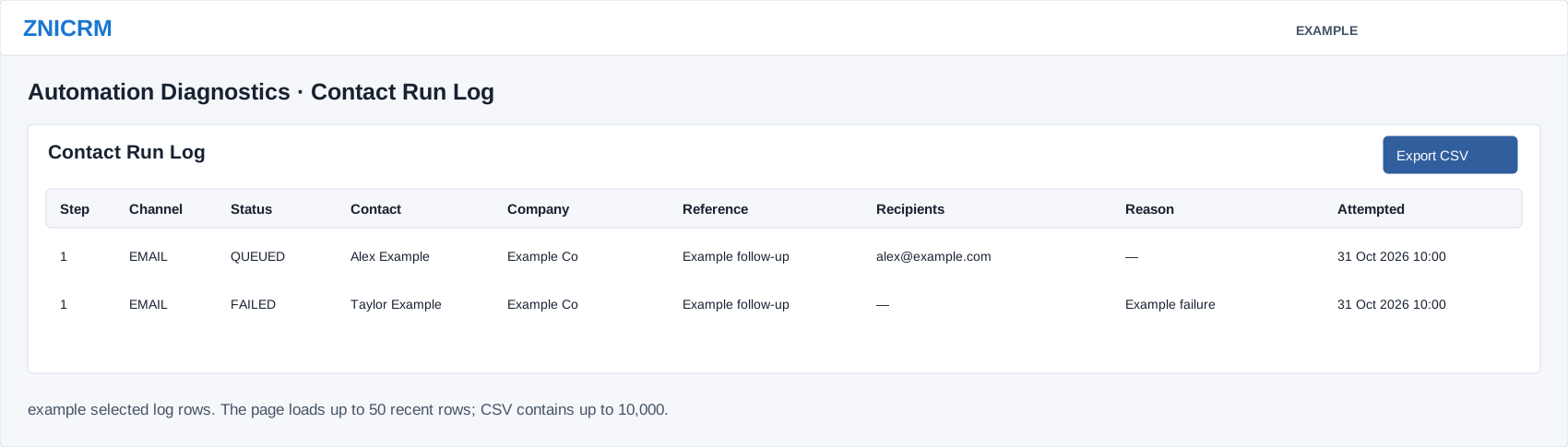
Channel Performance counts total, queued, completed, test, failed and skipped outcomes. Top Failure Reasons groups failed and skipped outcomes by reason. Step Performance adds the step, channel and reference to those counts. Contact Run Log shows step, channel, status, contact, company, reference, recipients, reason and attempted time. Use these together to identify which action and contact need investigation.
Investigate a failed or skipped step
- Check Execution Readiness status, blockers, warnings and validated-step count. Check Path Mode, Steps, Branches and path status separately; a valid linear path does not prove that every action will succeed.
- Find the channel with failed or skipped outcomes, then match its step and Reference in Step Performance.
- Read the corresponding contact log Reason, Recipients and Attempted time. For example, an Example Co email with a missing destination needs a corrected contact address; inspect whether another step already succeeded before repeating the journey.
- Correct the contact, template or delivery setting identified by the actual reason, then refresh Diagnostics. Inspect downstream delivery records for queued outcomes. Use controlled preview before any deliberate rerun.
The page shows up to five outcome-reason groups and 50 most recent contact-log rows. Counts in Channel and Step Performance cover stored history and are not limited to those 50 visible rows. A blank or zero panel can mean no history storage is available; it is not independent proof that nothing ran. Reporting explains the difference between attempted, queued, completed and test counts.
Export
Choose Export CSV for the contact run log. The export includes up to 10,000 rows; handle contact and recipient information appropriately. If a row failed, correct its stated cause and review the rule before another run. A queued outcome does not confirm delivery.