Travel aggregator integrations
Configure provider credentials and permitted travel search scopes for CRM travel workflows.
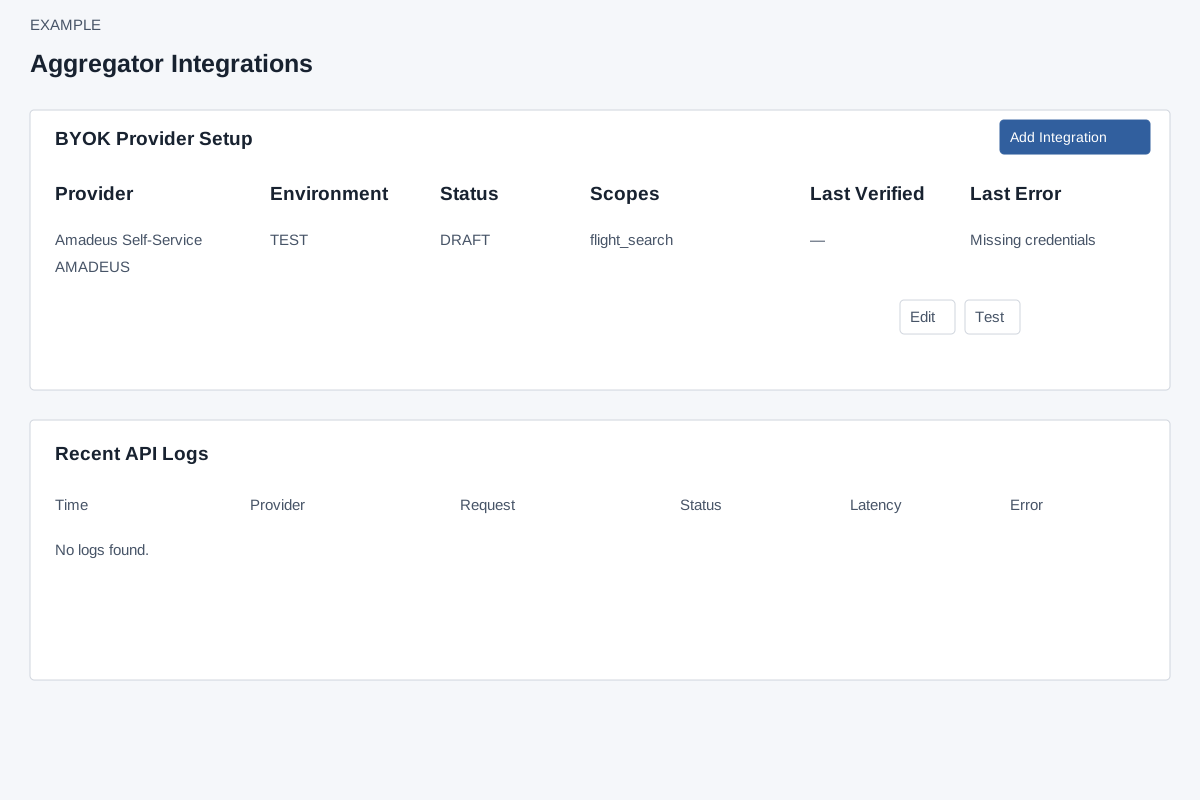
Open and inspect
Account Settings → Integrations → Travel Aggregators requires ADMIN, Standard Integration and Travel CRM access. Add, Edit and Test additionally require Travel CRM integrations permission. Foundation and aggregator setup must be ready; ask your administrator to resolve any setup warning. BYOK Provider Setup shows Provider, Environment, Status, Scopes, Last Verified and Last Error. Recent API Logs shows up to 50 recent requests with time, provider, request, success/failure, provider status, latency and error. Notes opens the sidebar.
Add or edit
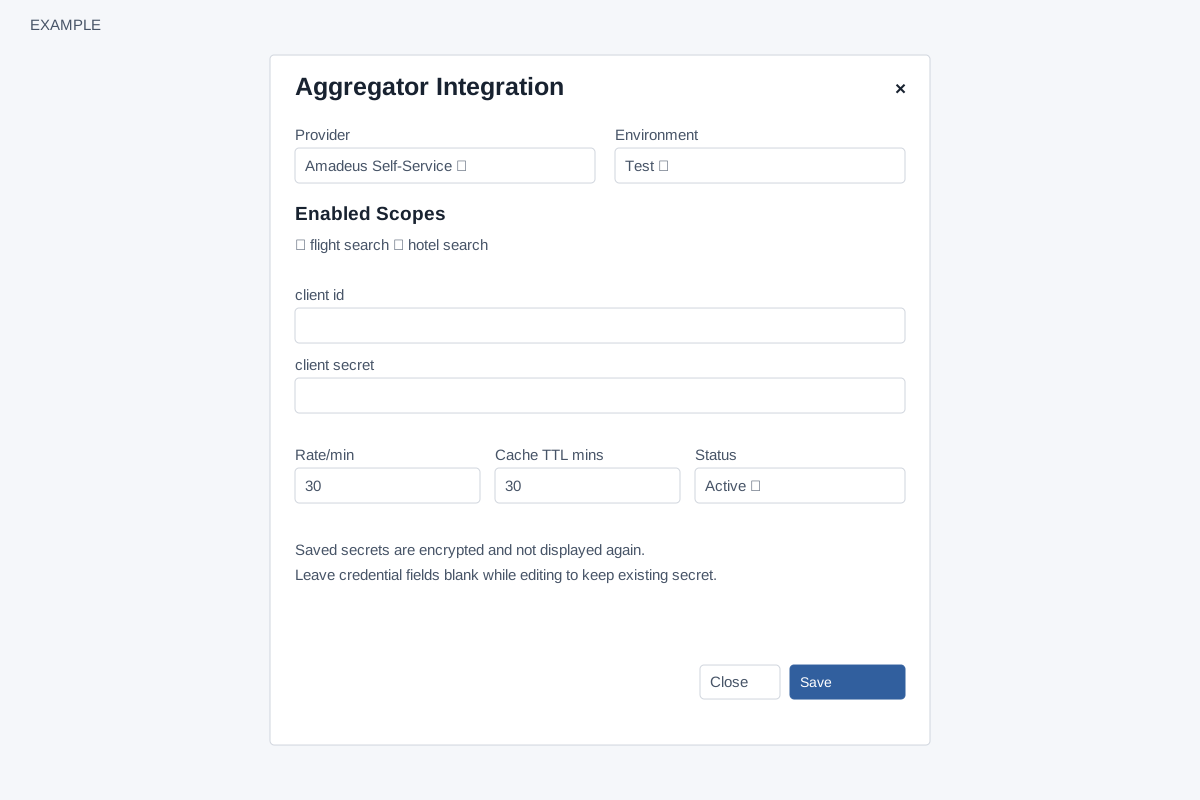
Choose Add Integration or Edit. Provider changes the credential inputs and scope checkboxes. Environment is Test or Production; choose the credentials for that environment. New records initially enable all displayed scopes and default to Active, Rate/min 30 and Cache TTL mins 30. Minimum rate is 1 and cache TTL is 5 minutes; the form normalizes lower values. Active makes the integration eligible for the builder’s automatic selection; Disabled removes it from that selection. Close or × dismisses the dialog. Save stores the changes and reloads the page.
| Provider | Credential fields | Available scopes |
|---|---|---|
| Amadeus Self-Service | client id, client secret | flight search, hotel search |
| Travelport TripServices; Sabre | client id, client secret | flight search, hotel search, booking |
| Duffel | access token | flight search, hotel search, booking |
| Expedia Rapid | api key, shared secret | hotel search, booking |
| Hotelbeds | api key, secret | hotel search, activity search, transfer search, booking |
Secrets are encrypted and not displayed after save. On edit, leaving all credential fields blank retains the existing credential set. Entering any credential replaces the entire set with the entered fields, so provide every required credential together; a partial replacement becomes Draft. When changing provider or environment, supply the matching complete credentials rather than carrying over an unrelated set. Changing provider rebuilds the credential fields and clears the scope checkboxes; choose the intended scopes again before saving.
Editing limitation: the dialog resets Rate/min and Cache TTL to 30 on every open, rather than loading saved values. Enter the intended values before every edit save; otherwise the save overwrites them with 30. The page does not display the saved limits in the table.
Provider selection, cache and limits
The builder does not offer a provider selector for searches. It uses the first Active integration that enables the requested scope, ordered by provider label and then environment. This does not prefer Production or require Verified credentials. Review which matching integrations are active before searching and inspect the returned provider or recent request log to confirm which was used. Direct integration-specific API requests are a separate path and do not enforce the same Active selection filter.
Rate/min is stored but is not enforced by live search. Do not rely on it to cap provider requests or charges. Cache TTL is used: matching unexpired offers can be returned without another provider call; successful new search results are cached for the configured lifetime. Blank Rate/min becomes 1 and blank TTL becomes 5; edit the visible values deliberately.
Test and recover
Test checks presence of the provider's required stored credential fields locally, marks the record Verified or Draft, attempts to update Last Verified/Last Error and writes a TEST_CONNECTION log. On success the page reloads; on failure it displays an error without reloading, so refresh to inspect the updated row. It does not contact the provider or prove credentials work, availability, search or booking. A failed test reports missing fields; provide the full credential set and test again. The test is a state-changing operation. Saving an edited record does not clear a previous Last Verified timestamp, so that timestamp may predate the current credential set; it is never proof of provider connectivity. In live search only Amadeus has an implemented search adapter; selecting another configured provider returns an adapter-not-implemented error on an uncached search. Storing credentials or passing the local test does not enable that adapter. There is no delete or default control here; use Edit → Disabled to disable. If Save fails, review the error, permission and setup, then reopen and verify the record before retrying.
Travel templates · Integrations
If loading or saving fails, ask an administrator to check the deployment; do not assume a blank result establishes that no records exist.