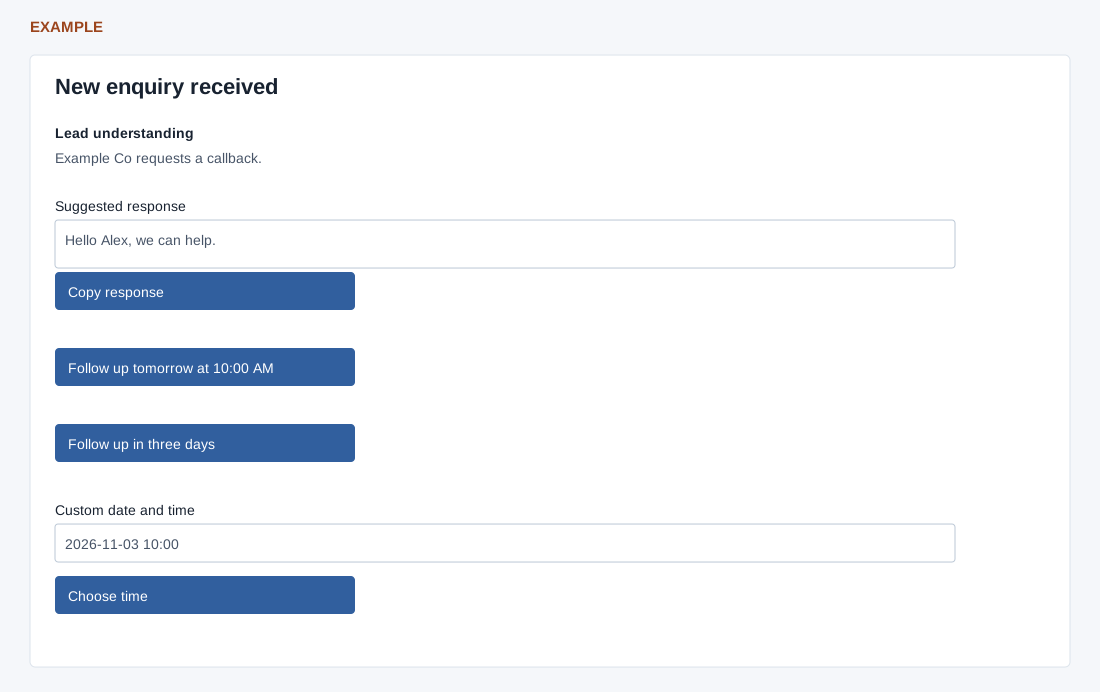
Review the lead, assigned owner, extracted fields, recommended action and editable Suggested response. Copy response copies the current text; it does not send it.
Choose tomorrow at 10:00, three days, or a future custom date/time within 30 days and Choose time. This creates a call task with a reminder 30 minutes earlier and a system timeline entry. A recorded task is reused, not rescheduled by another choice; edit it in CRM.
Inspect the task and timeline before retrying an error. The final screen offers Open the lead, View dashboard and Advanced CRM settings. Practice-only Convert changes the source for onboarding-created contacts; Remove asks for confirmation, marks only a tracked onboarding-created contact deleted, completes its task and resets the test.