Subscription billing settings
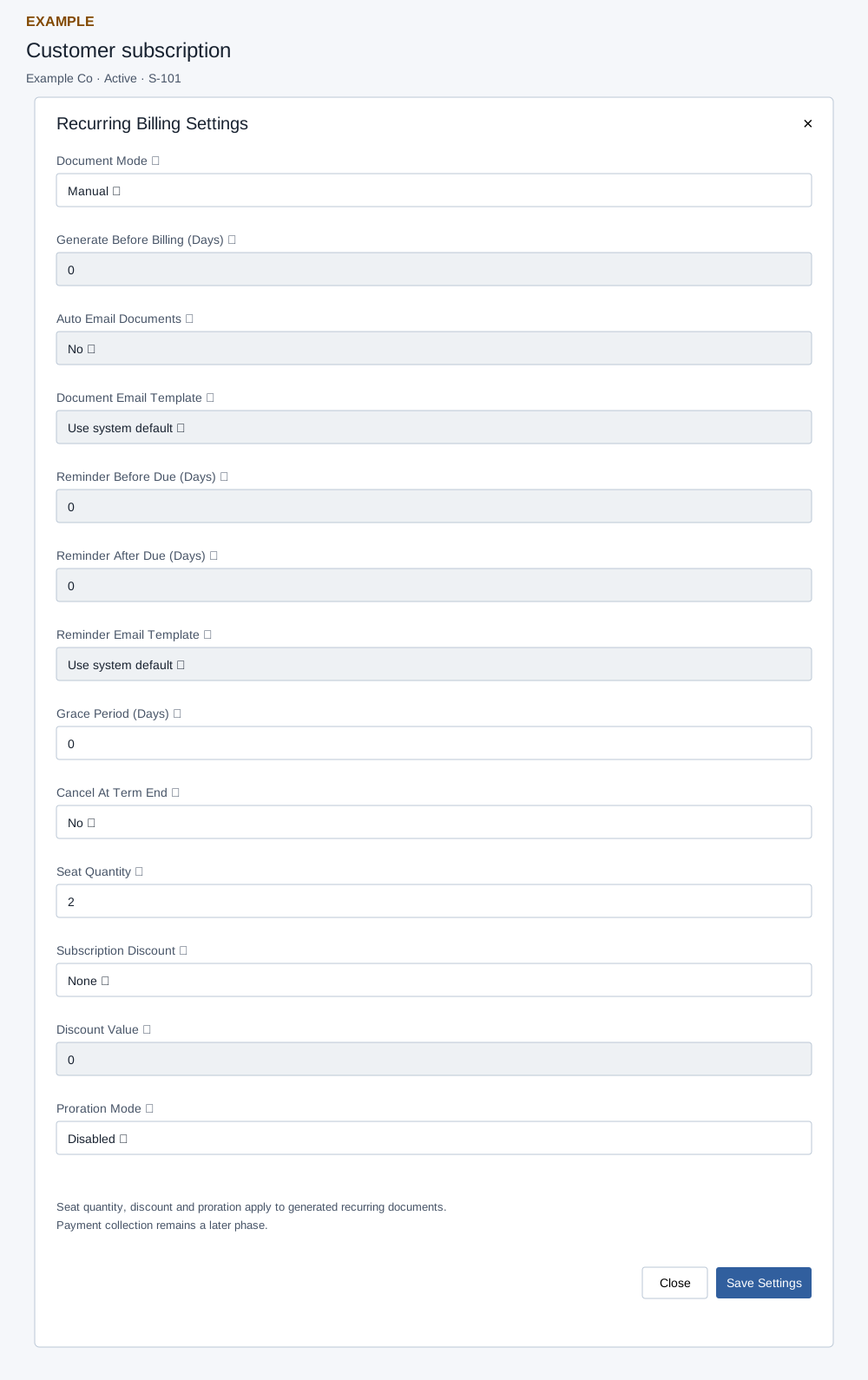
Configure recurring billing
- Open the customer subscription and select Billing Settings. Choose Document Mode: Manual, Auto Quote or Auto Invoice. Manual resets and disables generation lead days, automatic document email and reminders.
- For an automatic mode, set Generate Before Billing (Days), 0–365, and choose whether to automatically email documents. Select a document email template or Use system default. Set Reminder Before Due and Reminder After Due, each 0–365, and a reminder template. Template selectors are disabled when their corresponding email or reminder is off.
- Set Grace Period (Days), 0–365, and Cancel At Term End. Set Seat Quantity from 1–100,000, Subscription Discount to None, Percent or Fixed Amount, its value, and Proration Mode to Disabled or Daily Proration. None disables Discount Value; Percent is capped at 100. Seat count multiplies recurring item quantities; daily proration stores an adjustment for a later cycle when seats or discount change.
- Select Save Settings, then reopen the dialog and check the stored choices. Close or × dismisses the dialog. Run Billing Check can generate due documents; inspect Billing Ledger before repeating it.
For Example Co, choose Manual and two seats, save and reopen the settings to check them. If documents or reminders are missing, inspect mode, generation and reminder days, contact email, template, lifecycle state and billing ledger. Ledger email activity does not prove delivery.