Facebook CRM Conversion Funnel
Review the CRM conversion journey for Facebook-sourced activity.
Open and prepare
- Facebook Reporting → CRM Conversion Funnel
- Results depend on enabled reporting, permissions and available synchronized data.
Set the scope
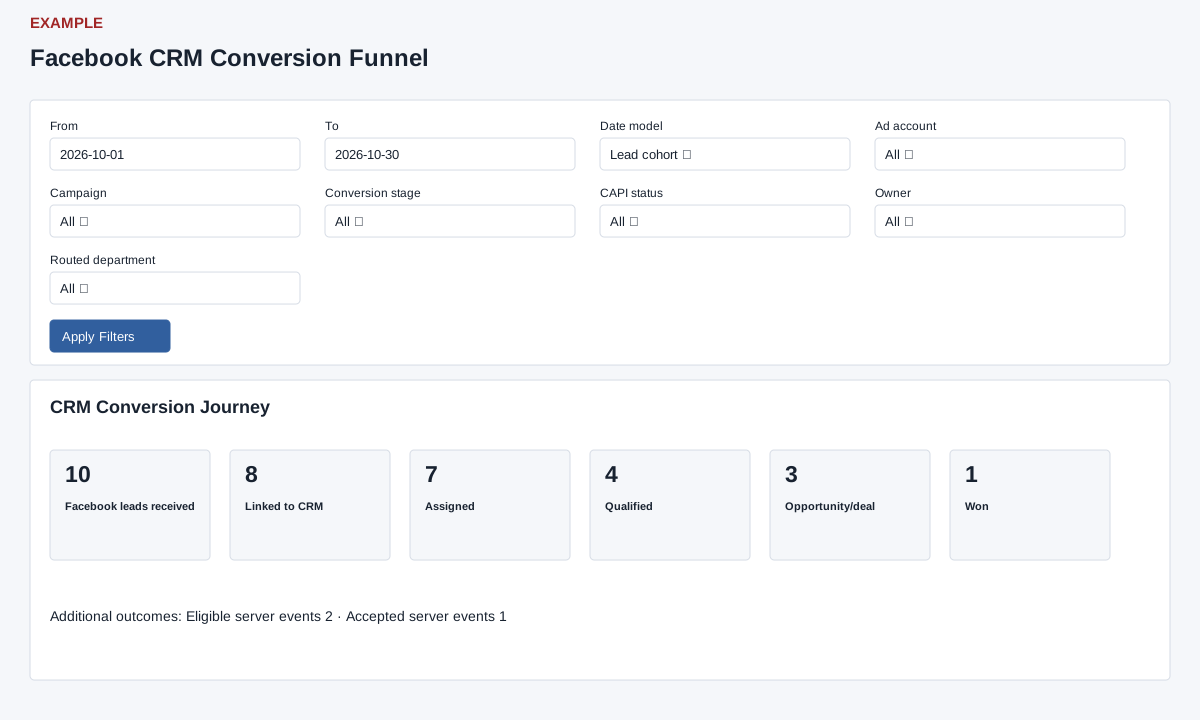
- Choose From and To and a Date model: Lead cohort or Conversion activity. Optionally select Ad account, Campaign, Conversion stage, CAPI status, Owner and Routed department, then Apply Filters.
- Review CRM Conversion Journey and Additional outcomes. Stages begin with Facebook leads received (stored CRM lead facts), linked and assigned; configured conversion mappings can appear before Qualified, Opportunity/deal and Won, followed by Lost and CAPI eligible/accepted. Counts mix leads, contacts, deals and events, so the display is not a strict set of unique people. When comparing periods, keep the date model and filters consistent; open Lead and Form Detail to investigate individual records.
Interpret rates and limits
Most percentages divide a stage count by the immediately preceding displayed stage, when that denominator is positive. Lost is divided by opportunities, not Won; although Lost is displayed between Won and CAPI eligible, the CAPI eligible percentage uses Won as its denominator; CAPI accepted then uses CAPI eligible. A zero denominator displays Starting stage, which does not mean a new cohort began. Configured stages count captured events and may overlap or exceed earlier stages; do not read the percentages as mutually exclusive probabilities.
Lead cohort associates deal and conversion-event facts with lead creation (or webhook receipt fallback); Conversion activity uses deal closure/creation and event time respectively while the lead count still uses lead creation. CRM transition history begins when immutable capture was enabled unless backfilled. A warning indicates when the final performance row list exceeds the 5,000-object aggregation bound; narrow filters. Individual fact queries also cap grouped objects at 5,000, so absence of that warning does not guarantee every source group was included. Export CSV is limited to a 93-day span and reports stage, count and rate. A 20 opportunities and 5 lost gives 25% lost of opportunities; it does not imply the remaining 15 are all won. Check metric scope and date details before comparisons.