Facebook Campaign Performance
Compare ad delivery with CRM lead and revenue outcomes.
Open and prepare
- Facebook Reporting → Campaign Performance
- Facebook Reports access, a permitted CRM viewer scope and synchronized ad-account data are required.
Build a comparison
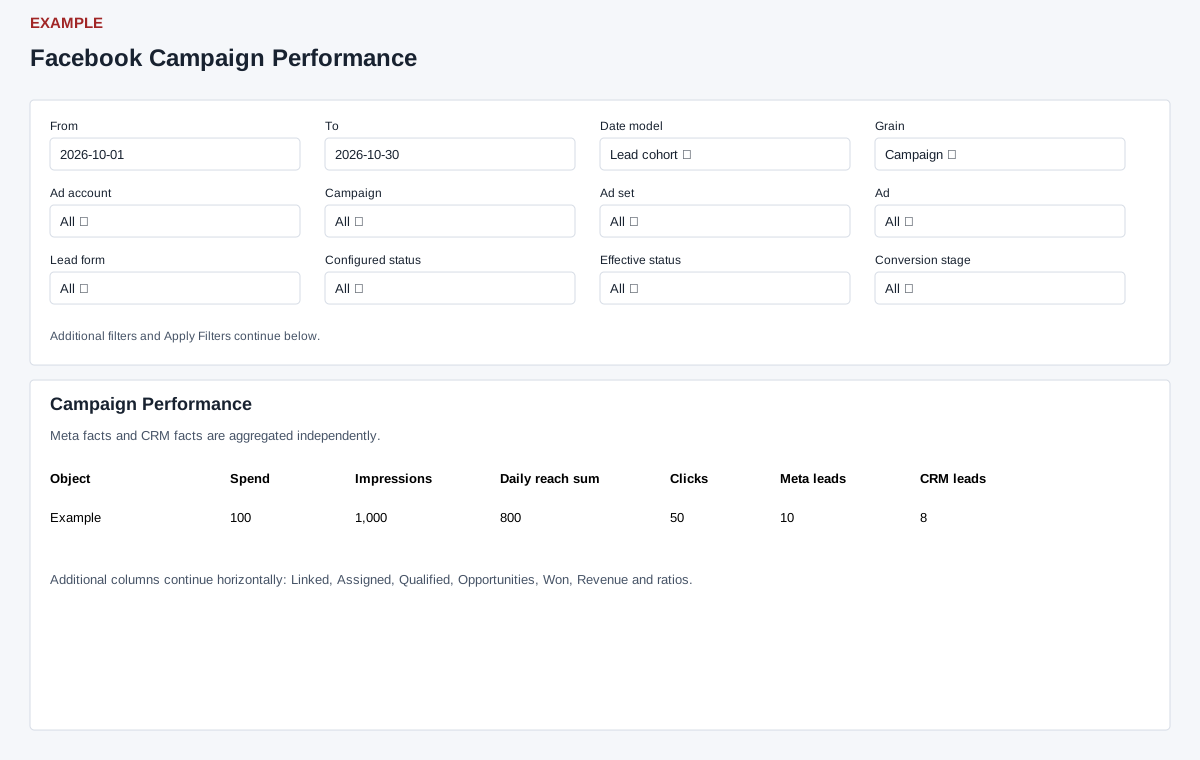
- Set From and To, choose Date model (Lead cohort or Conversion activity) and Grain, then narrow by account, campaign, ad set, ad, form, status, conversion stage, CAPI status, owner or routed department as needed. Use Search object, ordering and direction, then Apply Filters.
- Read the object rows for Spend, Impressions, Daily reach sum, Clicks, Meta leads, CRM leads, Linked, Assigned, Qualified, Opportunities, Won and Revenue.
- For example, compare a campaign over a month and open Lead and Form Detail from Facebook Reports to investigate discrepancies; object rows themselves do not provide a detail drilldown. Daily reach sum is not deduplicated across days. Meta and CRM facts are aggregated separately, so their counts need not reconcile one-for-one.
Interpret metrics and exports
Grain offers Account, Campaign, Ad Set or Ad. Meta leads come from stored Insights; CRM leads count distinct received lead IDs, Linked counts those with a CRM contact and Assigned those with a current owner. Qualified takes the larger of qualified conversion-event count and currently qualified/won contact count. Opportunities count attributed deals; Won counts deals currently in a WON stage; Revenue sums their deal values, with captured conversion revenue as a fallback when deal revenue is not positive. A deal is attributed to the most recent eligible Facebook lead for its contact at or before deal closure, or creation if closure is absent.
CTR is clicks ÷ impressions × 100; Meta CPL is spend ÷ Meta leads; CRM CPL is spend ÷ CRM leads; ROAS is revenue ÷ spend. A dash represents unavailable ratios, including zero denominators. CRM CPL and ROAS require full CRM viewer scope, no owner, department or conversion-stage restriction; ROAS also requires positive values and matching nonempty spend and revenue currencies. CAPI accepted counts events, not unique leads.
Lead cohort dates use Meta lead creation time, falling back to webhook receipt, for lead, deal and event attribution. Conversion activity dates still use lead creation for CRM leads, but deal closure (or creation fallback) for deals and event time for CAPI; Meta Insights use their own daily dates. Date bounds are inclusive by day. Date ranges longer than 366 days are narrowed to the final 366 days; reversed dates are swapped. The page shows 100 objects per page by default and Previous/Next; filters and order apply before paging. Export CSV uses the applied filters, has a 93-day maximum span and at most 5,000 rows; its columns are a subset of the screen. Narrow the range and compare scopes if values are missing.