Review and schedule an email campaign
Availability depends on your account configuration and permissions.
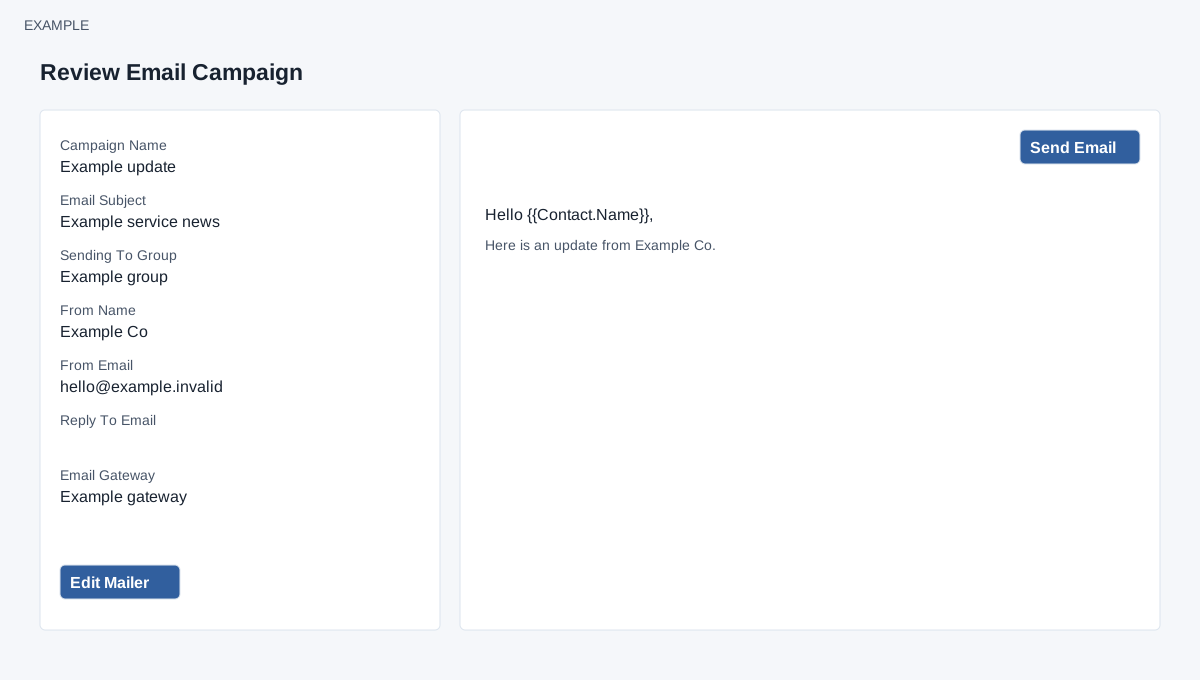
Open the page
Email → New Campaign → Send Email (review step). See the access requirements below.
Verify the saved campaign
- Review Campaign Name, Email Subject, Sending To Group, From Name, From Email, Reply To Email and Email Gateway. Inspect the message preview and verify the recipient group, sender and content.
- Choose Edit Mailer to return to the composer if corrections are needed; save and return to review. A missing or invalid campaign ID displays an error; go back and save the campaign again.
Schedule delivery
- Only when the intended audience and message are correct, select Send Email on this review page. The application schedules the campaign and displays a scheduling result; this is a live delivery action, not a harmless preview.
- After scheduling, check Campaigns and its sent count. Scheduling is not proof that every message was delivered; investigate results or gateway logs where available.
Review and send
EMAIL access and the bulk-email permission are checked on this page. The preview shows saved content and does not list individual recipients or resolve their personalized values. Edit Mailer opens the draft in the composer. The final Send Email schedules the draft for the current time and adds it to a background queue; it does not provide a date or time choice. The request can also be triggered by the page’s send URL, so do not refresh or reopen such a URL to investigate an uncertain response. Check Campaigns before retrying. Once scheduled, the service rejects editing as a draft.