Email campaign register
Availability depends on your account configuration and permissions.
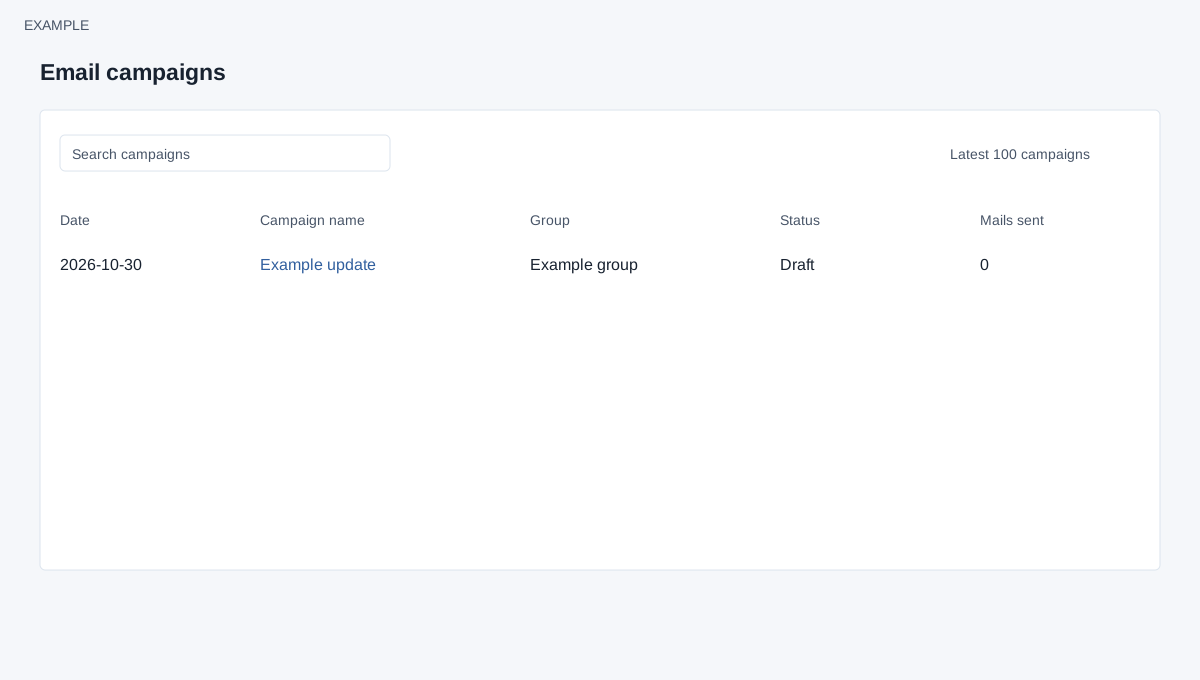
Open the page
Email → Campaigns. See the access requirements below.
Find a campaign
- The register shows the latest 100 campaigns. Use Search campaigns to narrow the displayed records and use available table controls to browse. Review Date, Campaign name, Group, Status and Mails sent.
- Select a campaign name to open its details. Use status and sent count to track processing; do not treat a count alone as proof of inbox delivery or recipient engagement.
- Example: locate the Example product update and open it to compare its group, sender and message with the intended campaign.
Scope and status meanings
EMAIL access and allow email are required. Administrators see company campaigns; other users see their own, up to 100 newest matching records. Search applies to the loaded rows. Draft means not queued; Scheduled means queued for campaign processing; Sending means processing started; Sent means campaign processing completed. Mails sent counts contacts matched by the filter, including contacts later skipped for missing email or disabled bulk email. It is not a count of successfully queued messages, provider delivery, or reads. A processing notification does not prove inbox delivery.