Campaign Replies
Use this report
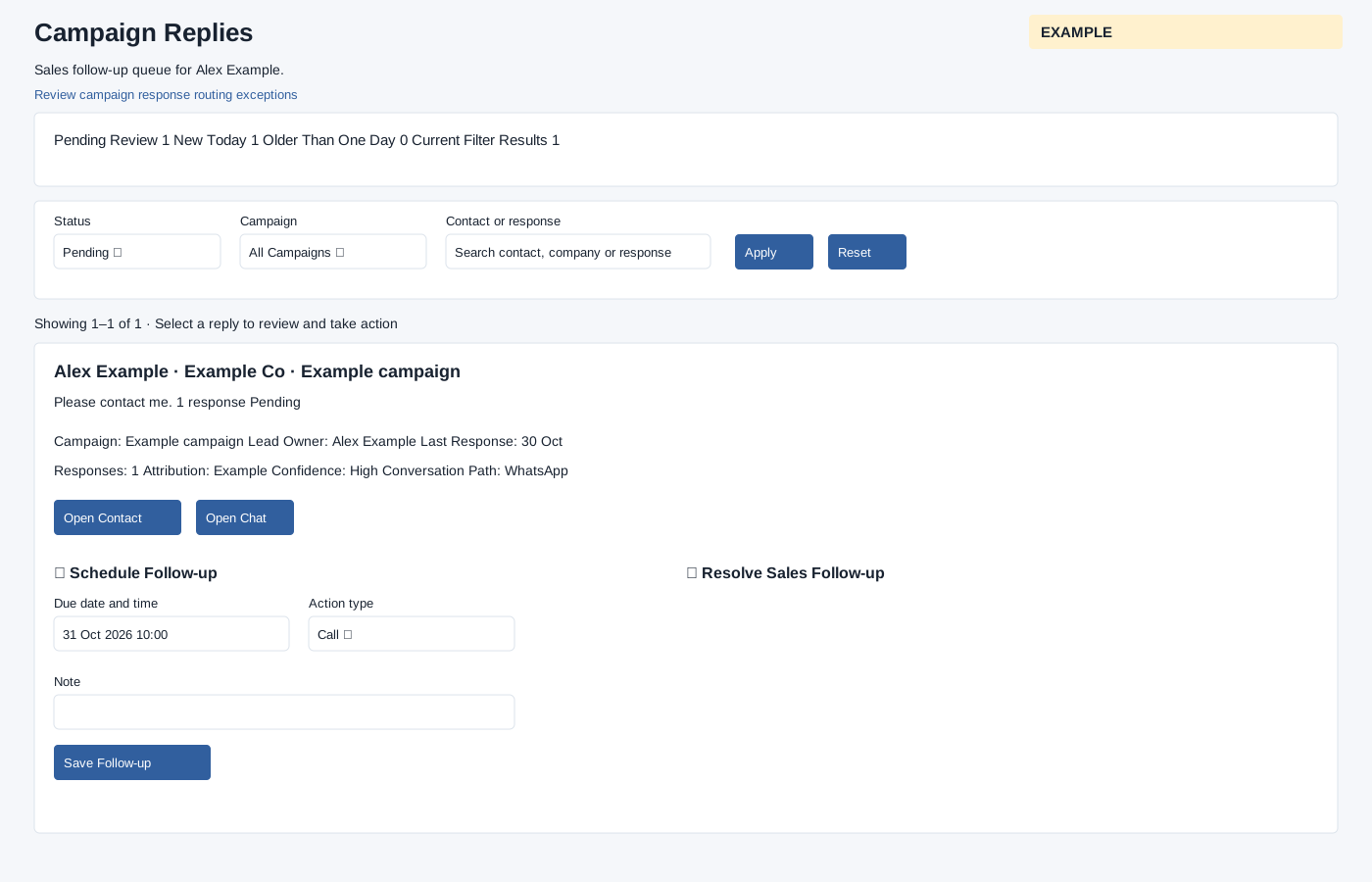
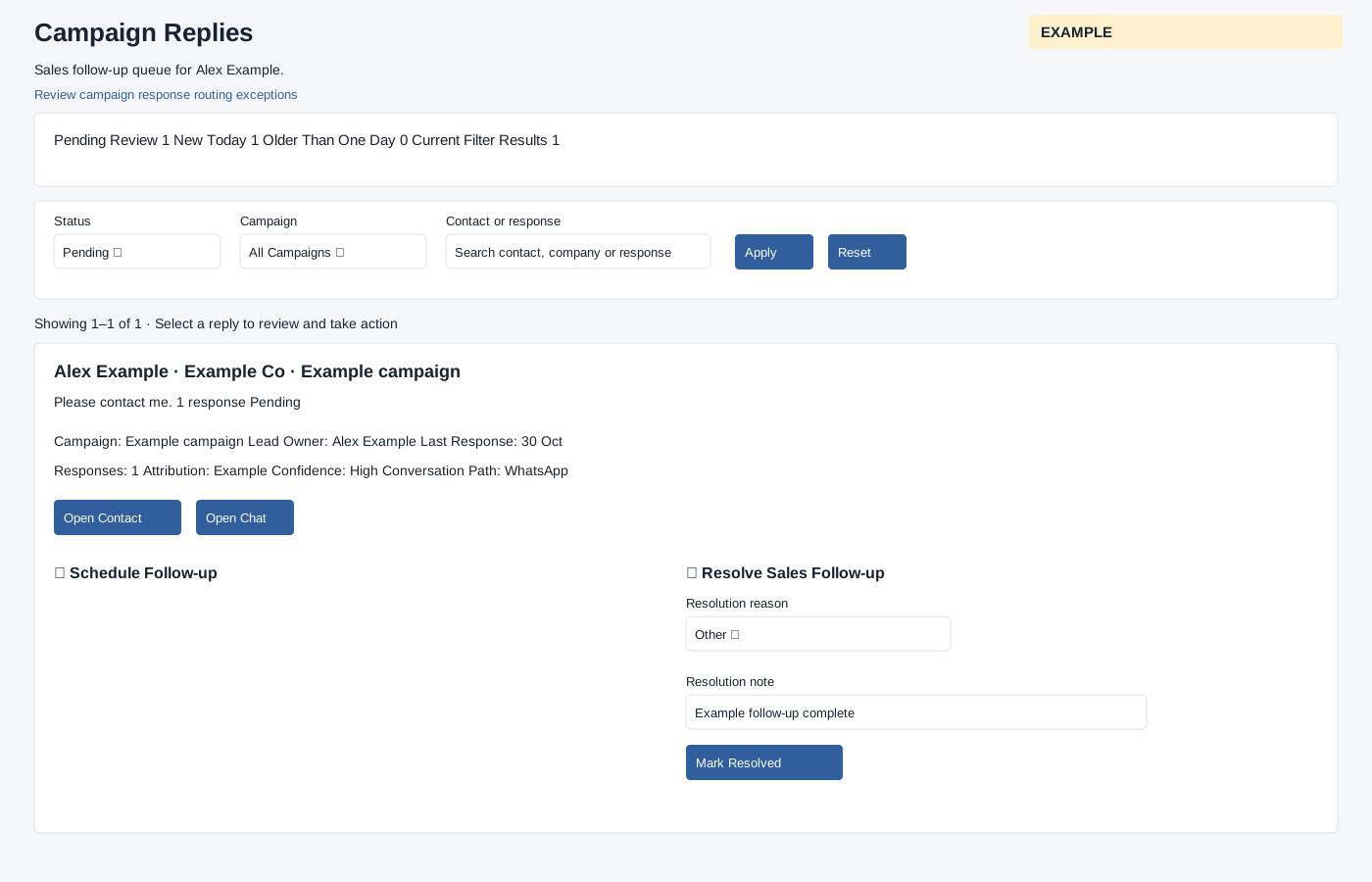
CRM access and campaign-response scope are required. Select Pending, Scheduled, Resolved or Routing Exception, an available campaign, and a contact/company/response search (up to 120 characters), then Apply; Reset clears filters. Pages contain 50 items with Previous and Next. Authorized users can open the routing exceptions queue; it is forced to Routing Exception status.
Expand a reply to see Campaign, Lead Owner, Last Response, Responses, Attribution, Confidence, Conversation Path and preview; routing exceptions also explain the issue. Available links include Open Contact, Open Chat and Bot Transcript. See Bot Transcript for the read-only conversation and its limits. Deleted contacts and inactive owners cannot be managed from the card; routing-exception management also depends on role or ownership.
- For a pending item, expand Schedule Follow-up, choose Due date and time and Action type, optionally add a Note, then Save Follow-up.
- For pending, scheduled or eligible routing exceptions, expand Resolve Sales Follow-up, select Resolution reason and add a note when Other is selected, then Mark Resolved.
- For an eligible resolved item, expand Reopen Follow-up, optionally enter a reason and choose Reopen.
The summary shows Pending Review, New Today, Older Than One Day and Current Filter Results; selecting Pending Review returns to that status. A routing-exception view replaces Pending Review with Routing Exceptions. Scheduling interprets the entered local time using the user timezone when valid, otherwise the office timezone, and converts it to UTC. Scheduling requires a future date and creates a CRM task for the current active owner; the follow-up becomes Scheduled. Resolving completes a linked CRM task and clears the schedule; reopening returns a resolved follow-up to Pending and reconciles any linked task. Only Pending items offer scheduling; Scheduled and eligible Routing Exception items can be resolved, and eligible Resolved items can be reopened. If a scheduled task already exists, update it from the contact timeline rather than scheduling another. The system checks the current owner and the actor’s permission before changing the record. These actions update live follow-up state. On success the report reloads and notifies the digest; errors are shown. Check write permission, owner status and required fields if a control is unavailable or fails.
Verify the result
For Example Co, apply Pending and the relevant campaign, expand the reply, and inspect the attribution and conversation before taking action. Action type choices are Call, Meeting, Email and WhatsApp. Resolution reasons are Converted / won, Qualified — next sales stage, Follow-up completed, Not interested, Invalid lead, Duplicate contact, Opted out, Already handled, No follow-up required and Other. Notes are limited to 1,000 characters. After saving, check the resulting Scheduled or Resolved filter. If another task already exists, inspect it in the contact timeline; do not create a duplicate.